CP-2116E
Remote Control Panel
Page - 26 Revision 1.2
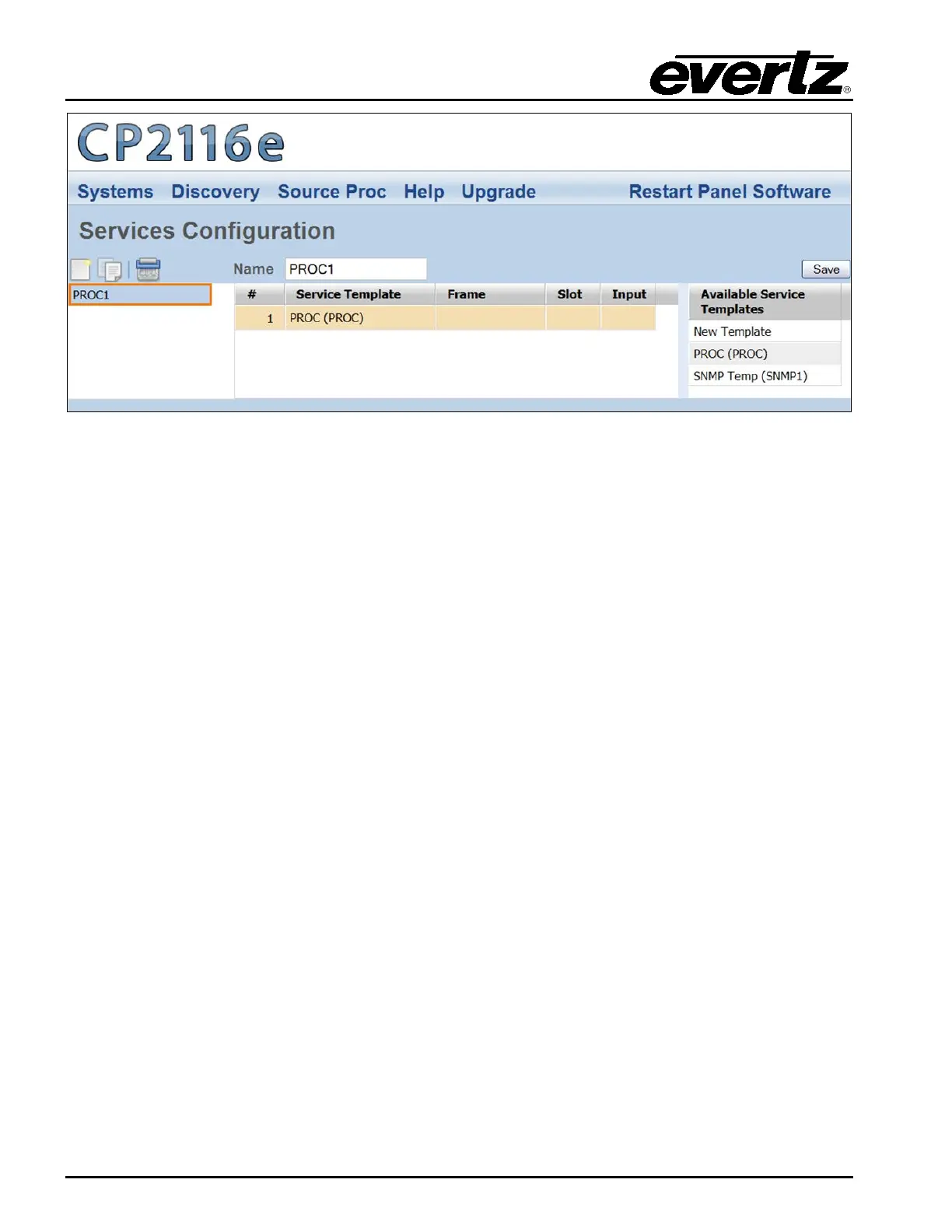
Figure 5-12: Customizing a Service
5.2.3.1. Service Controls
To name and save the service, use the Service controls as listed below:
• Name: To assign a name to the service, enter a unique name into the Name field.
• Save: Press the Save button to save all the changes you have made.
5.2.3.2. Available Service Templates
The Available Service Templates column provides the user with a list of Service Templates that are
currently available. Selecting a template from the list will open the Service Templates page. The user
can also drag and drop a template from the Available Service Templates column to the Service
Template list in order to customize its properties.
5.2.3.3. Service Properties
The user can adjust the properties of the service by entering the appropriate information into the fields
below:
#: This field identifies the service template’s number in the list.
Frame: This field enables the user to select the appropriate frame for the service.
Slot: This field identifies the slot number of the card in the frame that will be controlled
by the panel.
Input: This field enables the user to assign an input number.



 To Next Page