CP-2116E
Remote Control Panel
Revision 1.2 Page - 55
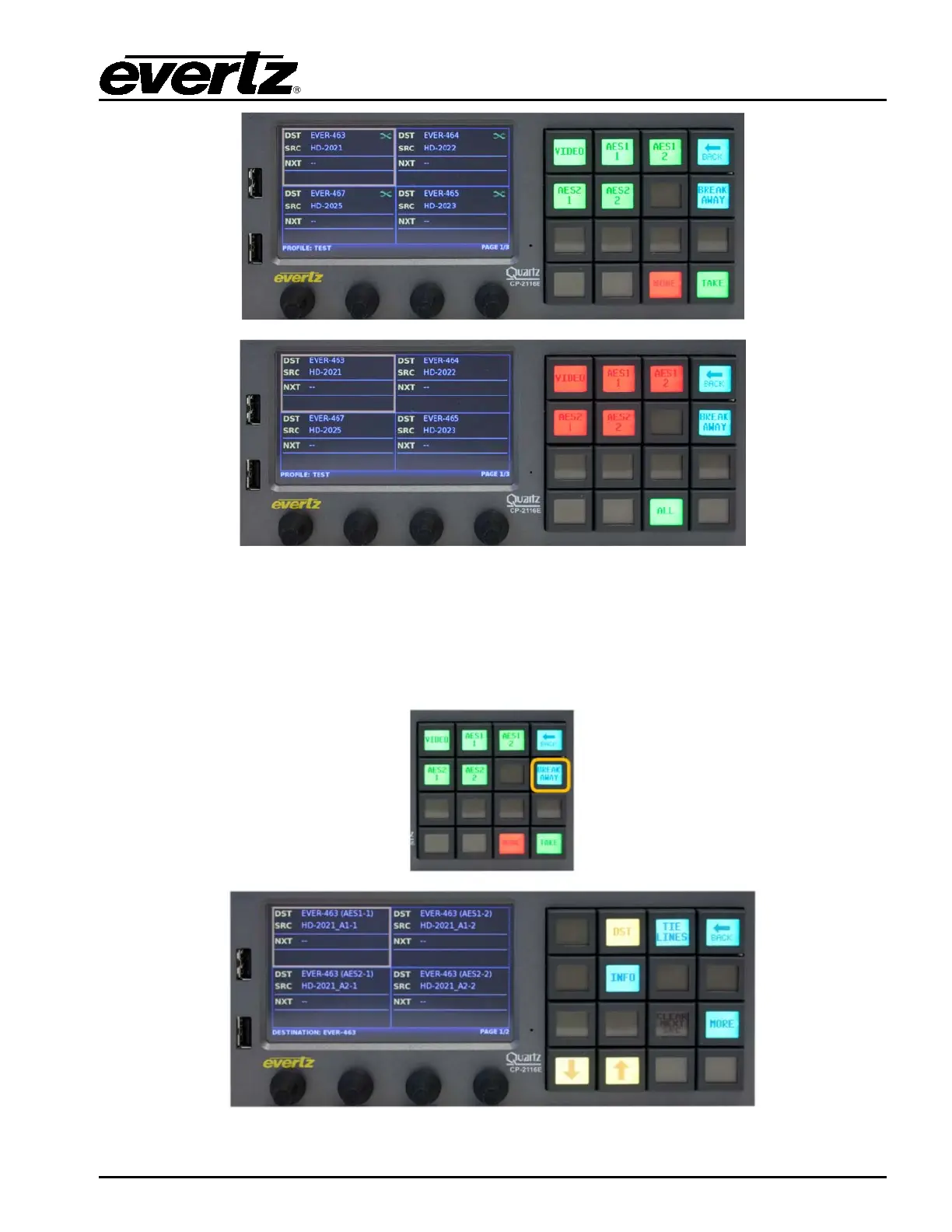
Figure 7-10: Select the ALL/NONE Button
The Select ALL or None button will toggle the level state of the levels for the selected destination. If
levels have been disabled the associated level buttons will turn Red. The screen will display a
breakaway icon for the destination. If levels have been enabled the associated level buttons will turn
Green. The screen will display a Green X icon for the destination if all levels are enabled. The level
state will not change if the user selects the Back button to return to the Quad Destination view.
Figure 7-11: Selecting the BREAK AWAY Button



 To Next Page