CP-2116E
Remote Control Panel
Revision 1.2 Page - 59
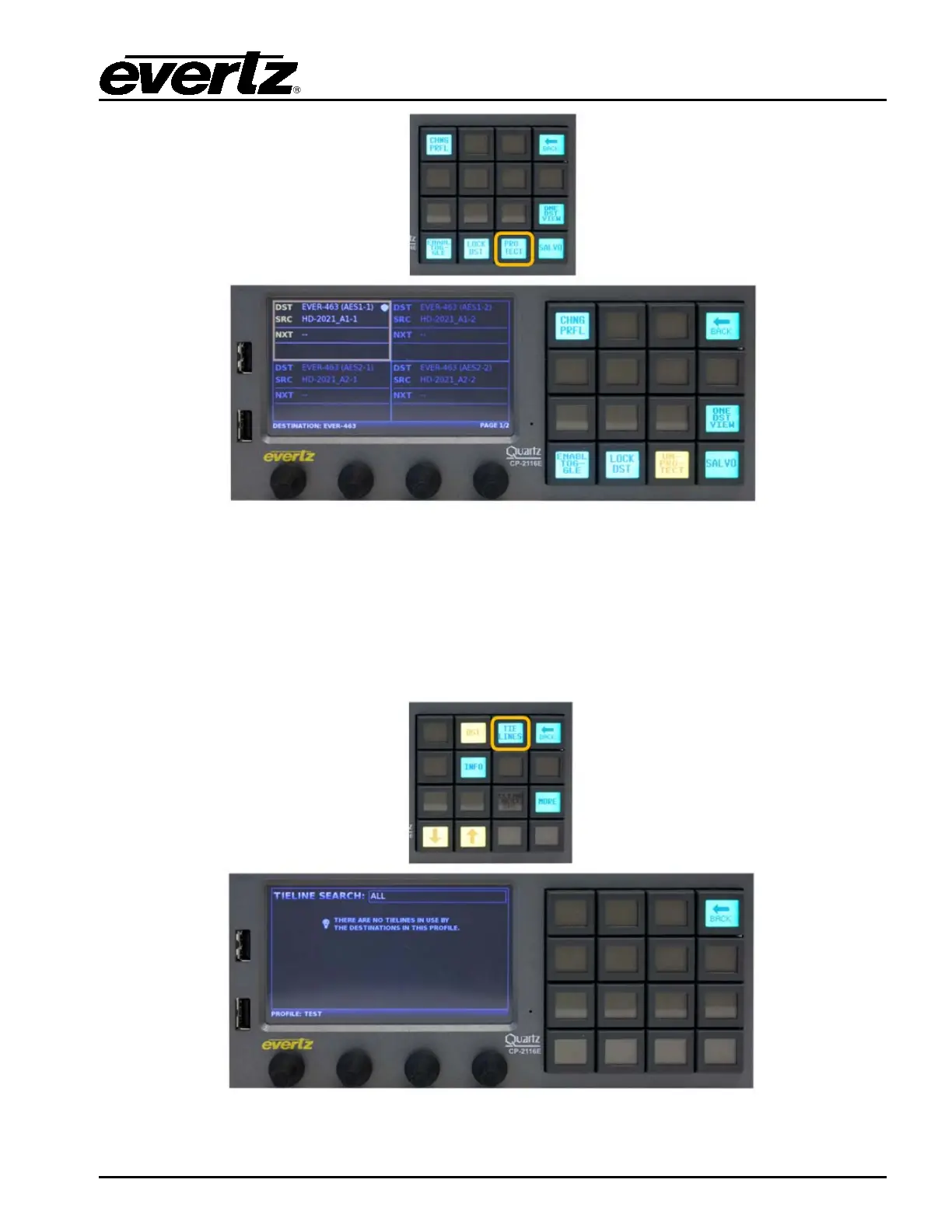
Figure 7-16: Selecting the “PROTECT” Button
The PROTECT button when pressed will toggle between Protecting or Un-protecting the selected
destination. A destination that is protected will display a Shield icon in the top right corner of the
destination quadrant. A destination that is protected can only be routed on by the user who protected it.
Only the user who protected the destination or an ‘Admin’ user can un-protect the destination. To view
the owner of a protected destination, select the INFO button. The Back button can be used to return to
the Quad Destination view.
Figure 7-17: Selecting the “TIELINES” Button


 To Next Page