CP-2116E
Remote Control Panel
Revision 1.2 Page - 33
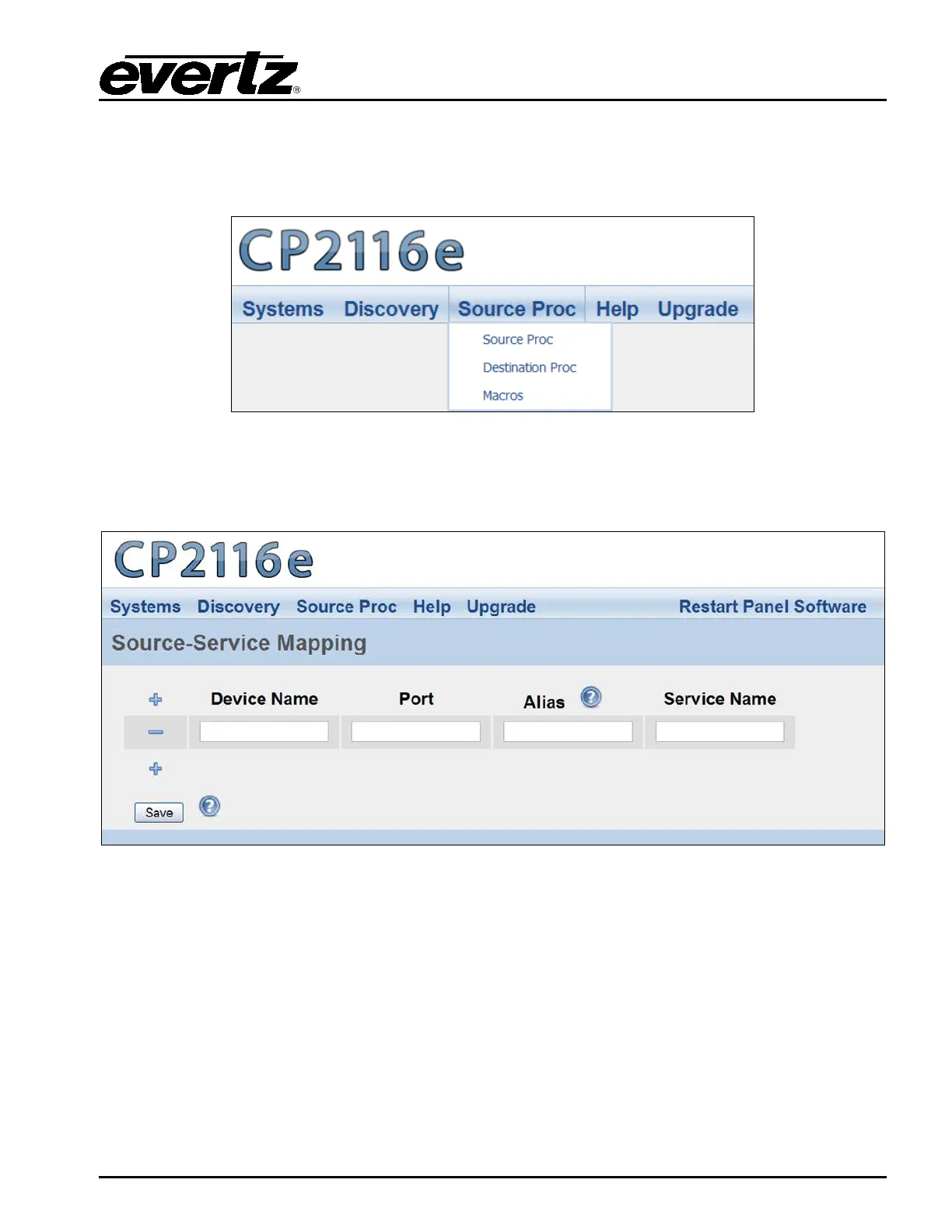
5.4. SOURCE PROC MENU
The Source Proc menu enables the user to create source-service, destination-service, and macro-
service mapping.
Figure 5-21: Source Proc Menu
5.4.1. Source Proc Page
The Source Proc page enables the user to attach an SNMP service to a router’s input port.
Figure 5-22: Source Proc Page
1. The following items will be required before you begin:
a. The PRECISE “short name” from the EQX Server for the router containing the input or
output you wish to map a service to.
b. The PRECISE port number (in other words, the numerical input) the service should be
mapped to. This number should be entered without any preceding zeros. Enter the
number one as: 1 not 001.
c. An Alias name for the router source (which will be used if the device name and port are
not provided).
d. A Service created and saved on the CP-2116E panel.
2. Select the plus sign to create a new mapping.



 To Next Page