02-2023 6095 00 9
CONTROLS AND INFORMATION
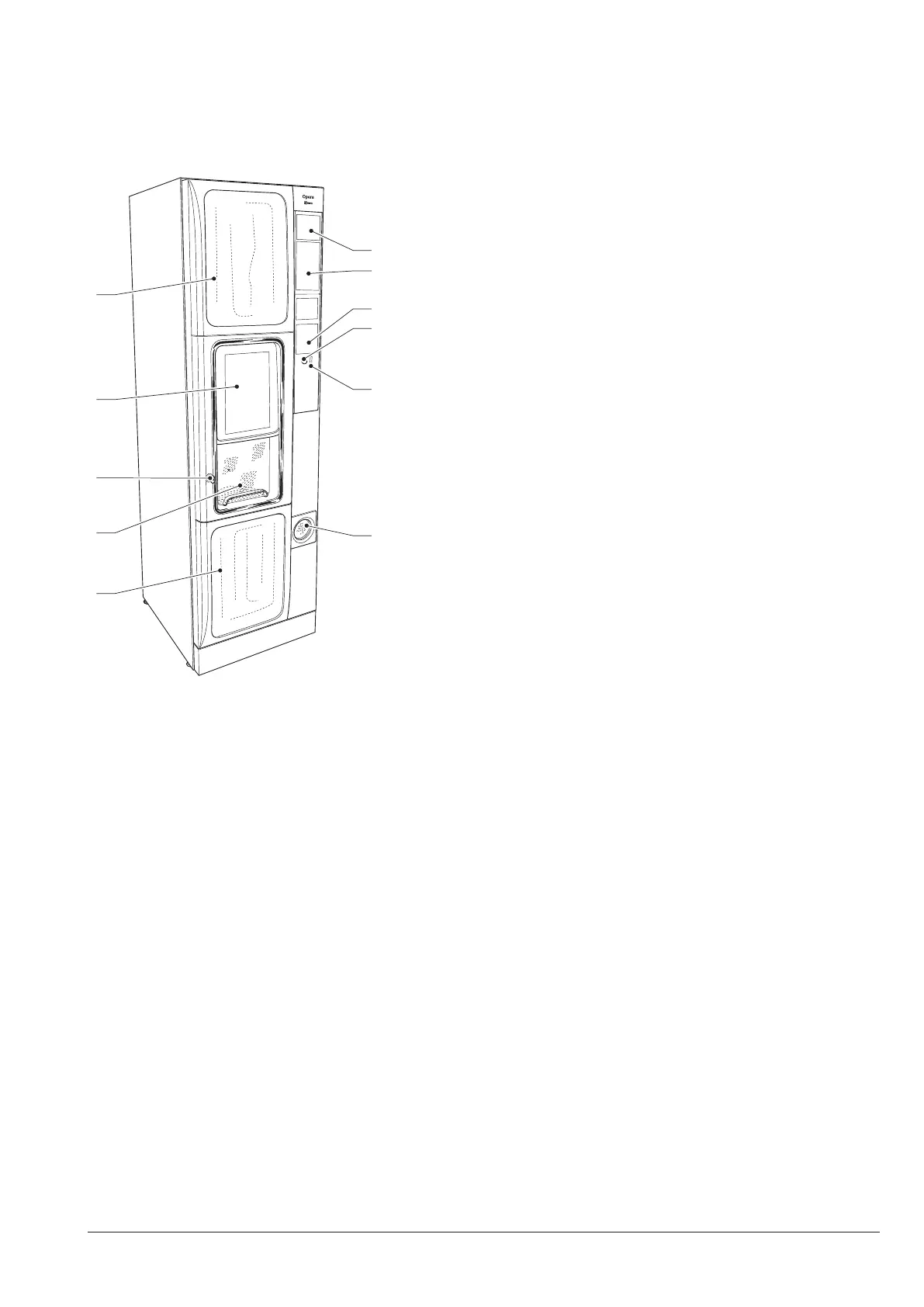
The controls and information for the user
are arranged outside.
All messages are displayed on the touch
screen of the machine.
6
7
8
9
10
11
Fig. 5
1. Lower aesthetic panel
2. Dispensing compartment
3. Lock
4. Touch screen
5. Upper aesthetic panel
6. Advertising space
7. Space for bill validator
8. Advertising space or cashless systems
9. Coin return button
10. Coin insert
11. Coin return
PRODUCT LOADING
that they have been preserved accord-
ing to the producer's instructions for
storage and holding temperature.
date.
The products shall be declared as “suitable
for automatic dispensing” in open canisters
by the manufacturer.
Products may even be loaded if canisters
are partially full.
COFFEE BEANS
It is advisable to use good quality cof-
fee beans to avoid any malfunction of the
equipment due to the presence of impuri-
ties.
1. open the canister cover.
2. fill with coffee beans.
3. make sure that the canister shutter is
open



 To Next Page