14 02-2023 6095 00
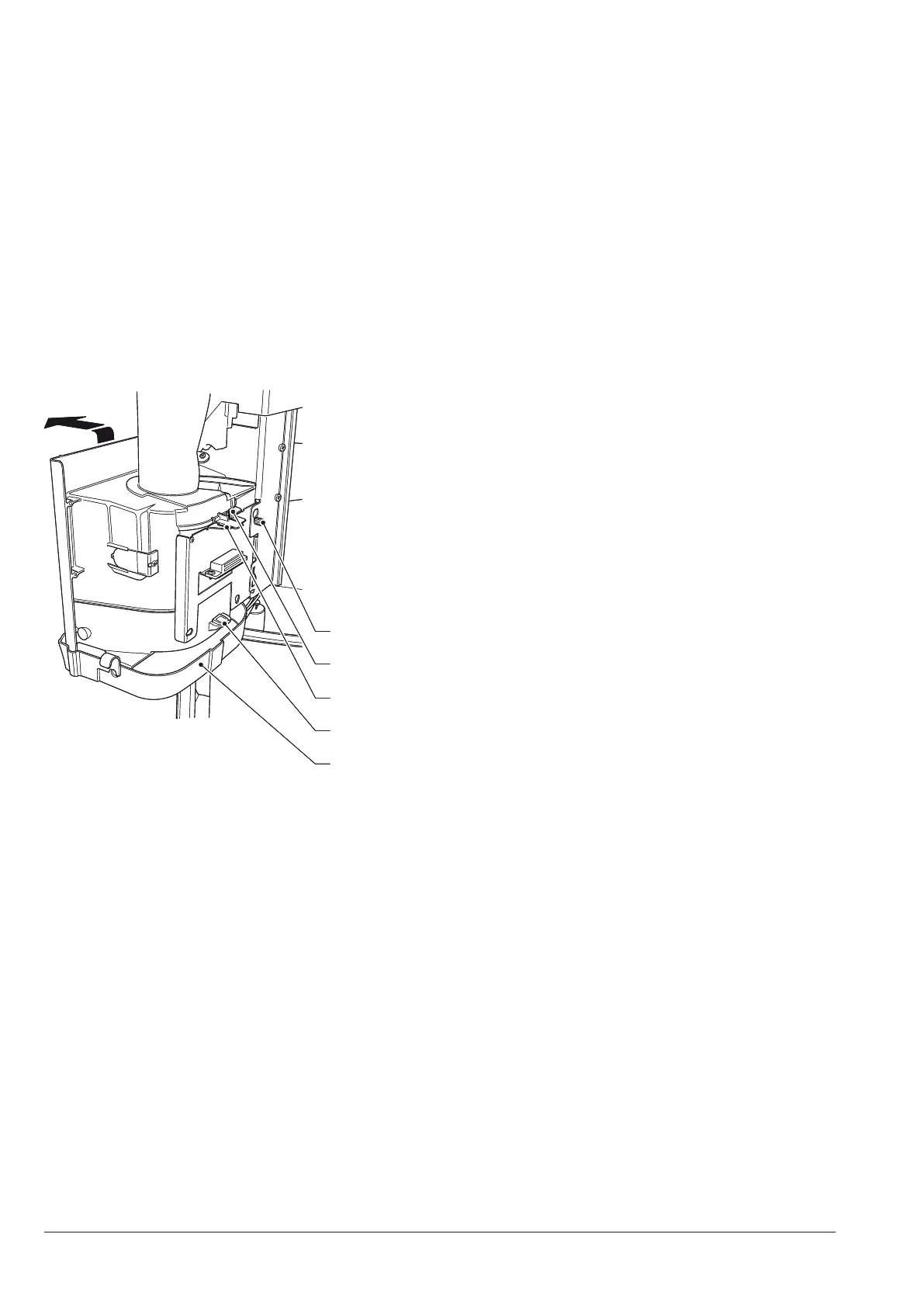
DISPENSING COMPARTMENT
To clean the dispensing compartment, re-
move it from the machine.
1. remove the knurls intended to lock the
compartment;
2. unhook the compartment by acting on
the fastening clips;
3. to wash, use a solution of neutral deter-
gent; pay special attention to the display
glasses of the cup sensor and of the
compartment lighting leds.
4. to wash, use a solution of neutral deter-
gent; pay special attention to the display
glasses of the cup sensor and of the
compartment lighting leds.
5
4
3
2
Fig. 13
1. Dispensing compartment tray
2. Dispensing compartment grid hook
3. Cup chute locking clip
4. Cup chute fastening knurl
5. Dispensing compartment fastening knurl
Please Note To clean the grid only, disas-
semble the dispensing compartment tray
and, then, extract the grid by acting on the
rear hook.



 To Next Page