54 02-2023 6095 00
“DEEp moDE” profilE
This prole is active on the time bands you
have set up.
The boiler temperature is lowered in the set
up time bands and the set up holding tem-
perature is kept.
You can:
-set up how many minutes earlier the boiler
must be heated before the end of the time
band.
For instance 5 minutes: the heat cycle of
the boiler is activated 5 minutes before the
end of the time band to reach the operat-
ing temperature.
-set up the holding temperature of the
boiler/s in the energy saving phase
-enable / disable the lighting of the equip-
ment
-choose the luminosity level of the touch
screen among those pre-defined.
ENErgy saviNg timE baNDs
To set up the time bands intended to trigger
energy saving proles.
-Choose the day on which to set up the
time bands.
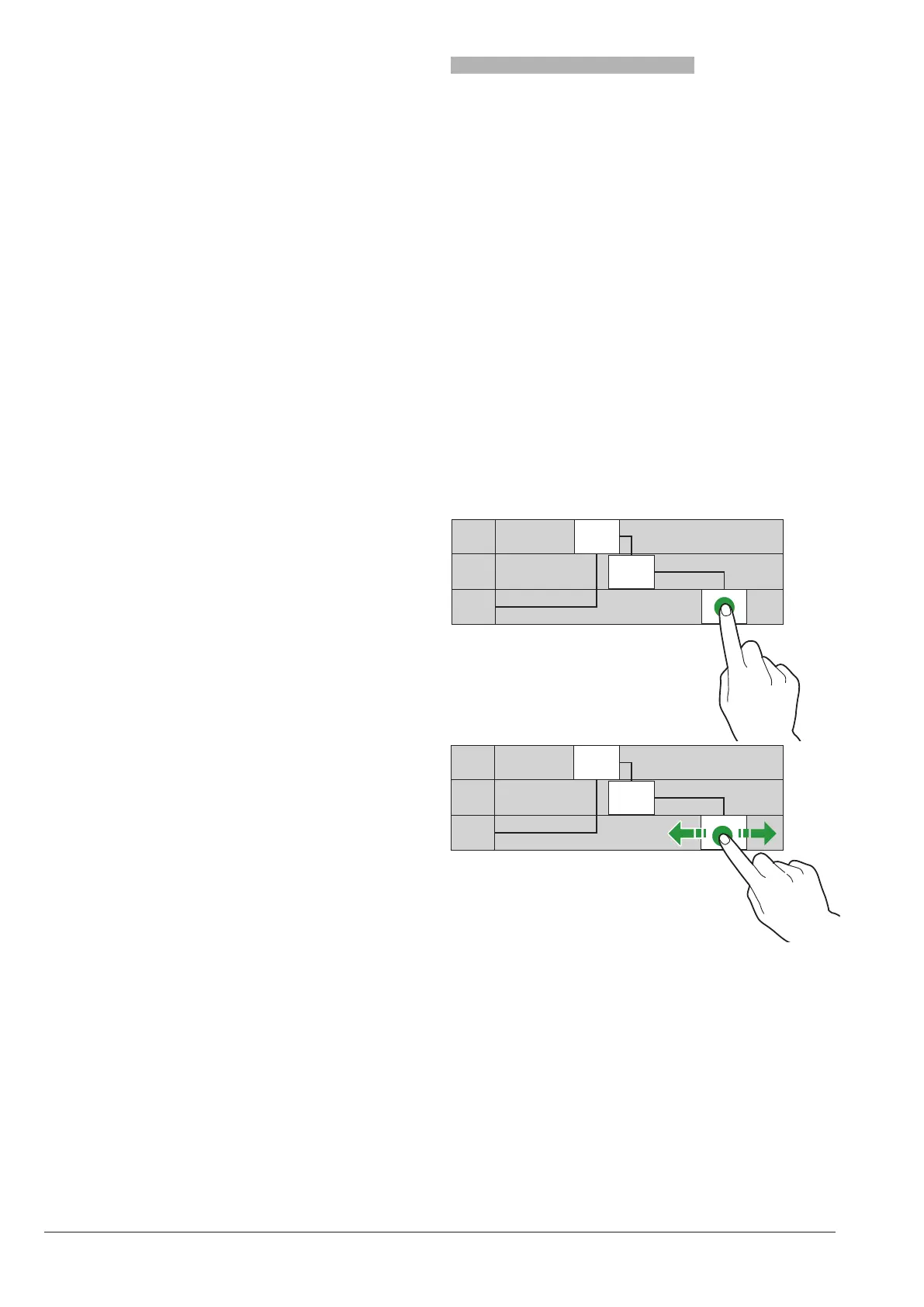
-Touch “Add” and then the profile line to
position a rectangle showing the time.
-Drag the rectangle to define the time ex-
actly.
To remove a rectangle, touch the key “Re-
move” and then the rectangle to be re-
moved.
You can copy the settings for all days of the
week or for one single day.
Touch “Copy day” to:
-Copy the set up time bands for one single
day of the week; touch the day on which to
set up the energy saving and then touch
“paste day”
-Copy the set up time bands for all days of
the week; touch “paste days”
LLLL 7.30
9.30
20.00
LLLL
LLLL
LLLL 7.30
9.30
20.00
LLLL
LLLL
Fig. 38



 To Next Page