36 02-2023 6095 00
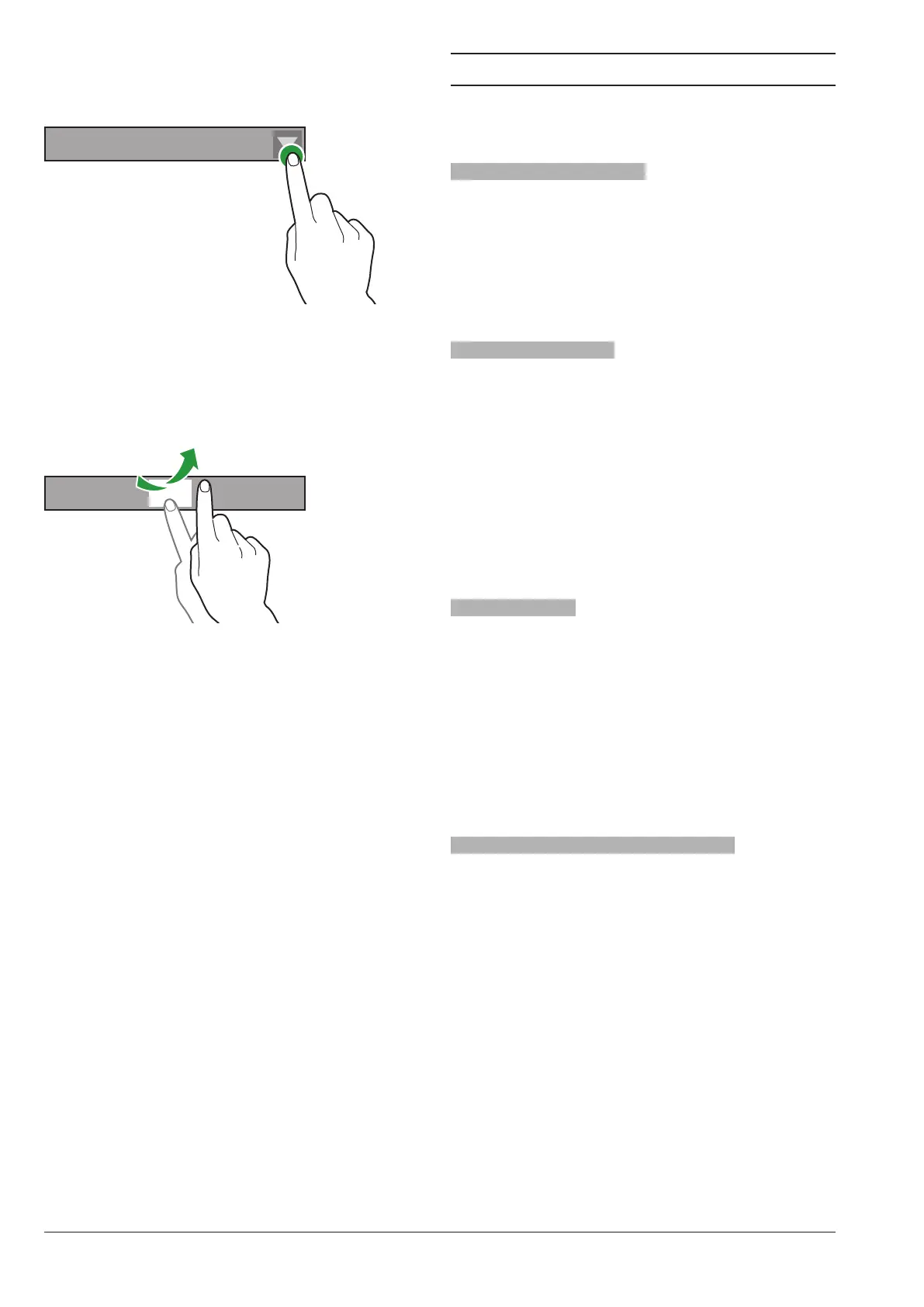
Drop-DowN list
Touch to open the drop-down list and select
the value or the setting.
LLLL LLLL LLLLLL
Fig. 33
valuE pickErs
Scroll and select the value you wish
To enter a value quickly (without scrolling),
touch and type the numeric value
1 2 3 4 5 6 7
Fig. 34
DAILY ACTIONS
It groups all the functions concerning daily
operations (wash cycles, waste counter
reset, …)
wasHiNg aND riNsiNg
Automatic washing and rinsing functions of
the functional units of the equipment (brew-
er, mixer, …).
Choose the components you wish to wash.
Some parameters might be required for
some wash cycles (e.g. the water quantity
for use, …)
filliNg caNistErs
If the filling level control of canisters is disa-
bled, the function is not accessible.
The lling level of canisters is calculated.
The product quantity used in the recipe is
subtracted from the quantity in the canister
for each selection you have made.
The function is intended to manage pre-
alarms properly or to display a message for
empty canisters (if enabled).
After loading products, specify the prod-
uct quantity you have loaded.
casH actioNs
Functions active for the models with pay-
ment system only.
From the function you can:
-empty the coins from change tubes of the
coin mechanism
-load the coins into the tubes of the coin
mechanism for the change function
-check the total amount of money in the
coin mechanism
slavE macHiNE rEmotE Display
With a master-slave connection only.
To enable the remote display and navigate
in the menus of the connected slave ma-
chine.



 To Next Page