02-2023 6095 00 59
pricE baND maNagEmENt
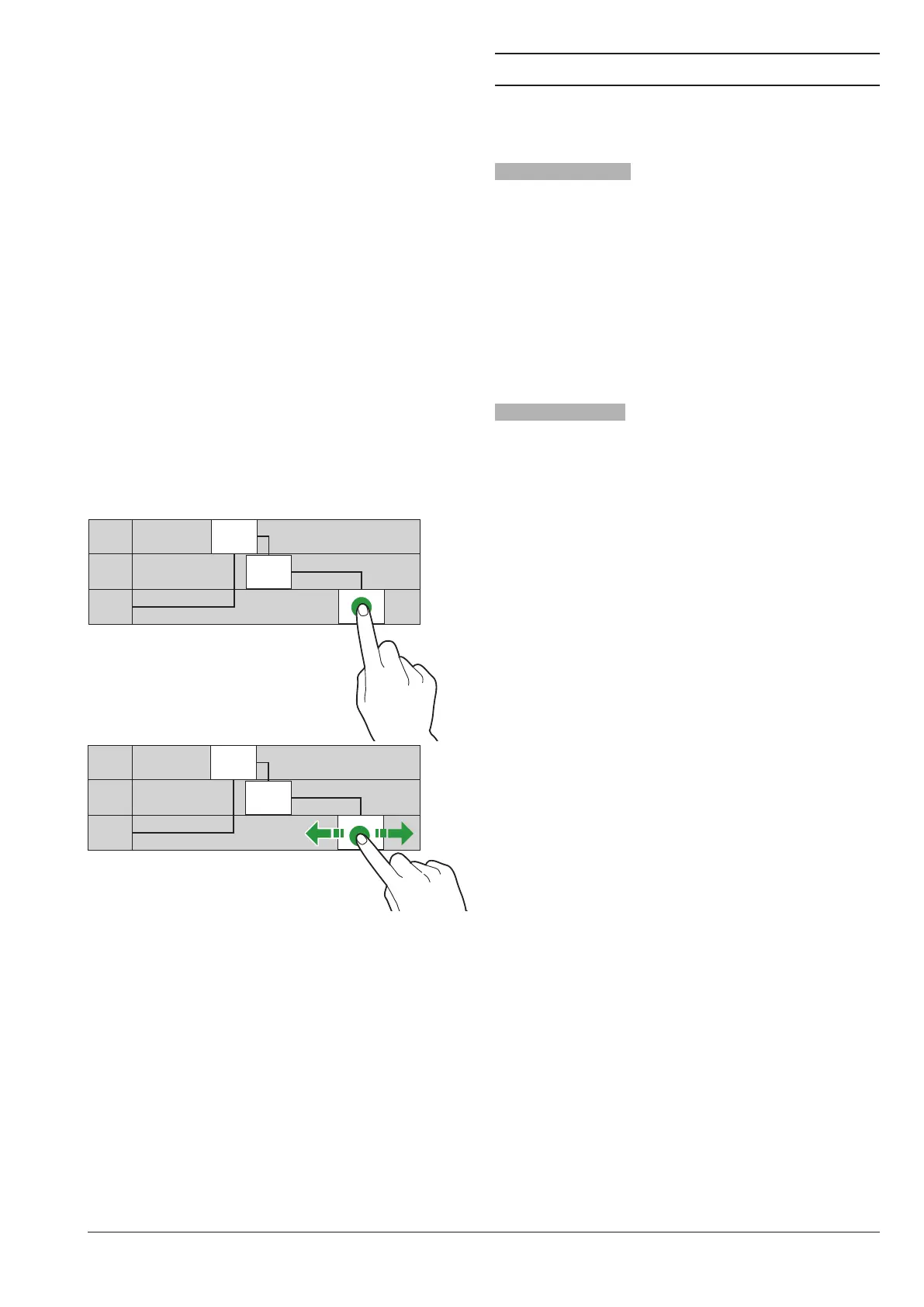
To set up the (standard or promotional) time
bands for the sale at dierentiated prices.
-Touch the day on which to set up the time
bands.
-Touch “Add” and then the time band line to
position a rectangle showing the time.
-Drag the rectangle to define the time ex-
actly.
To remove a rectangle, touch the key “re-
move” and then the rectangle to be re-
moved.
You can copy the settings for all days of the
week or for one single day.
Touch “Copy day” to:
-Copy the set up time bands for one single
day of the week; touch the day on which to
set up the energy saving and then touch
“paste day”
-Copy the set up time bands for all days of
the week; touch “paste days”.
LLLL 7.30
9.30
20.00
LLLL
LLLL
LLLL 7.30
9.30
20.00
LLLL
LLLL
Fig. 39
Empty coiN mEcHaNism
To empty the coin mechanism and get the
whole amount cashed.
From the function you can see the amount
in the coin mechanism.
IMPORT / EXPORT
It groups all the functions used to export
and import statistics, machine settings,
graphical packages, …
Export EvaDts
To export EVADTS data on a USB stick
and/or on data transmission devices
(RS232, IrDA, telemetry, …).
Export filE
To save an EVADTS le on a usb stick.
Export sErial port
Use this function to decide which commu-
nication protocol to use for communication
with data acquisition devices.
DDcmp - EDDcmp
with the following congurable parameters:
-EVADTS mode: to choose the data trans-
mission device (RS232, IrDA, telemetry,
…).
-Baudrate: it is the transmission speed to
be used for communication between the
equipment and data acquisition devices.
-DDCMP pass code: it is a code that shall
be the same as the one of the data trans-
fer terminal for identification.
Set to 0 by default
-DDCMP security code: it is a code for
mutual recognition between machine and
EVA DTS terminal.
Set to 0 by default
-: if enabled, it can
recognise the end-of-transmission (EOT)
signal sent to the last package and inter-
rupt data transmission.
- if enabled, the time
to signal the proper receipt of a data pack-
age is increased.
The function is useful if one of the commu-
nication devices is slower.
-Synchronise date/time: if enabled, you
can synchronise date and time between
communication devices.



 To Next Page