18 02-2023 6095 00
UNPACKING THE MACHINE
After having unpacked the machine, make
sure that the equipment is intact.
In case of doubt never use the equipment.
within the reach of children since they
are potential sources of danger.
Packing materials shall be disposed of in
authorised dump sites and recyclable ones
collected by specialised companies.
Important !!!
The machine must be arranged in such a
way that the maximum inclination will not
exceed 2°.
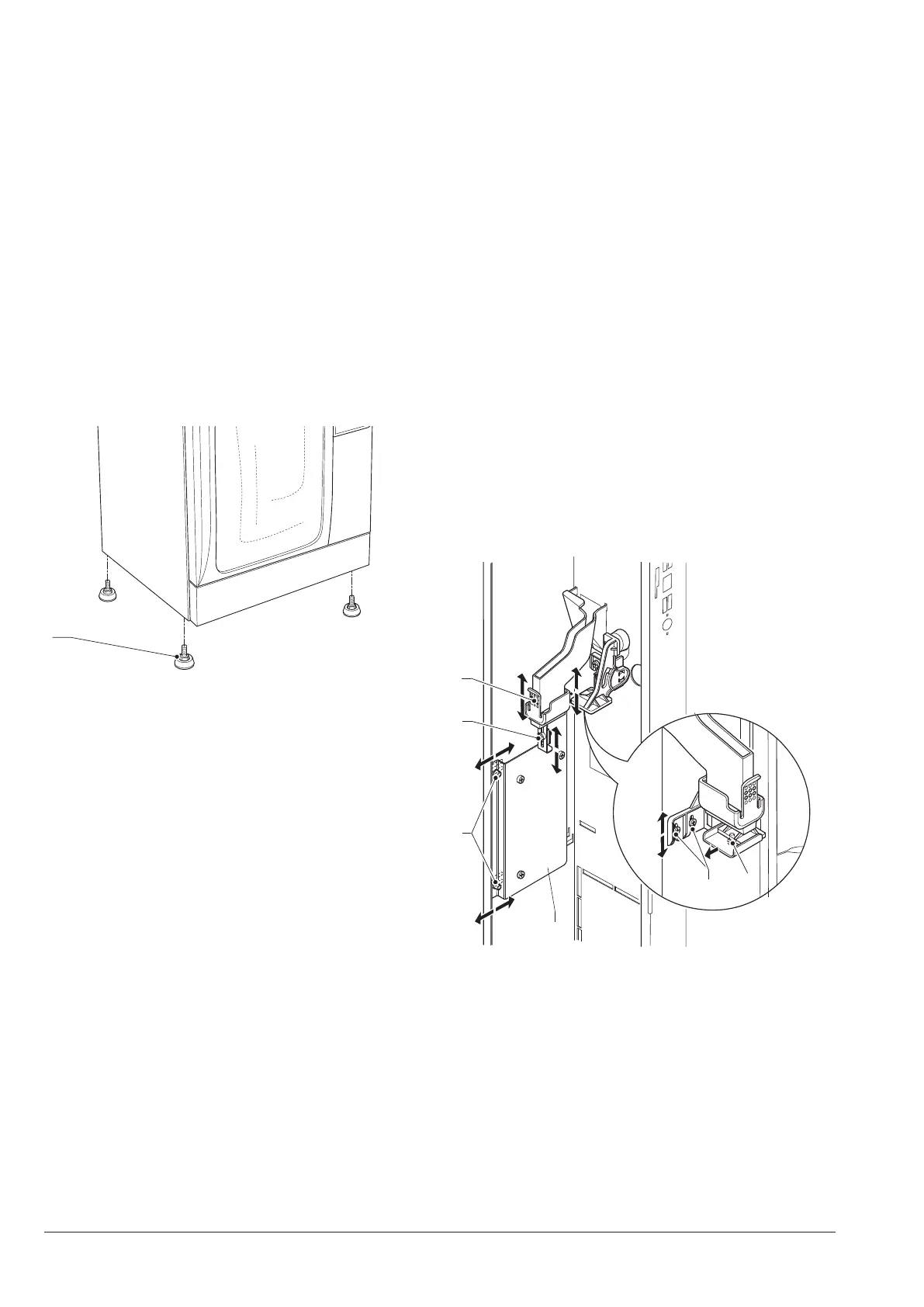
Use adjustable feet to level the machine.
Fig. 15
1. Adjustable foot
PAYMENT SYSTEM ASSEMBLY
The machine is sold without any pay-
ment system. As a consequence, only
the installer will be liable for any dam-
age that may be caused to the machine
or to things and persons by an incor-
rect installation of the payment system.
The validator can be directly mounted on
the machine.
“cashless” systems can be arranged inside
the machine
Mount the payment system you have se-
lected by following the instructions and
make sure that:
-parameters are properly programmed.
-mechanical regulations are carried out
according to the coin mechanism; regulate
the change key bracket so as to operate
the change key decisively
-regulate the coin chute end according to
the coin mechanism you have assembled.
To regulate vertically, just release and re-
position it.
5
6
Fig. 16
1. Coin mechanism support
2. Coin mechanism support regulation
3. Coin mechanism fastening joint plate
4. Coin chute end
5. Change button bracket regulation
6. Change button bracket



 To Next Page