78 02-2023 6095 00
SOFTWARE INSTALLATION AND/
OR UPDATE
The installation and/or update of the
operating system deletes the applica-
tion software, statistical data as well as
the settings and customisations made.
Videos/images for playlists are deleted.
Use the backup functions on a USB
stick (import / export menu) to save the
settings, the customisations and the
videos/images for playlists.
The software must be installed and/or up-
dated by means of a USB stick (as soon as
the equipment is started).
The USB stick must be formatted by
means of le system FAT32 so as to
include only the les necessary for the
update.
Compatibility is not guaranteed for all
USB memory devices on the market.
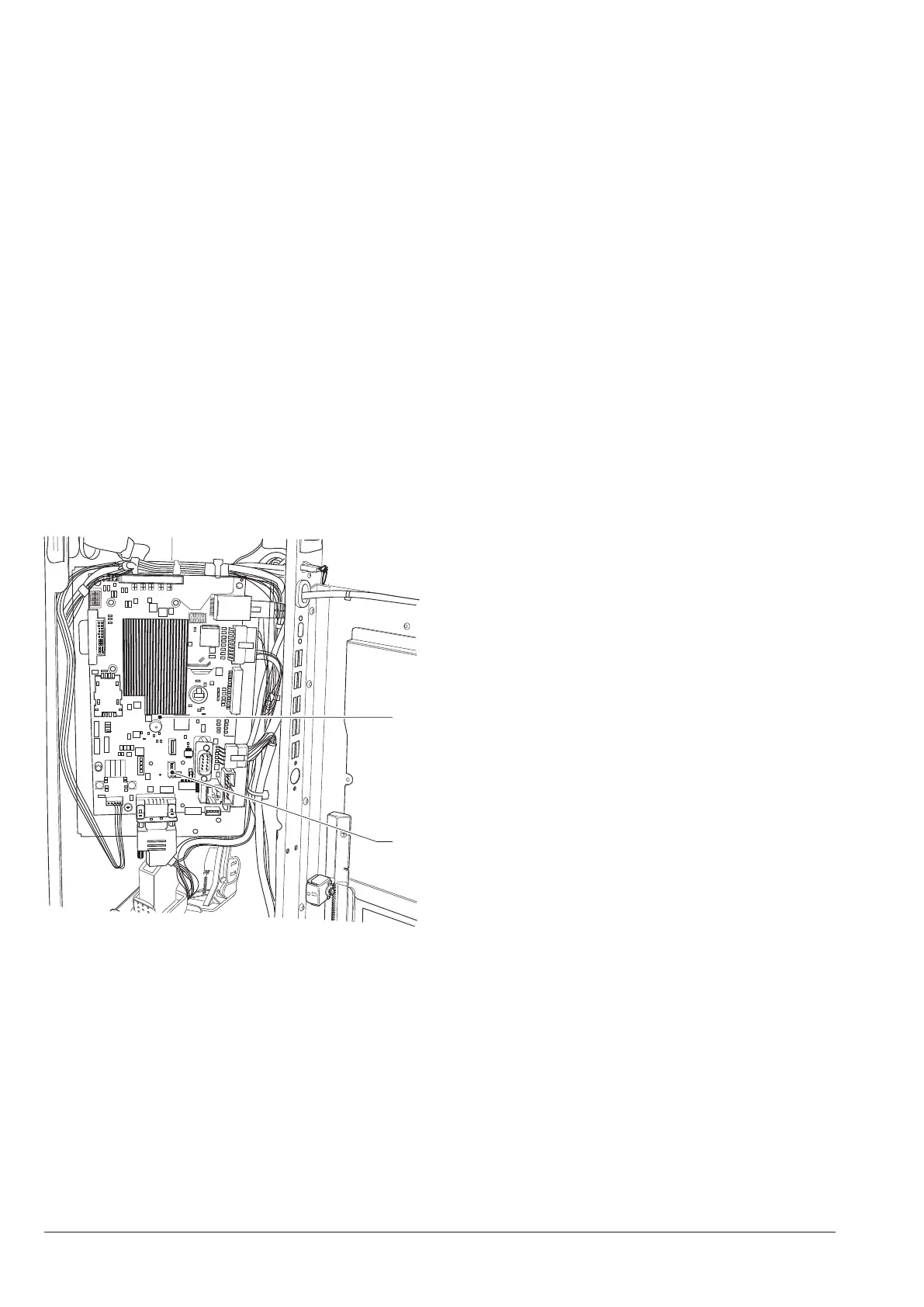
1
2
Fig. 55
1. C.P.U. board
2. usb otg port
“systEm kEy” opEratiNg systEm kEy 1
Act as follows:
1. copy every single file of the operating
system in the main directory of the USB
stick,
2. power off the equipment
3. insert the USB stick in the usb otg port of
the CPU board
4. power on the equipment
5. some messages appear to show the pro-
gress of the update.
The update requires some minutes.
6. at the end of the update, a message ap-
pears requiring the user to remove the
USB stick.
7. after removing the USB stick, the equip-
ment is automatically restarted.
8. Install the application software
“upDatE kEy ” applicatioN kEy 2
Act as follows:
1. copy every single file of the application in
the main directory of the USB stick,
2. power off the equipment
3. insert the USB stick in the usb otg port of
the CPU board
4. power on the equipment
5. some messages appear to show the pro-
gress of the update.
The update requires some minutes.
6. at the end of the update, a message ap-
pears requiring the user to remove the
USB stick.
7. after removing the USB stick, the equip-
ment is automatically restarted.
8. the guided procedure will be started
for the first settings (equipment model,
language of messages, name of the ma-
chine, …)
The update of the application soft-
ware keeps the settings, the customisa-
tions as well as videos/images for the
playlists.



 To Next Page