Issue
10.01.F
EVS Multicam Version 10.01 – Operating Manual
EVS Broadcast Equipment SA – July 2009
8
2.4 SOFT KEYS
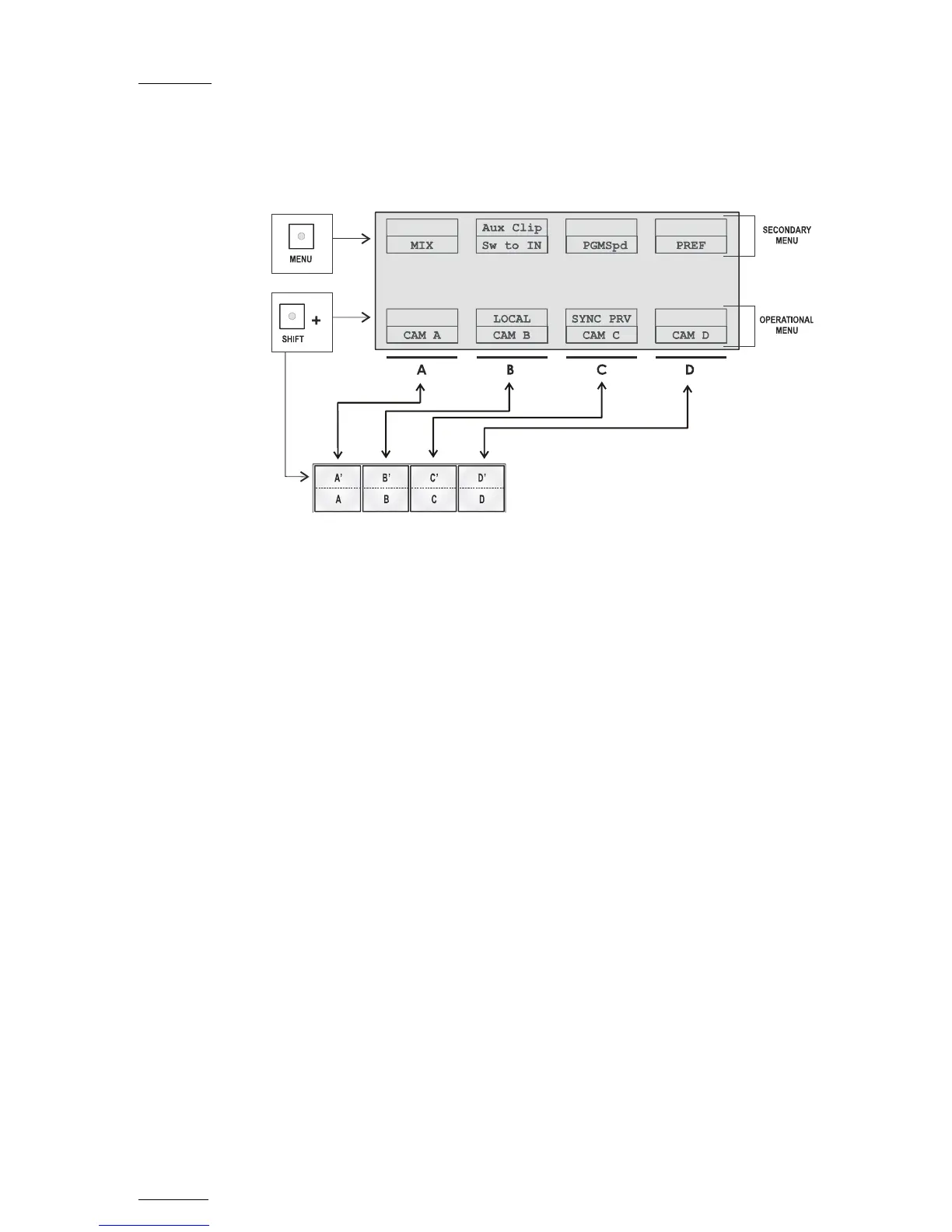
The soft keys have PRIMARY and SECONDARY functions and are divided
into upper and lower sections.
The LCD display is divided in two menus.
• To access the secondary functions in the operational menu (A’ to D’),
press the SHIFT button.
• To access the secondary menu, press MENU from the remote controller.
The secondary menu is used to define settings that do not require
regular changes, without having to return to the Setup menu.
• To return to the operational menu, press the MENU key again.
• To return to the Main menu in Multicam, press SHIFT + MENU.


 To Next Page
 Loading...