DTP CrossPoint 84 Series Matrix Switchers • Operation 41
Configuring the TP Insertion Ports
The control insertion ports on TP inputs and outputs can be configured for Ethernet
insertion or RS-232 pass-through. Configure the control insertion as follows:
1. Press the Esc button to clear any input button indications, output button indications, or
control button indications that may be lit.
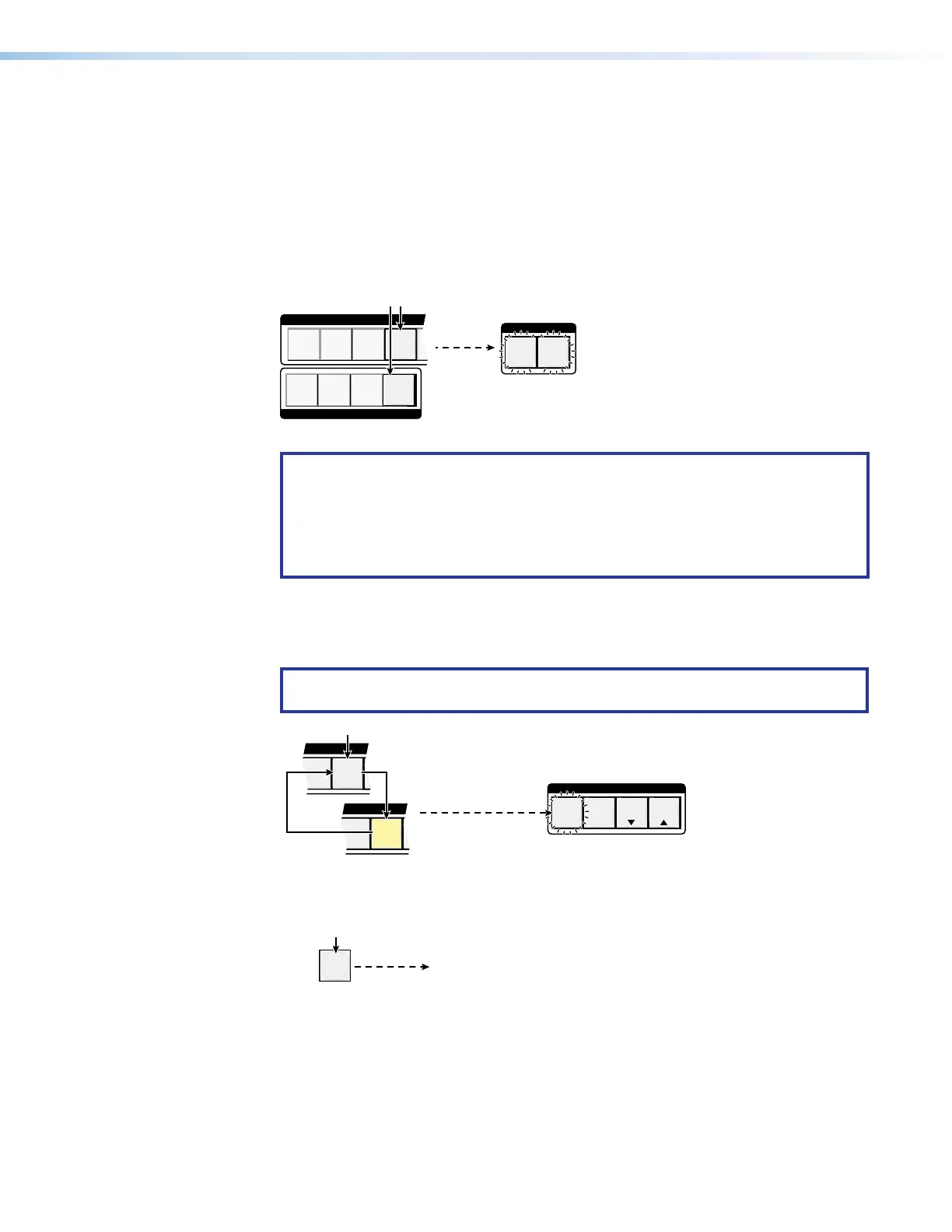
2. Select Control Insert Configuration mode: Press and hold the Input 4 and
Output 4 buttons simultaneously until the Video and Audio button begin to blink
(approximately 2 seconds).
I/O
AUDIOVIDEO
1
2
3
4
1
2
3
4
INPUTS
OUTPUTS
Press and hold the buttons.
2 seconds
3. Release the INPUT and OUTPUT buttons.
NOTE: The TP insertion ports are protected when front panel Lock mode 2 is
selected. You can view the mutes in Lock mode 2 but you cannot change them
from the front panel (see Setting the Front Panel Locks (Executive Modes) on
page43).
If front panel Lock mode 2 is selected and you try to perform steps 4 and 5, the
actions are ignored.
4. Select the input or output and configure it: Press and release either an Input
button or output button to select that input or output to configure. Repeatedly press
the Input or output, toggling between unlit and amber indications, to select the
configuration.
NOTE: Only TP inputs and outputs (Input 7 and 8 and Output 3 and 4) are valid
selections. Other input buttons do not respond.
6
7
INPUTS
6
7
INPUTS
CONTROL
ENTER PRESET
VIEW
ESC
Press the button repeatedly.
Press
Press
The selected input button indicates the control
insertion configuration as follows:
Unlit — RS-232 pass-through Amber — Ether
The Enter button blinks to indicate
the need to save the change.
5. Confirm the change: Press and release the Enter button.
ENTER
All input buttons and output buttons
return to unlit or background illumination.
Press the Enter button
to confirm the change.
The Enter button returns to
unlit or background illumination.



 To Next Page