DTP CrossPoint 84 Series Matrix Switchers • Operation 47
Performing Soft System Resets (Resets 4 and 5)
Perform a soft reset of the switcher as follows:
1. Use a small screwdriver to press and hold the rear panel
Reset
button until the
Reset
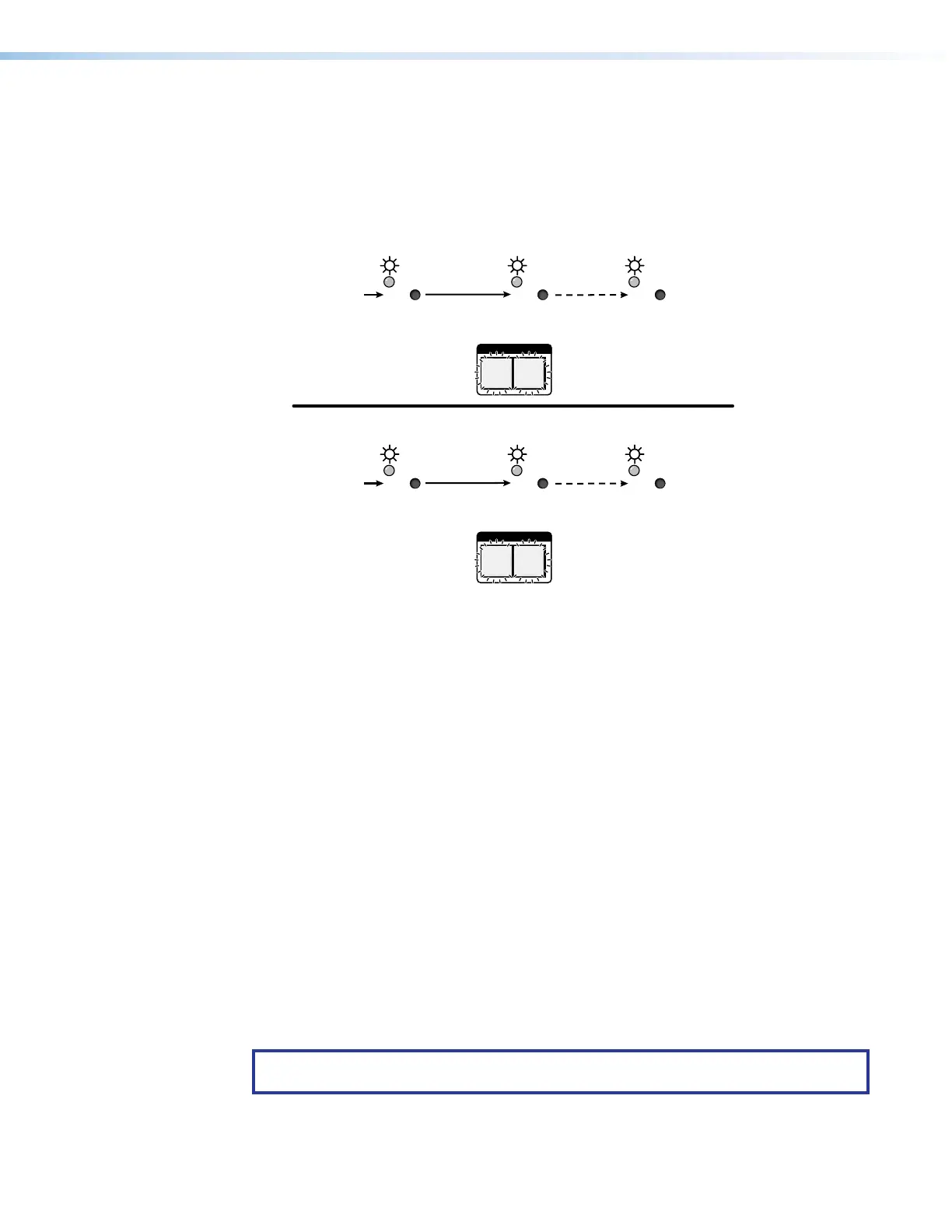
LED and the front panel Video and Audio buttons blink the number of times for the
desired reset: twice (IP settings reset) or three times (absolute reset) (see figure28).
I/O
AUDIOVIDEO
I/O
AUDIOVIDEO
RESET RESET RESET
RESET RESET RESET
Release, then immediately
press and release again.
IP Settings
Reset
6 seconds
Absolute Reset
9 seconds
(Mode 4)
(Mode 5)
Reset LED blinks twice.
Press and hold
the Reset button.
Press and hold
the Reset button.
Reset LED blinks
three times.
Front panel I/O buttons blink twice.
Front panel I/O buttons blink three times.
Release, then immediately
press and release again.
Figure 28. Soft System Resets
2. Release the
RESET
button and then immediately press and release the
Reset
button
again. Nothing happens if the second momentary press does not occur within 1 second.
Troubleshooting
This section recommends what to do if you have problems operating the switcher.
1. Ensure that all devices are plugged in and powered on.
2. Check to see if one or more outputs are muted.
3. Ensure an active input is selected for output on the switcher.
4. Ensure that the proper signal format is supplied.
5. Check the cabling and make corrections as necessary.
6. Call the Extron S3 Sales and Technical Support Hotline if necessary. See
www.extron.com for the phone number in your region of the world.
Configuration Worksheets
Rather than trying to remember the configuration for each preset, use worksheets to record
this information. Make copies of the blank worksheet on page 51 and use one for each
preset configuration. Cross out all unused or inactive inputs and outputs. Use different
colors for video and audio.
NOTE: All of the equipment in the following examples is connected through the
appropriate transmitter or receiver.
28



 To Next Page