RESTRICTED USE ONLY FARGO Electronics, Inc.
DTC500 Series Card Printer/Encoders Troubleshooting Guide (Rev. 3.0)
131
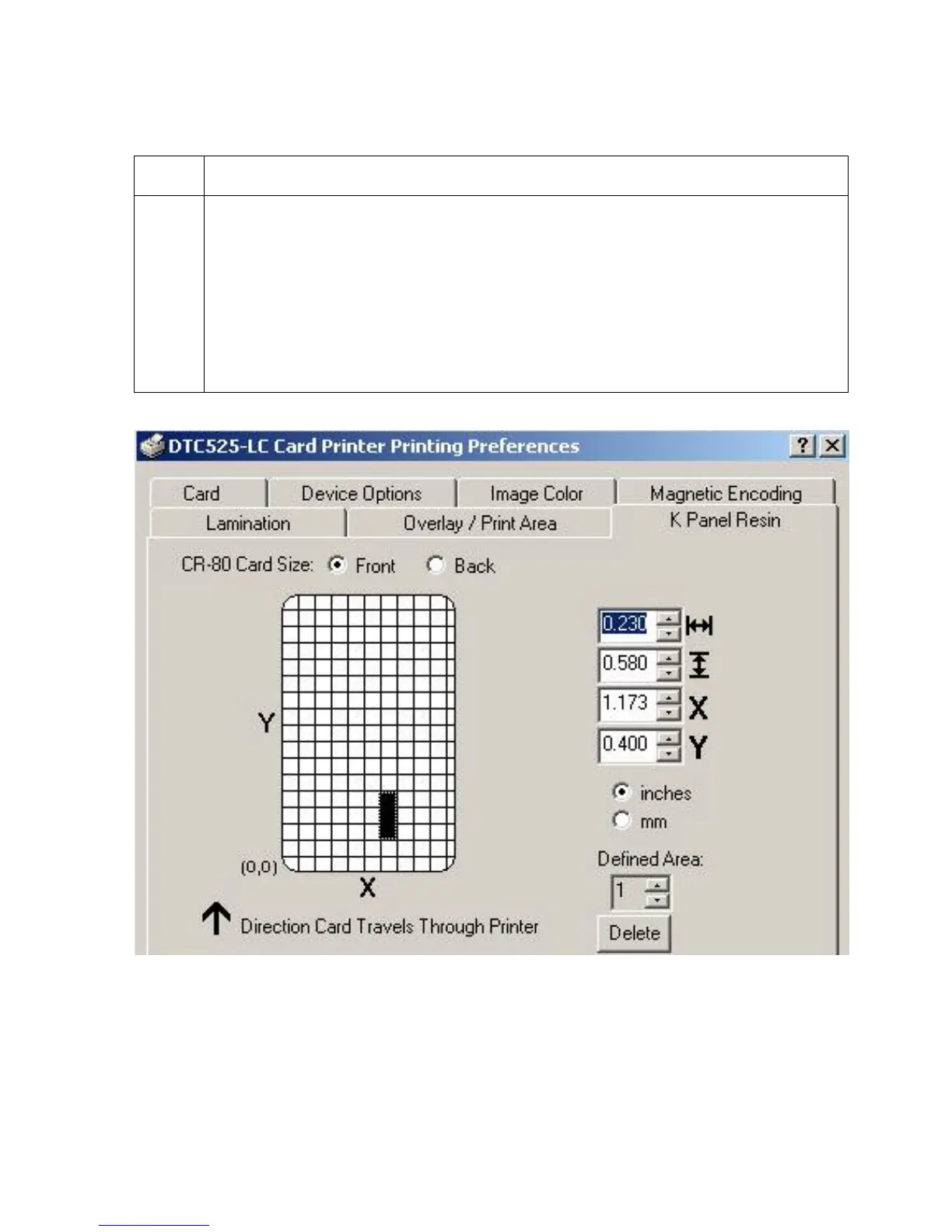
Defining the Area to activate the Card Grid
Step Procedure
1
Select on the appropriate Defined Area (see below) to activate the card grid in the
upper half of the window. (Note: It is through this card grid that up to five areas
can be defined, as shown below.)
When the card grid is first activated, a small black square will appear at its:
• default size of .2" x .2" (5mm x 5mm)
• default location in the lower left-hand corner (0,0)
(Note: This square represents the first defined area.)












 To Next Page