RESTRICTED USE ONLY FARGO Electronics, Inc.
DTC500 Series Card Printer/Encoders Troubleshooting Guide (Rev. 3.0)
149
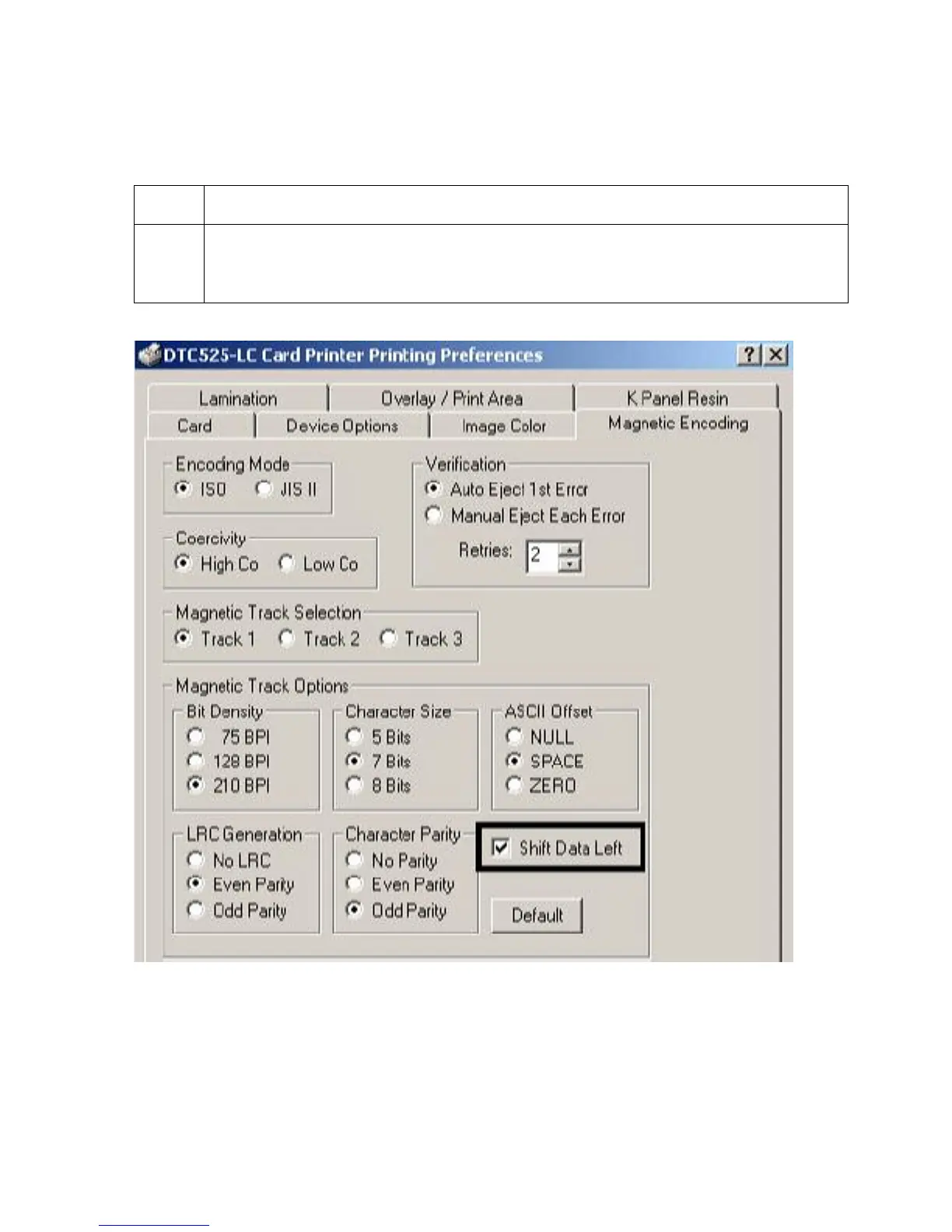
Reviewing the Shift Data Left
Use the Shift Data Left option, which applies to all tracks when selected.
Step Procedure
1 Select this option to shift the recorded magnetic data to the left-hand side of the
card's Magnetic Stripe. (Note: This is useful in situations that require cards to be
readable with insert type readers.)











 To Next Page