RESTRICTED USE ONLY FARGO Electronics, Inc.
DTC500 Series Card Printer/Encoders Troubleshooting Guide (Rev. 3.0)
178
Selecting the Lamination Type
Step Procedure
1B
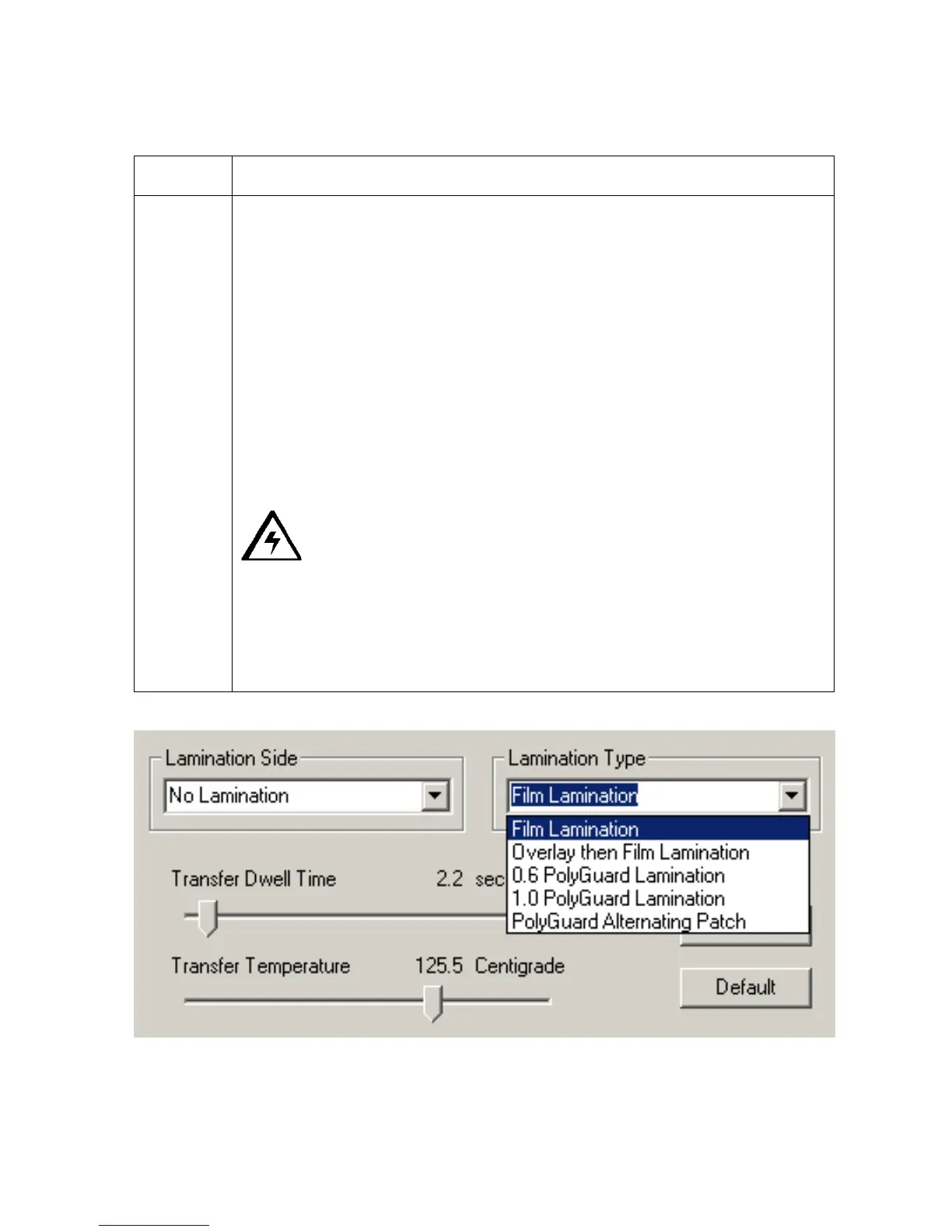
Select the Overlay then Film Lamination option when using a Ribbon which
provides a clear overlay panel. The Ribbon types which do not provide an
overlay panel or support overlay printing are the resin-only Ribbons and the
Full-Color YMC, YMCK, and YMCKK Ribbons.
OR
Select the 0.6 PolyGuard Lamination option or 1.0 PolyGuard Lamination
option for either patch thickness. (Note: These both offer equivalent
protection but require different heat settings and lamination speeds.
• Select the appropriate option according to the thickness of the PolyGuard
material you are using.)
• Select the PolyGuard Alternating Patch option only if using PolyGuard
material that has alternating patch configurations on the same roll (e.g.,
full patch on the front of the card and half patch on the back).
Caution: with any of these PolyGuard options, do not apply the
Ribbon overlay (O) when laminating with PolyGuard.
OR
Select the PolyGuard Alternating Patch option only if using PolyGuard
material that has alternating patch configurations on the same roll (e.g., full
patch on the front of the card and half patch on the back).











 To Next Page