RESTRICTED USE ONLY Fargo Electronics, Inc.
DTC500 Series Card Printer/Encoders User Guide (Rev. 5.0)
135
Loading the Overlaminate (continued)
Step Procedure
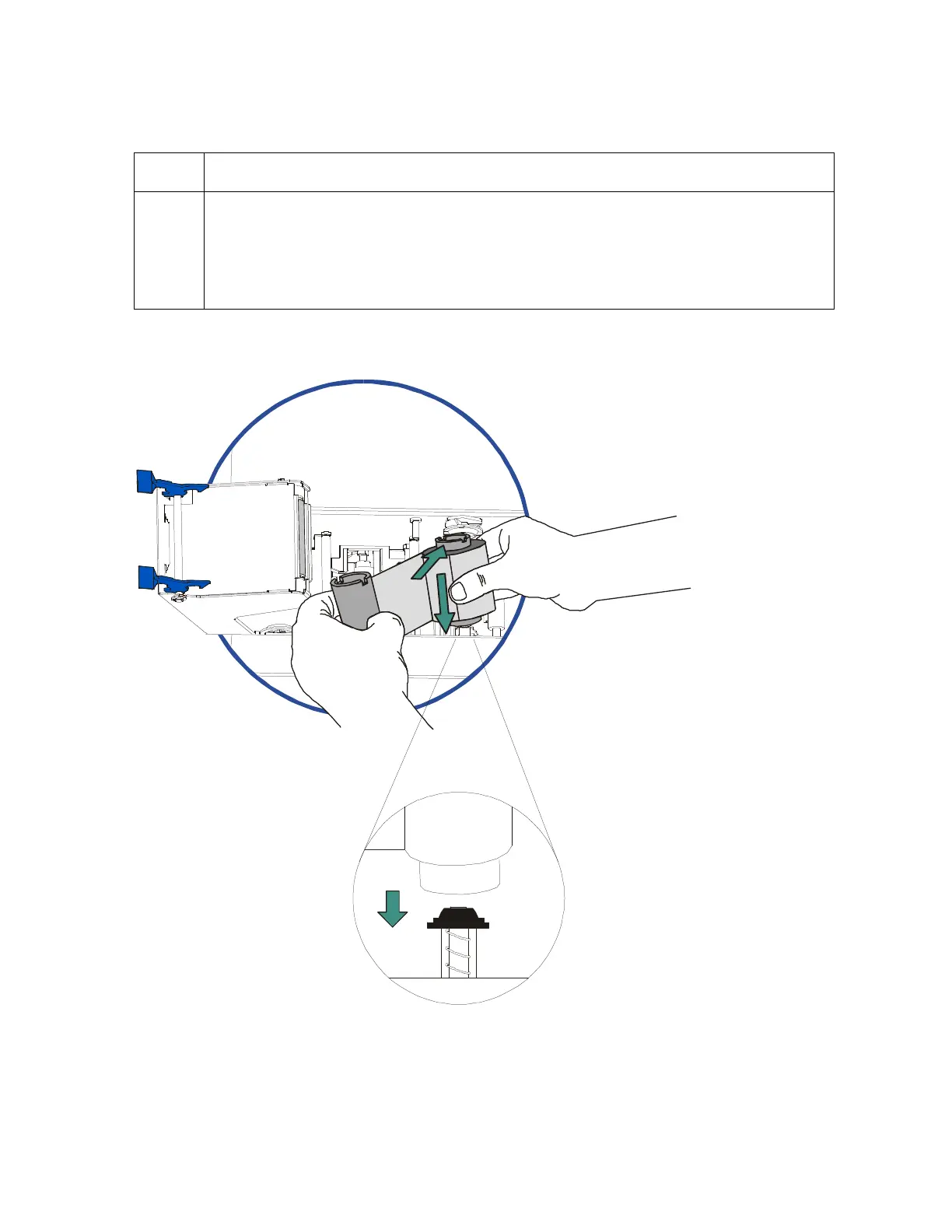
4 Place the supply end of the overlaminate roll in between the two black
Lamination Drive Hubs. (Note: The smaller Lamination Drive Hub closest to the
front of the lamination module is spring loaded. Use the end of the supply roll
with the black core plug to push this hub in when inserting the overlaminate roll.
Make certain the overlaminate material is fed from beneath the roll as shown.)
Continued on the next page












 To Next Page