RESTRICTED USE ONLY Fargo Electronics, Inc.
DTC500 Series Card Printer/Encoders User Guide (Rev. 5.0)
155
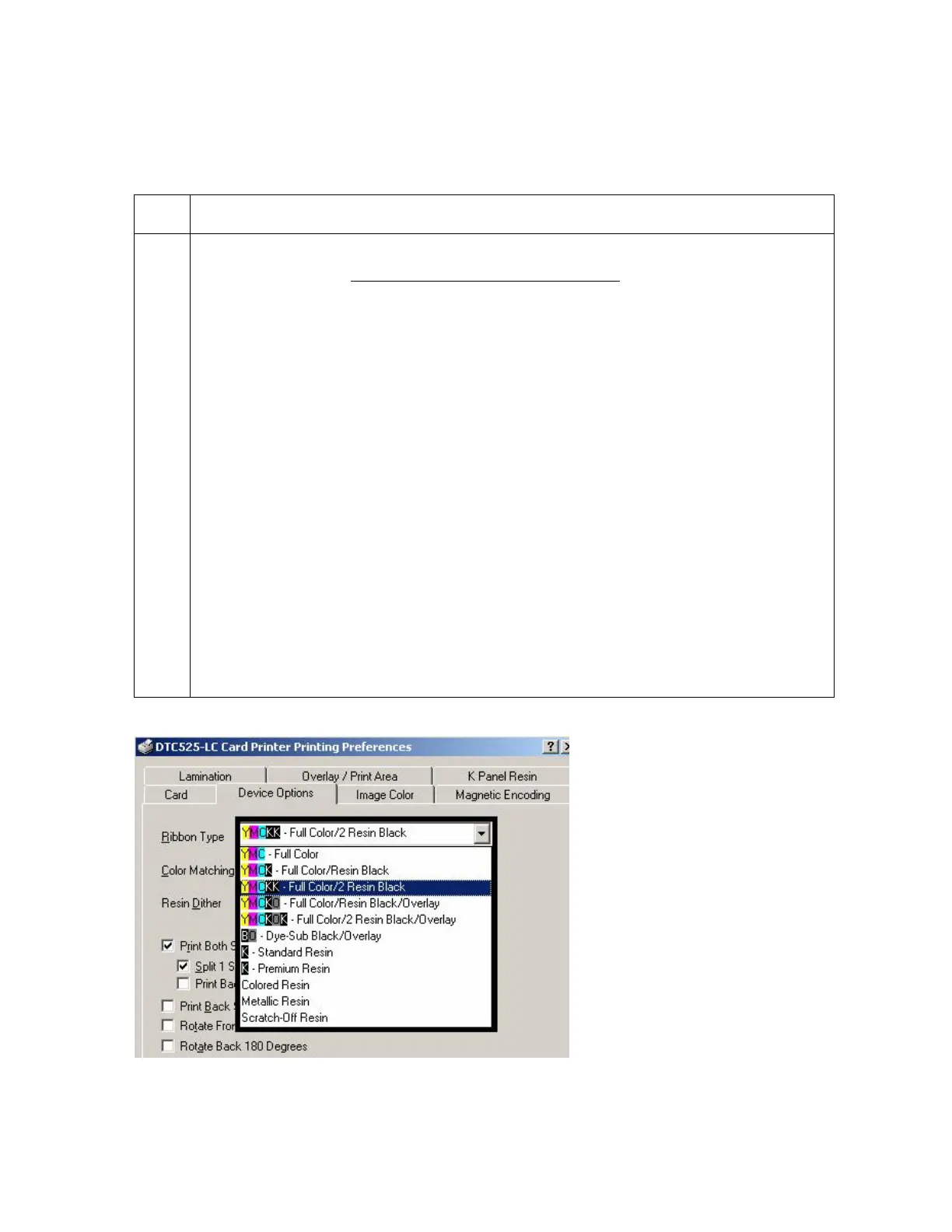
Adjusting for the Ribbon Type
Use the Ribbon Type dropdown menu to match the Ribbon type.
Step
Procedure
1 Adjust to match the Ribbon Type selection with the Ribbon Type already loaded in
the Printer. See the Printer Components: Print Ribbons description in Section 1,
page 44.
YMCKO: Yellow, Magenta, Cyan, Resin Black, Overlay
OR,
YMCKOK: Yellow, Magenta, Cyan, Resin Black, Overlay, Resin Black
OR,
BO: Dye Sub Black, Overlay
OR
K: Standard or Premium Resin
OR
Colored Resin: Colored Resin is available in Red, Blue, Green or White
OR
Metallic Resin: Metallic Resin is available in Gold or Silver
OR
Scratch-Off Resin












 To Next Page