RESTRICTED USE ONLY Fargo Electronics, Inc.
DTC500 Series Card Printer/Encoders User Guide (Rev. 5.0)
236
Cleaning the Printhead (850102)
Caution: Perform this procedure during every Ribbon change or after every 1,000
prints to maintain consistent print quality. Perform this procedure for streaks on the card
where the color was not transferred correctly.
Steps
Procedure
1 Open the Printer's Top Cover and Print Station.
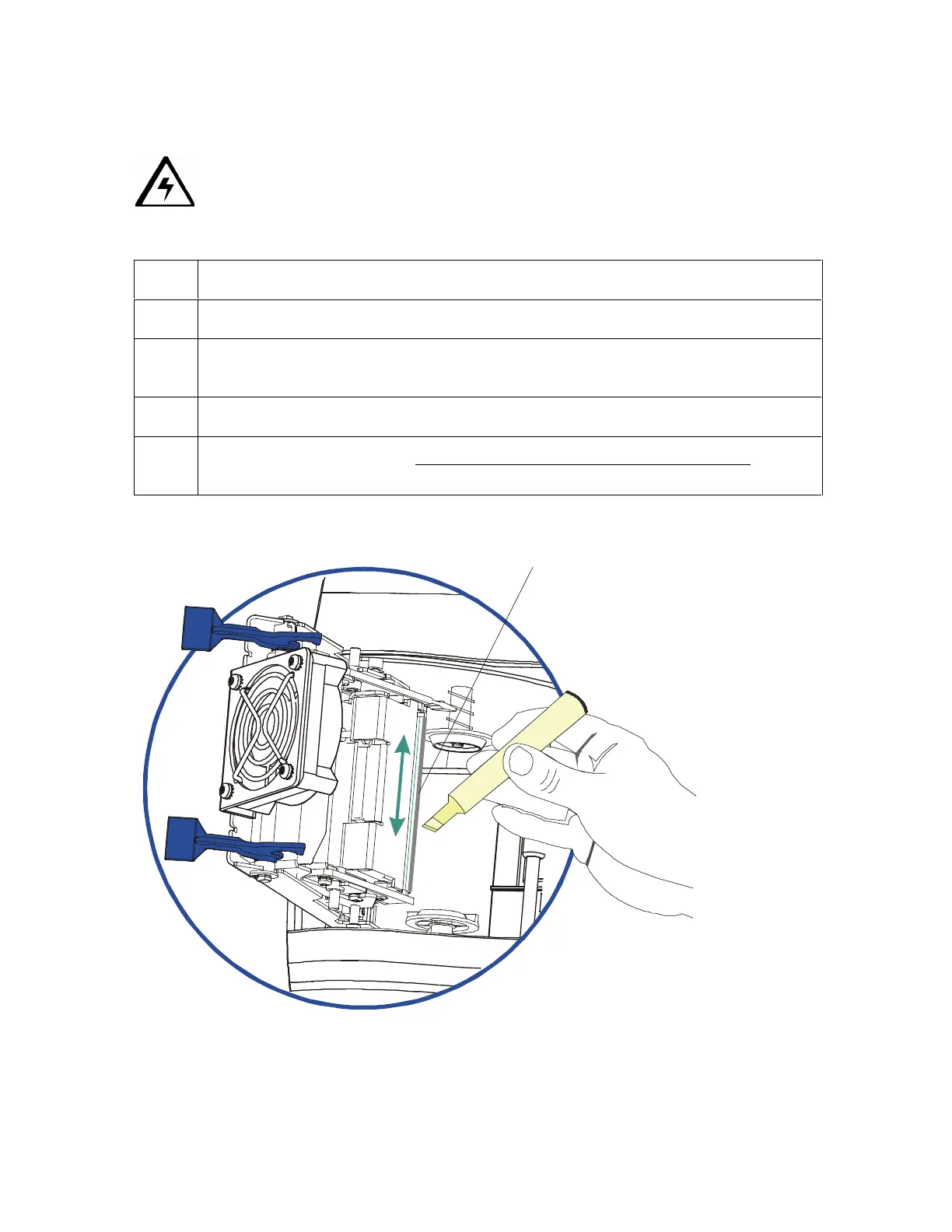
2 Using a Printhead Cleaning Pen from the Printer Cleaning Kit, firmly wipe back
and forth across the surface of the Printhead.
3 Once the Printhead is completely dry, close the Printer.
4 If a streak persists, see the Replacing the Printhead Assembly (850102)
procedure in Section 5, page Error! Bookmark not defined..
Printhead












 To Next Page