RESTRICTED USE ONLY Fargo Electronics, Inc.
DTC500 Series Card Printer/Encoders User Guide (Rev. 5.0)
284
Removing the Printer's main plastic casing
Step Procedure
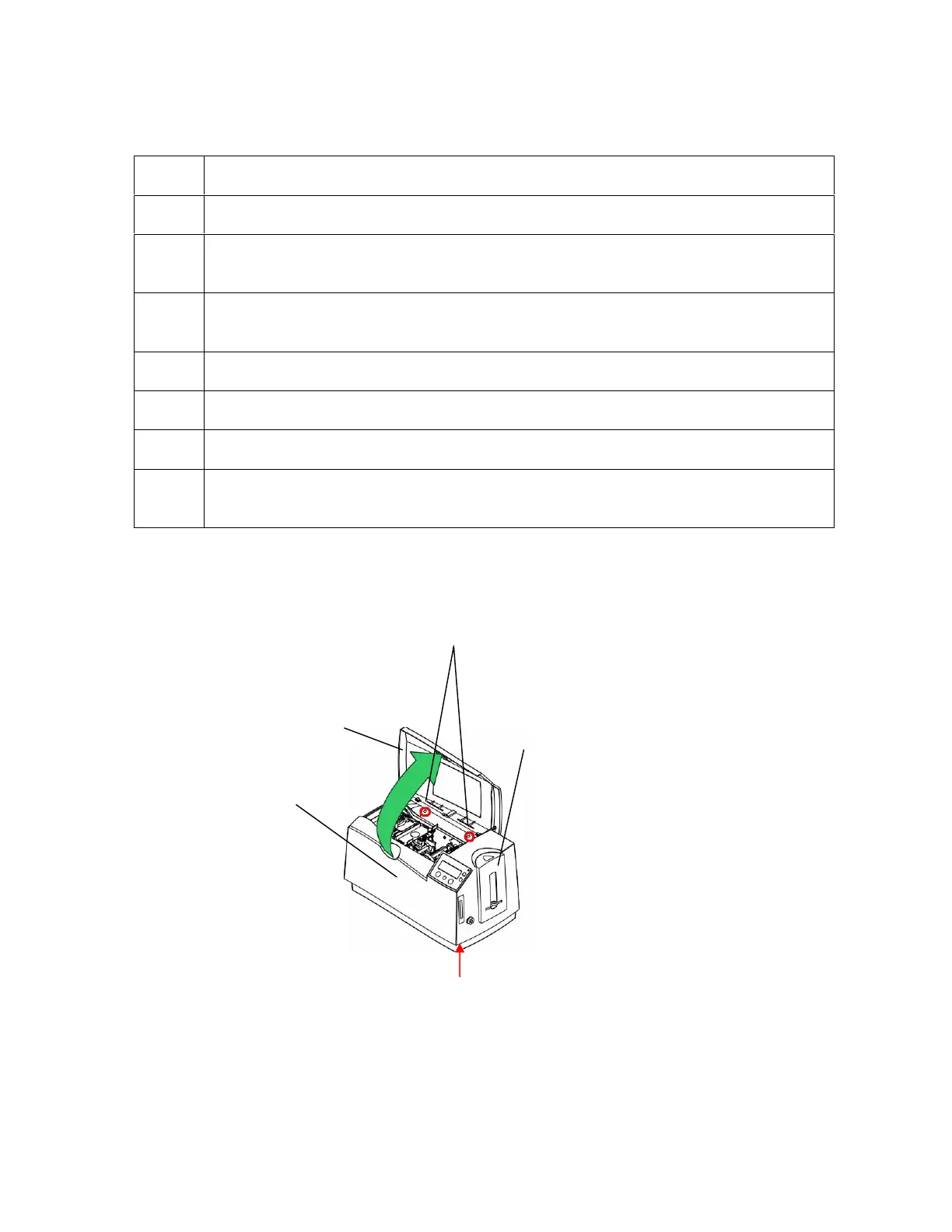
1 Open the Top Cover of the Printer.
2 Use the Philips screwdriver to remove the two (2) screws inside the Top Cover,
as shown below.
3 Open the Card Input Hopper Door to allow for proper clearance, as shown
below.
4 Release the four (4) latches at the bottom corners of the Printer.
5 Lift off the Printer main plastic casing, as shown below.
6 Unplug the LCD display at plug J18 on the Main Circuit Board.
7 Unplug the Ground Strap from the Spade Connector, which is on top of the
Power Supply Housing.
Screws
Top Cover
Release Corner
Latches
Card
Main Plastic












 To Next Page