RESTRICTED USE ONLY Fargo Electronics, Inc.
DTC500 Series Card Printer/Encoders User Guide (Rev. 5.0)
211
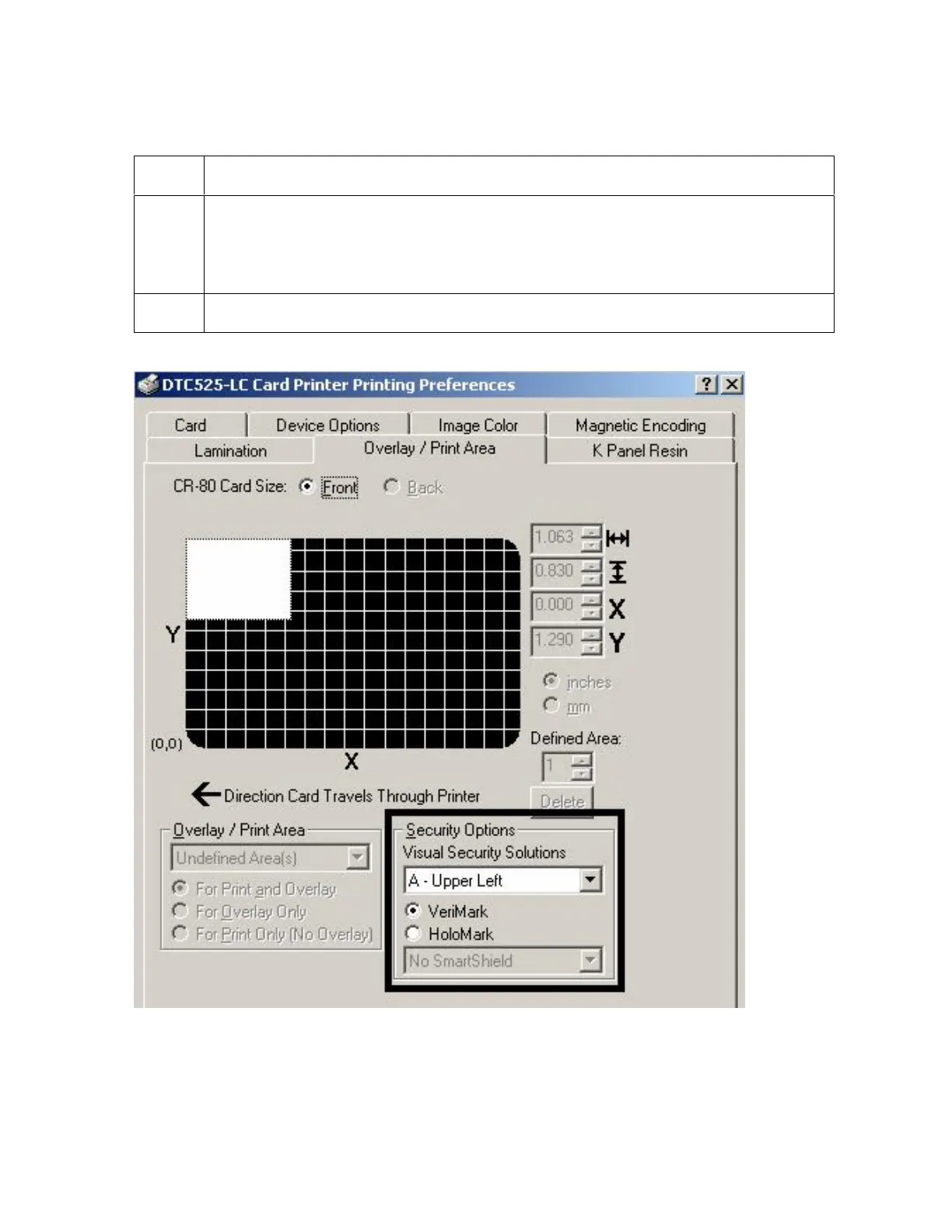
Selecting the VeriMark radio button
Step Procedure
1
Click on either the VeriMark or HoloMark radio button, as shown below. The foil
options are used to control the size of the exclusion area. (Note: When
VeriMark is selected a rectangle-sized area is excluded, HoloMark uses a
square sized area.)
2
Click on the VeriMark radio button (below) for the rectangle-sized area.












 To Next Page