RESTRICTED USE ONLY Fargo Electronics, Inc.
DTC500 Series Card Printer/Encoders User Guide (Rev. 5.0)
215
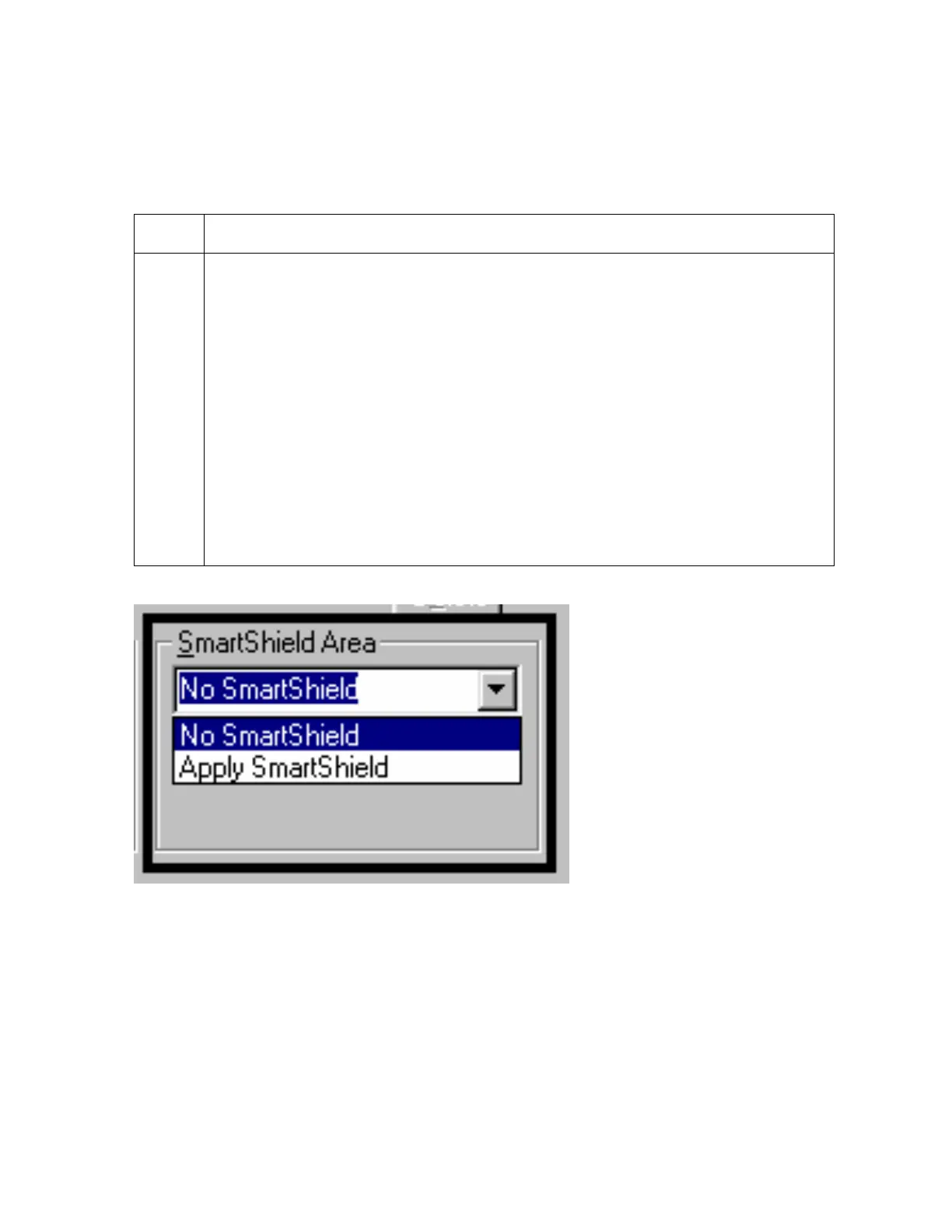
Using SmartShield Area dropdown menu
Use the SmartShield Area options, which apply only if using the Printer's optional
SmartGuard Security Feature and the SmartShield option is enabled.
Step Procedure
1
Select the Apply SmartShield option to print the custom SmartShield Security
Image (a) if using the Printer's optional SmartGuard Security Feature and (b) if
the SmartShield option is enabled. (Note: Use the Front and Back options at
the top of this tab to designate the side or sides of the card to print the
SmartShield image.)
OR
Select No SmartShield (a) if not using the SmartShield option or (b) if not
printing the SmartShield image (even if it is encoded on the SmartGuard Access
Card).
(Note #1: This is a convenient way of turning the SmartShield Security Feature
ON or OFF.)
(Note #2: It is not possible to apply an overlay and a SmartShield image to the
same side of a card.












 To Next Page