RESTRICTED USE ONLY Fargo Electronics, Inc.
DTC500 Series Card Printer/Encoders User Guide (Rev. 5.0)
225
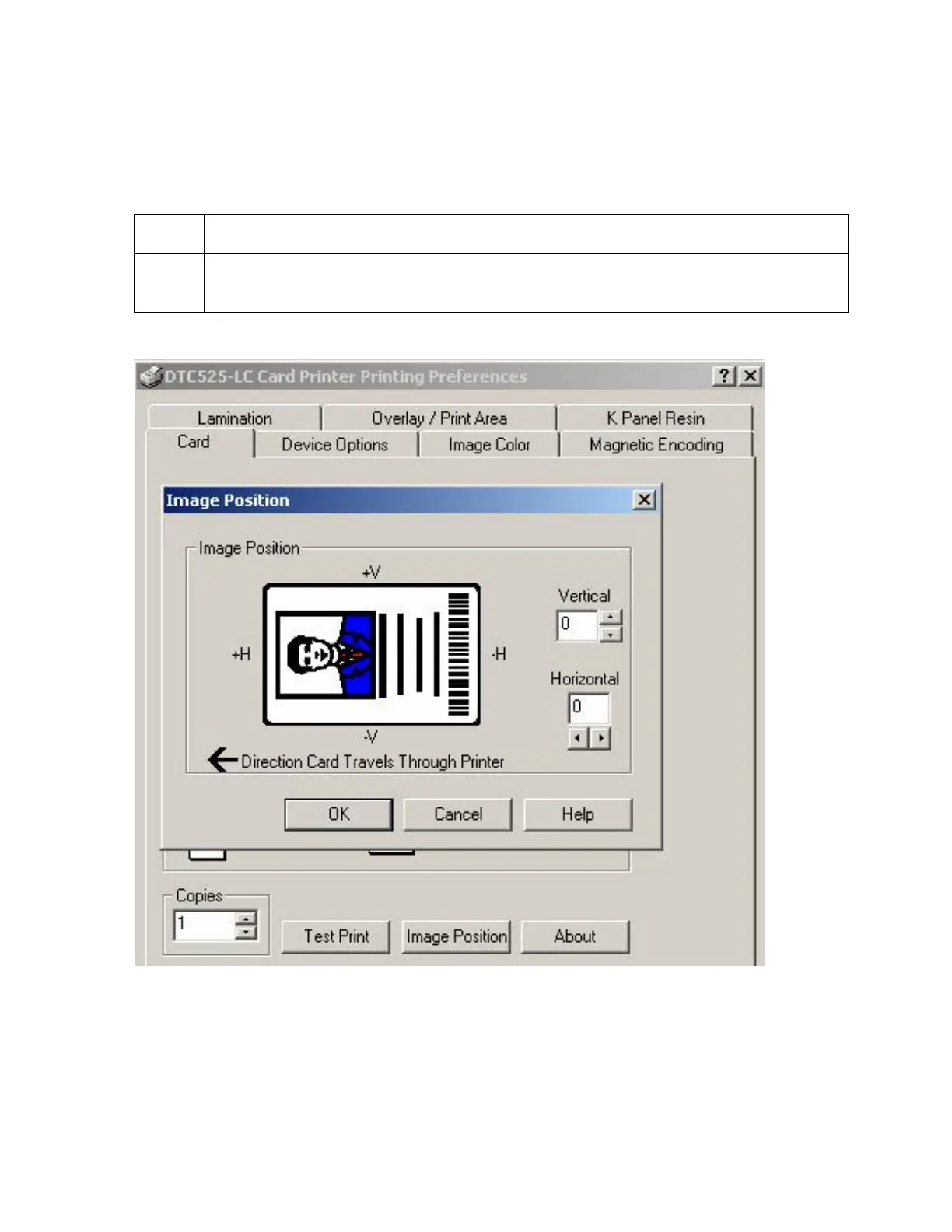
Using the Image Position button
Use the Image Position controls to adjust the position of the overall print area to be
precisely centered on a card.
Step Procedure
1 Adjust the Image Position values by clicking on the Vertical and Horizontal
adjustment arrows, as shown below.












 To Next Page