RESTRICTED USE ONLY Fargo Electronics, Inc.
DTC500 Series Card Printer/Encoders User Guide (Rev. 5.0)
242
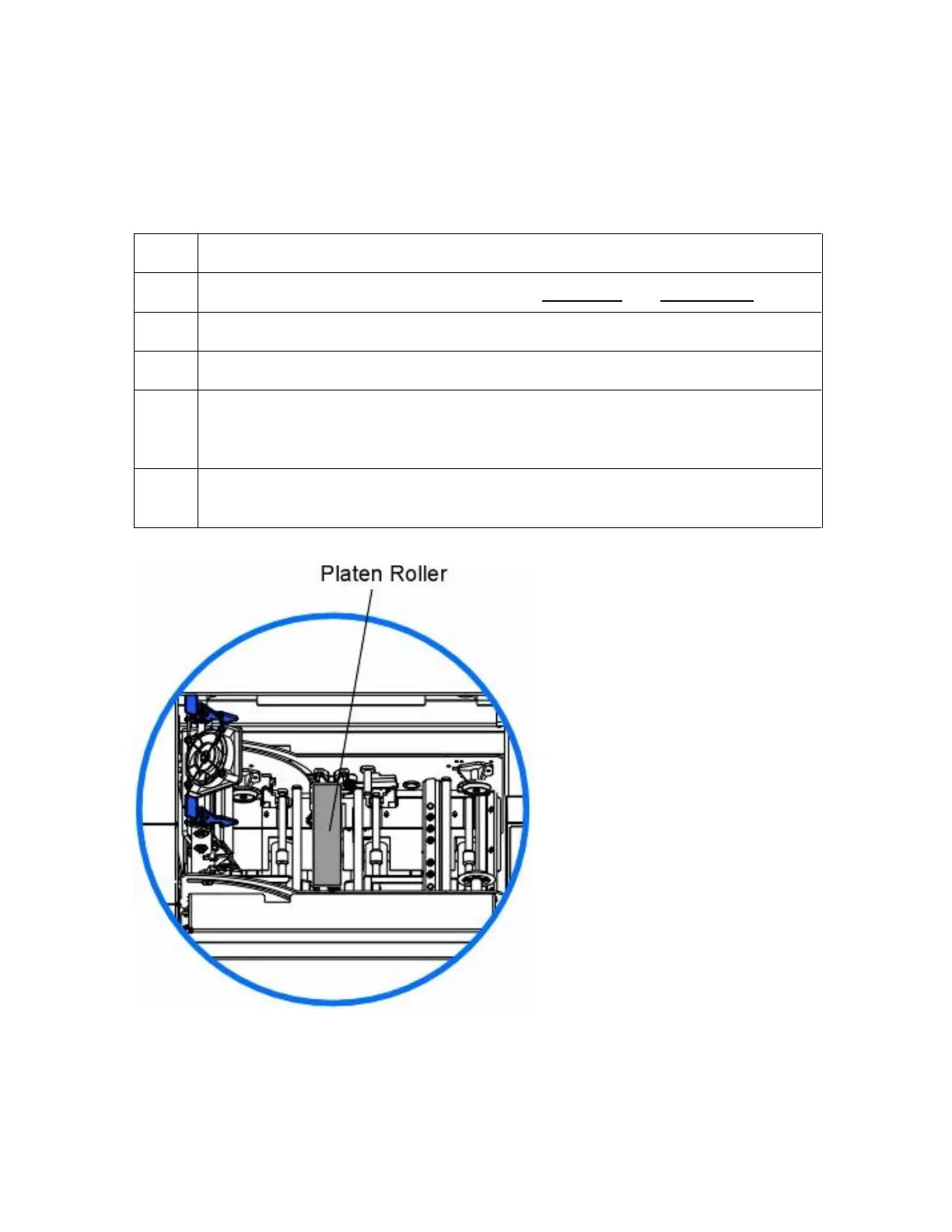
Cleaning the Platen
The Printer's Platen Roller should be cleaned approximately every 250 prints. (Note: This
helps prevent jams and maintain the best print quality. Perform this procedure if the roller is
visibly dirty.)
Steps
Procedure
1 Leave the power ON and open the printer's Top Cover and Print Station.
2 Remove the print ribbon.
3 Locate the Platen Roller.
4
Use a Cleaning Pad from the Printer Cleaning Kit to wipe the roller clean. Press
the FORWARD and BACK buttons to move the roller back and forth while
cleaning.
5 After the roller is clean and completely dry, replace the printing supplies and
close the printer.












 To Next Page