RESTRICTED USE ONLY Fargo Electronics, Inc.
DTC500 Series Card Printer/Encoders User Guide (Rev. 5.0)
165
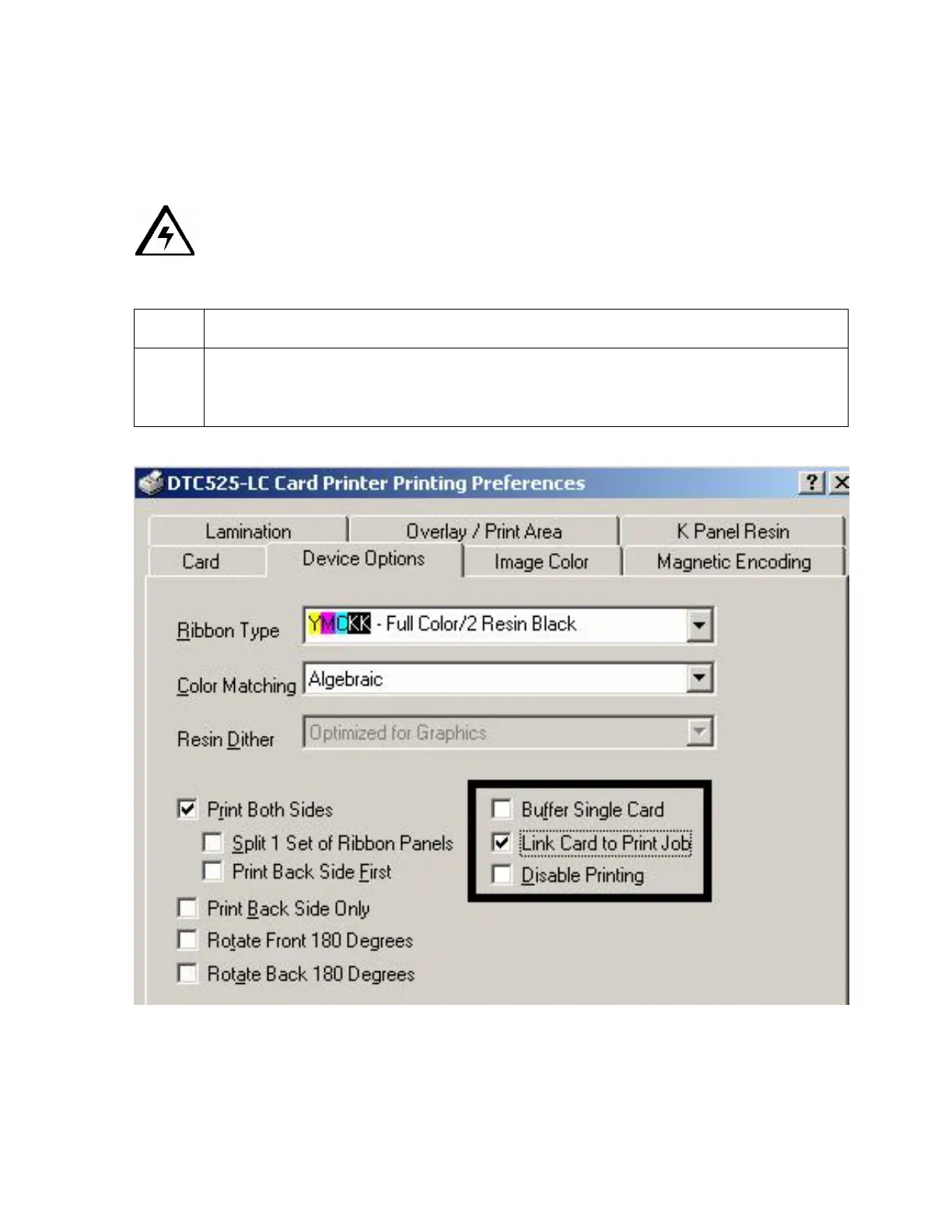
Using the Link Card to Print Job option
Use this option to link a specific card to a specific print job. This option is used when printing
and encoding e-cards.
Caution: In this case, it is often critical that an e-card with a pre-encoded serial
number, for example, coincide with a particular printed image. If the two were to get out of
sync, the card's security could be compromised.
Step Procedure
1 Select this option to cause the Printer to dispense with the print job if a blank card
is removed or ejected. (Note: The next card is then fed into the Printer and the
next coinciding print job then printed.)












 To Next Page