RESTRICTED USE ONLY Fargo Electronics, Inc.
DTC500 Series Card Printer/Encoders User Guide (Rev. 5.0)
85
Resolving the Communication Errors (continued)
Step Procedure
7 Determine whether there is an adequate or inadequate hard drive space.
Caution: A large volume of temporary files on the computer can
cause communications errors.
Access the temporary files by following this process:
Search for all folders called TEMP. Once found, clear out the contents of
the folders.
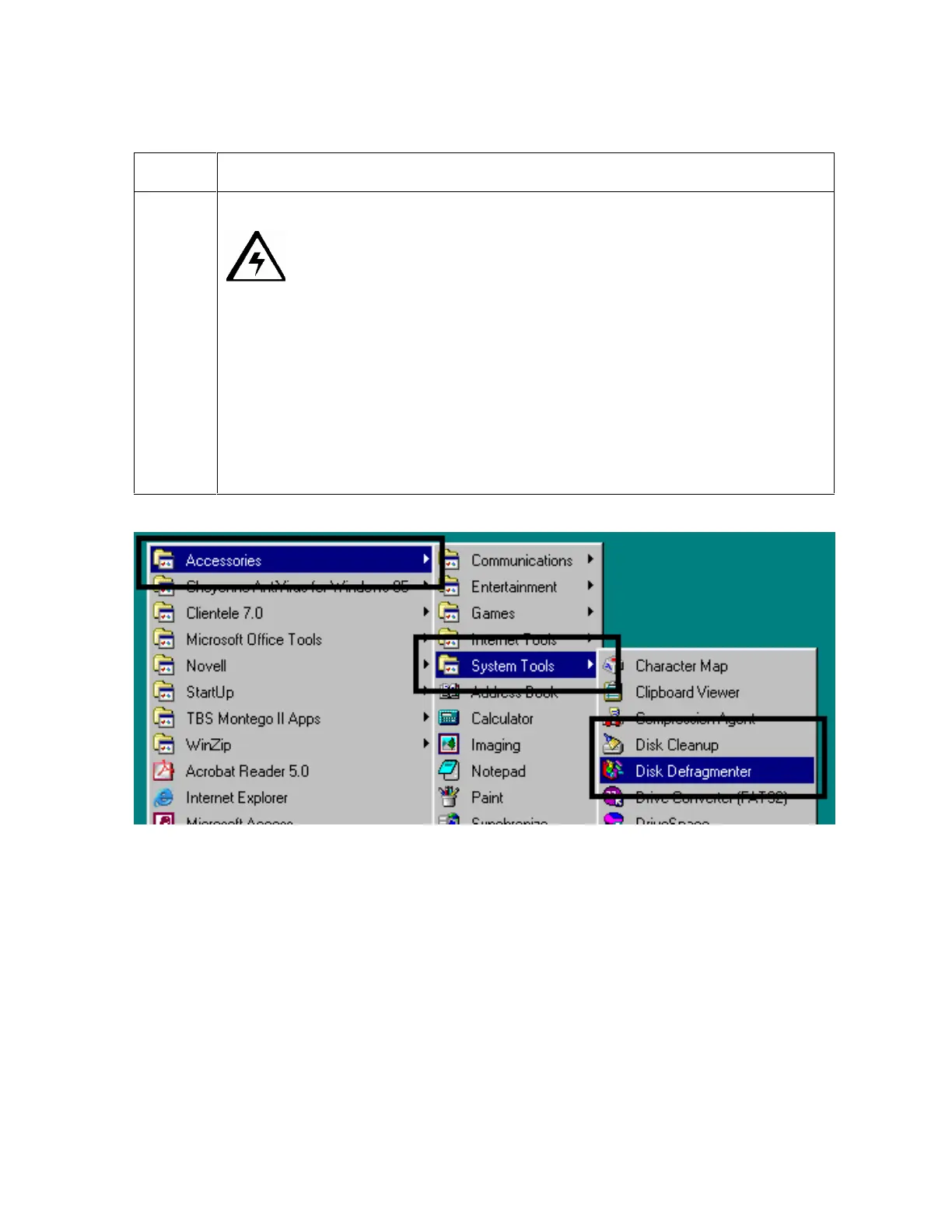
Run the System Tool - Disk Defragmenter (found in the Accessories folder
of the Start Menu) if using Windows 95/98/ME/2000/XP,.
Use a disk cleanup utility (such as Disk Cleanup found in the System
Tools folder of the Start menu) or use a third party application.












 To Next Page