102 FCP-300/FCP-300ECS Manual — P/N LS10145-002FK-E:A 3/12/2021
Programming Point
4. Press the arrows to select the desired module. Refer to Section 8.5 for available choices. Then press ENTER.
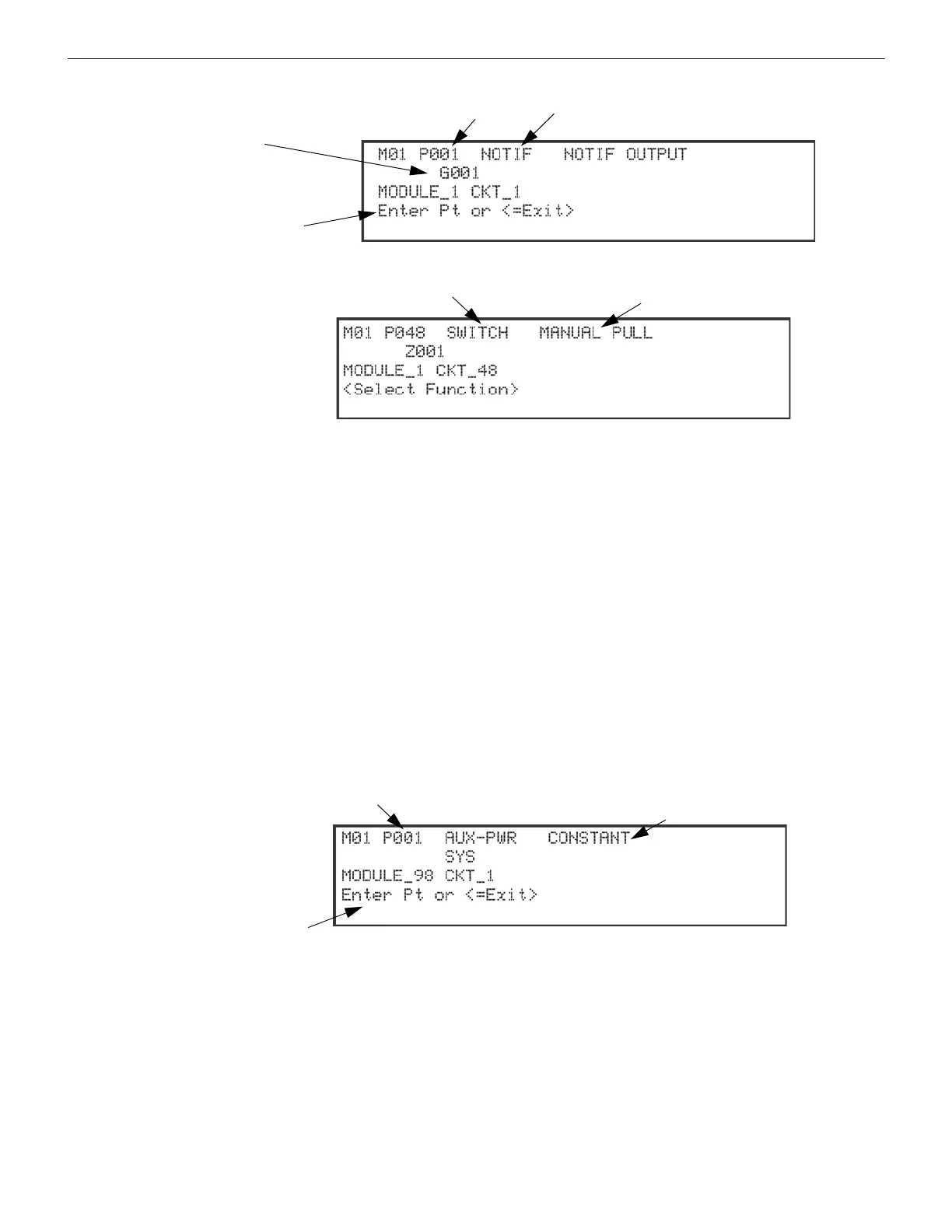
Figure 9.4 Programming Points as Outputs for the FIK-5880 Module
Figure 9.5 Programming Points as inputs for the FIK-5880 Modules
5. Enter the point number, then press ENTER.
6. Press the up or down arrow key to select the type (notification or unused), then press ENTER.
7. Press the up or down arrow key to select the desired group, then press ENTER.
8. Press ENTER to edit point name. See “Editing Text Using the Built-In Programmer” on page 206. Or, Press right arrow
key to skip point name edit.
9. Repeat Steps 1 through 8 for all output points.
10. To use the FIK-5880 as Input point, enter the point number 41 - 48. (See Figure 9.5). Then, press ENTER.
11. Press the up or down arrow key to select the type (switch or unused), then press ENTER.
12. Press the up or down arrow key to select the desired function. (See Figure 9.5). Then, press ENTER.
13. If the point supports latching, press the up or down arrow key to select latching or non-latching, then press ENTER.
14. Press the up or down arrow key to select the desired group/zone, then press ENTER.
15. Edit point name Or press the right arrow key to skip module name edit.
16. Repeat steps 10 through 15 for all input points.
9.5.4 Point Programming for FIK-5496
To program module points:
1. Enter the Installer Code. The panel will automatically access the Main Menu.
2. Select 7 for Panel Programming.
3. Press 4 to enter Point Menu.
4. Press the up or down arrow key to select the desired module. Refer to Section 8.5 for available choices, then press
ENTER.
Figure 9.6 Programming Points Screen for the FIK-5496 Module
5. Enter the point number, then press ENTER.
6. Press the up or down arrow key to select the type (See Figure 9.6 on page 102). Then press ENTER.
7. Press ENTER to edit point name. See “Editing Text Using the Built-In Programmer” on page 206 or press the right arrow
key to skip the point name edit.
8. Repeat Steps 1 through 7 for all points.
9.5.5 Point Programming for FIK-AMP
To program module points, do the following.
1. Enter the Installer Code. The panel will automatically access the Main Menu.
2. Select 7 for Panel Programming.
3. Press 4 to enter Point Menu.
Select an Output group
for this Zone/Group
Enter Point
Select NOTIF
or UNUSED
Select a name for
the Point
Select Switch or Unused
Select Function
Enter Point
Select AUX DOOR, CONSTANT, AUX POWER
Select a name
for the Point
SYNC or AUX RESET



 To Next Page