FIK-5824 Serial/Parallel Interface Module Installation Control Panel Installation
FCP-300/FCP-300ECS Manual — P/N LS10145-002FK-E:A 3/12/2021 39
7. Select a name, if desired (See “Naming Modules” on page 121.).
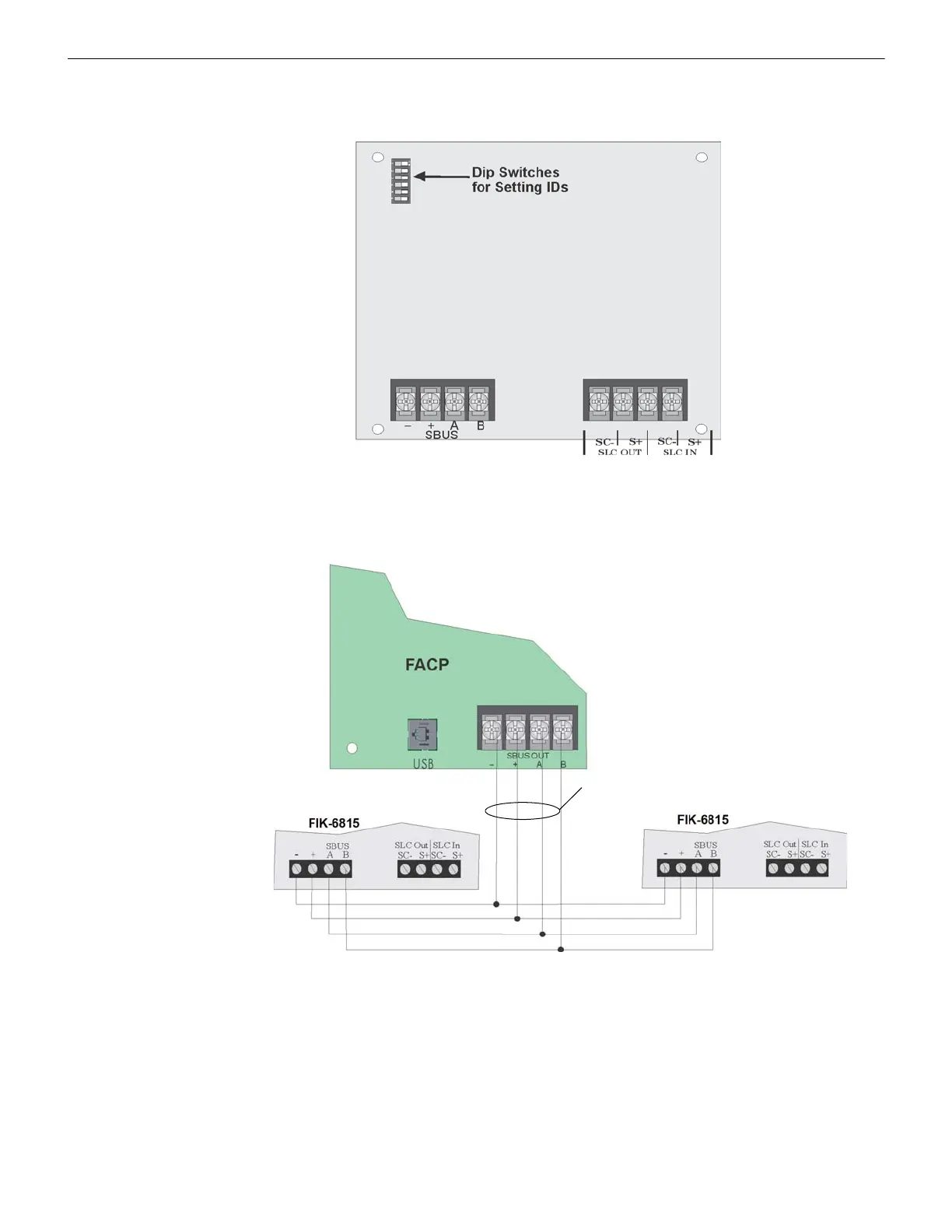
You are now ready to connect SLC devices to the FIK-6815. Figure 4.27 is a drawing of the FIK-6815 board, showing the
location of terminals and DIP switches.
Figure 4.27 FIK-6815 Board
4.8.1 FIK-6815 Connection to the Panel
Connect the FIK-6815 to the control panel as shown in Figure 4.28. After the FIK-6815 is connected to the panel, it must be
added to the System. The programming steps are described in Section 9.2.2.
Figure 4.28 FIK-6815 Connection to Main Panel Assembly
4.9 FIK-5824 Serial/Parallel Interface Module Installation
The FIK-5824 Serial/Parallel Printer Interface Module allows you to connect a printer to the panel, so you can print a real-time
log of the System Events. The procedure to install the FIK-5824 appear below.
The FIK-5824 and the printer connected to the FIK-5824 Parallel port is ancillary, the serial port can be used for the primary
fire signaling. The printer must be a UL 864 listed printer.
To install the FIK-5824, do the following:
1. Make sure the power is off at the panel.
2. Connect the FIK-5824 to the panel as shown in Figure 4.29.
To panel via SBUS
To SLC loop



 To Next Page