Board Assembly Diagram Installation Requirements
FCP-300/FCP-300ECS Manual — P/N LS10145-002FK-E:A 3/12/2021 19
3.6 Board Assembly Diagram
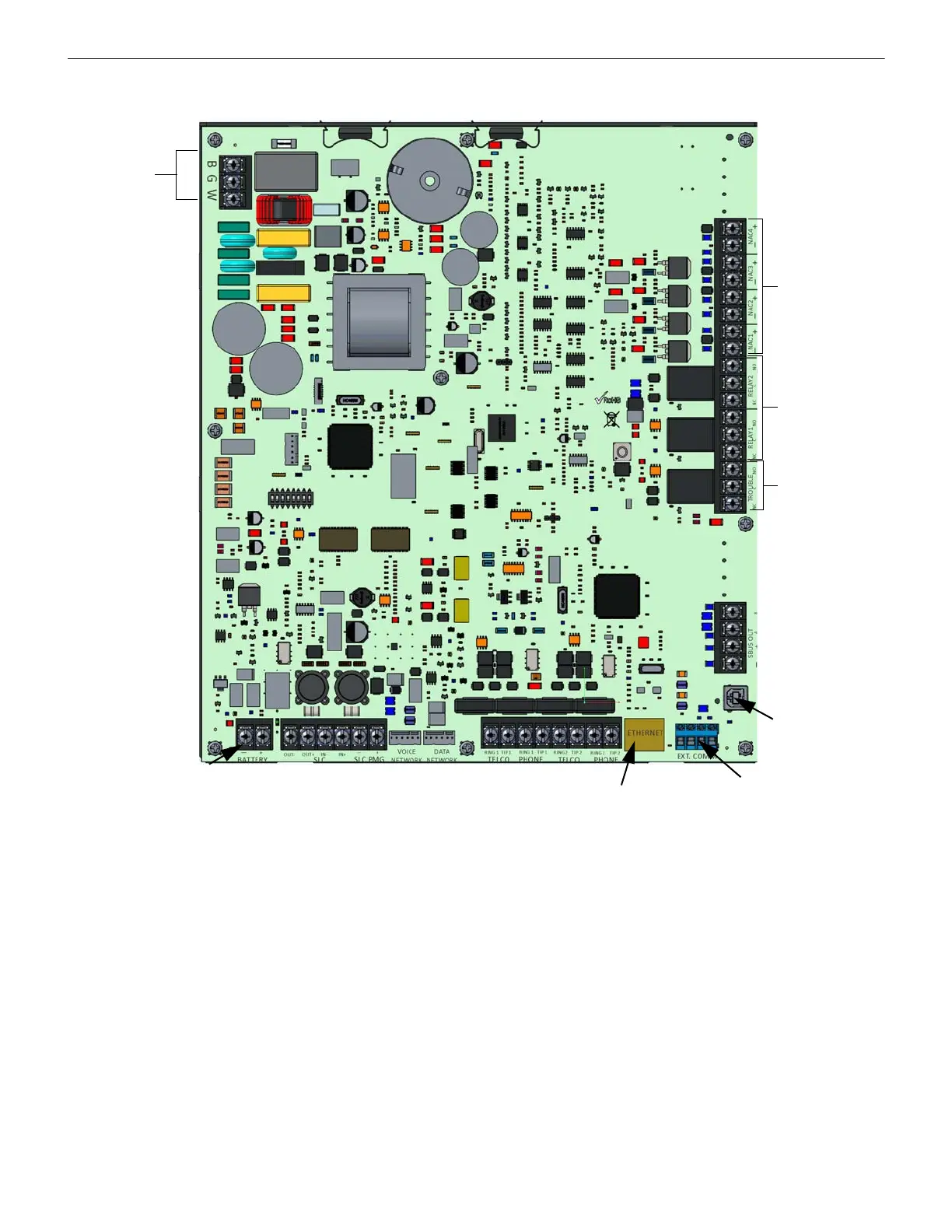
Figure 3.3 Model FCP-300 Assembly
Figure 3.3 shows the circuit board that attaches the FCP-300 assembly to the cabinet. If you need to remove the board assem-
bly for repair, remove the nine mounting screws (six on the main circuit board, and three on the heat-sink) which secure the
assembly in the cabinet. Then, lift the entire assembly out of the cabinet.
3.7 Calculating Current Draw and Standby Battery
Use this Section to determine the current draw and the standby battery needs if you use the FIK addressable devices
(Table 3.3).
3.7.1 Current Draw Worksheet Requirements
The following steps must be taken when you determine the FCP-300 current draw and the standby battery requirements.
1. Use the Current Draw Worksheet to determine the current draw and the standby battery requirements. Use Table 3.3 if
you install the FIK SLC Devices to determine the current draw. For the FCP-300, the worst case current draw is listed for
the panel, addressable devices, and all SBUS expanders. Fill-in the number of addressable devices that will be used in the
System and compute the current draw requirements for the alarm and standby. Record this information in the Current
Draw Worksheet on Line A.
2. Add up the current draw for all the auxiliary devices and record it in the table at Line B.
3. Add up the notification appliance loads and record it in the table at Line C.
4. For notification appliance circuits and auxiliary devices not mentioned in the manual, refer to the device manual for the
current ratings.
NAC / Aux
Power
Form C
Relays
Phone lines
SLC
AC Power
Input
SBUS Out
Connections
Battery
Connections
Form C
Trouble
Relay
SLC
PGM
Circuits
EXT COMM
Ethernet
USB



 To Next Page