Menu System System Operation
FCP-300/FCP-300ECS Manual — P/N LS10145-002FK-E:A 3/12/2021 113
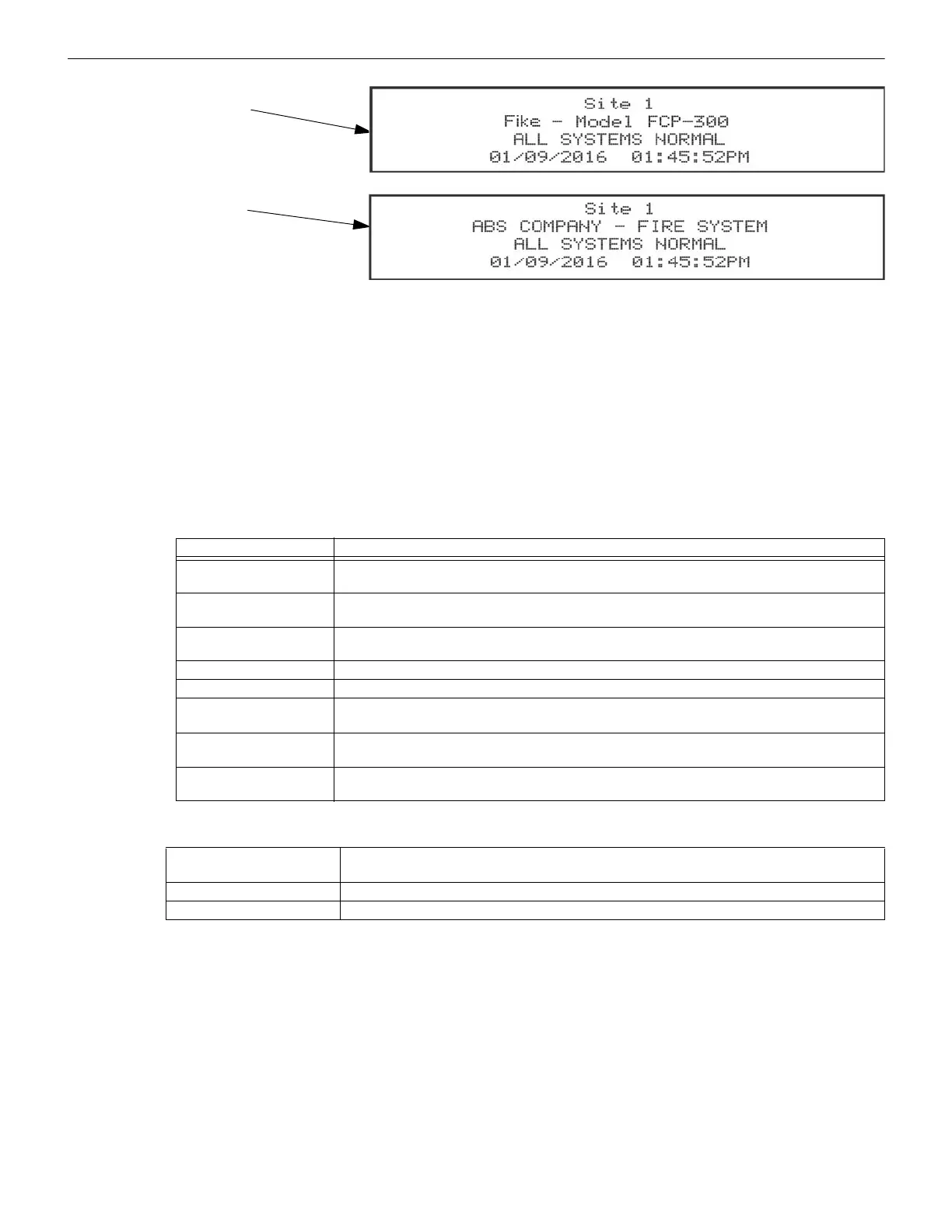
Figure 10.2 Banner Display Examples
10.2.3 Single Key Acknowledge
This feature allows the user to press the ACK and display the oldest un-acknowledged event in the System. Pressing ACK
again will acknowledge the event, then display the next oldest un-acknowledged event without pressing the arrow keys.
10.3 Menu System
The control panel is easy to operate from the Main Menu. To view the Main Menu, press the ENTER or the right arrow key on
the control panel or the remote annunciator. The Main Menu will appear as shown in Section 10.3.1. Select the desired option
and enter your access code if prompted.
The control panel supports up to 20 access codes. The profile for each access code (or user) can be modified through the Pro-
gramming Menu option (see Section 6.2.5 for Access Code Programming).
10.3.1 Main Menu Overview
Table 10.1 is a brief overview of the Main Menu. These options are described in greater detail throughout this section of the
manual.
10.3.2 Using the Menus
10.4 Basic Operation
10.4.1 Setting Time and Date
1. Select 4 for the Set Date and Time.
2. Make changes in the fields on the screen. Use the right arrow key to move the cursor through the fields.
Use the up or down arrow key to select the options in the fields.
3. When the date and time are correct, press ENTER.
10.4.2 Disable / Enable a Point
1. Select 2 for the Point Functions.
2. Select 1 for the Disable/Enable Point.
Text of Custom Banner
Text of Internal Banner
Main Menu Options Description
1- System Tests Access to the Fire Drill, Indicator Test, Walk Tests, Communicator Test, Clear History Buffer,
Manual AlarmNet Registration and Manual Communicator Reset.
2- Point Functions Enable/Disable points, Point Status, SLC Single Device Locator, SLC Multiple Device Locator, and
I/O Point Control.
3- Event History Display the Event History on the LCD. See Section “View Event History” on page 114 for more
information.
4- Set Time and Date Set the time and date for the System.
5- Network Diagnostics Ping Panel, Data Network Status and Voice Network Status.
6- Network Programming Access Learn Network, Edit Network Names, Edit Panel ID, Computer Access, Access Codes,
Communicator Options, Voice Options, Sync Network Options.
7- Panel Programming Brings up a set of menus for programming the panel. These options are described in detail in
“Programming” on page 120.
8- System Information Menus to view the information about the panel such as model, ID, serial number, revision, send or
receive firmware updates and feature registration activation.
Table 10.1 Main Menu Chart
To move through the menus Use the up and down arrow to move through the options in a Menu. Use the left arrow key to move
to a previous Menu.
To select an option Enter the number of the option, or press ENTER if the option has the = symbol next to it.
Exit the Menu Left arrow
Table 10.2 Menu Options



 To Next Page