Group Programming
FCP-300/FCP-300ECS Manual — P/N LS10145-002FK-E:A 3/12/2021 97
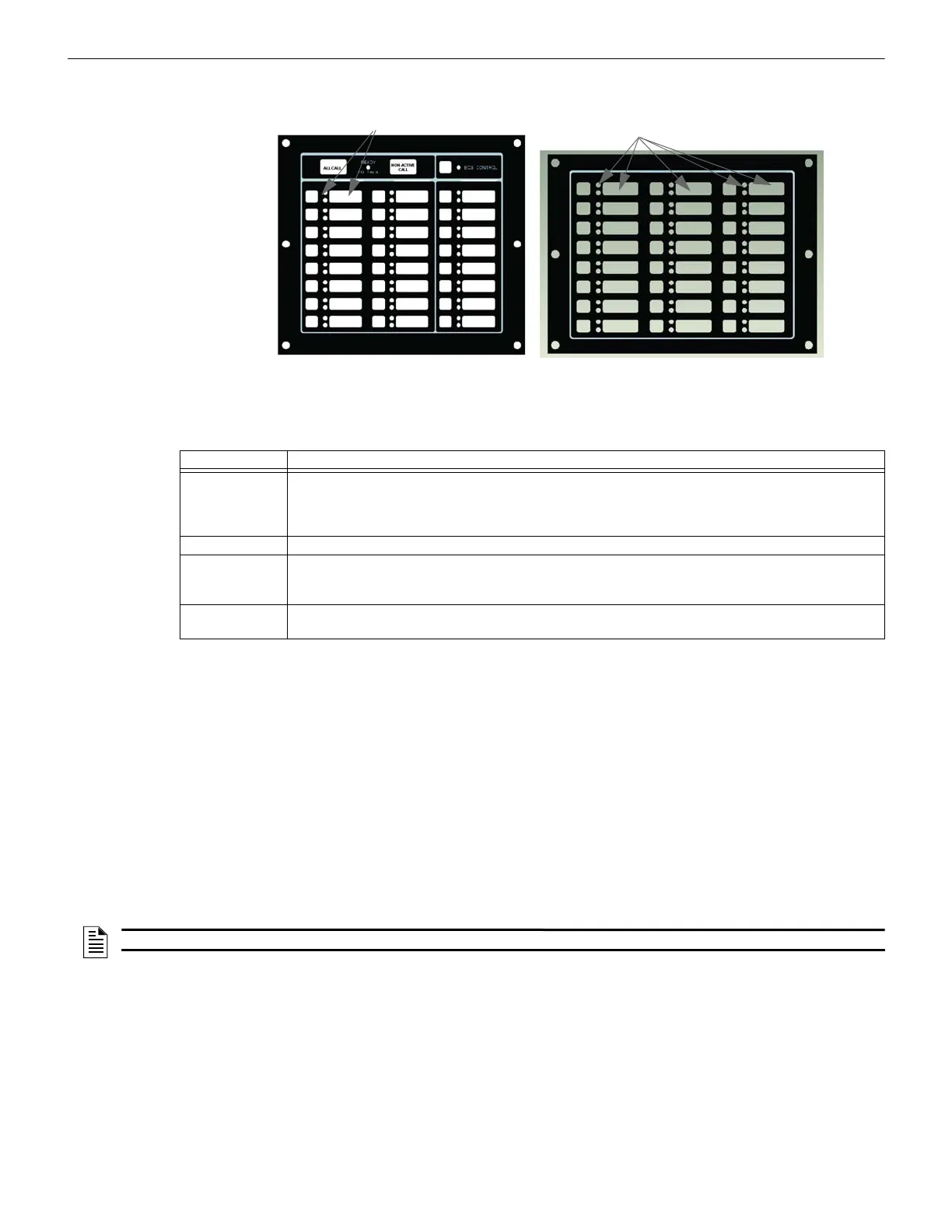
Figure 9.3 Corresponding Key and LED for Mapping Output Groups
Silencing Options
The following silencing options are available for each output group.
9.4.2 View Group Points
1. Enter the Installer Code. The panel will automatically access the Main Menu.
2. Select 7 for Panel Programming.
3. Press 3 to enter Group Menu.
4. Press 2 to view Group Points.
5. Enter the group number, then press ENTER.
9.4.3 Edit OPG Template
1. Enter the Installer Code. The panel will automatically access the Main Menu.
2. Select 7 for Panel Programming.
3. Press 3 to enter Group Menu.
4. Press 3 to edit OPG Template.
5. Enter the Template number, then press ENTER.
6. Press ENTER on the template name to edit the name.
You can use words to display a descriptive name for a group.
7. Press the right arrow to the OPG and select YES or NO to select which output groups to include in the template.
Optional Timers Description
Silence Inhibit Timed Silence after Inhibit. If this option is selected, the output group must be audible for a programmed
number of minutes before it can be silenced. If the condition that caused the output to activate has not
cleared during the time-frame, the output can be silenced. If you select this option, select the timeframe in
the delay field. Range is 0-60 minutes.
Auto Silence Silenceable. The output group will automatically silence after the timer expires. Range is 0-60 minutes.
Auto Unsilence If this option is selected, the output group can be silenced for a programmed time-frame. If the condition that
caused the output to activate has not cleared during the time-frame, the output reactivates. If you select this
option, select the time-frame in the delay field. Range is 0-60 minutes.
Startup Delay When a alarm is generated, the Output group will not activate until the timer expires assuming the event is
still active. Range is 0-120 Seconds
Table 9.4 Silencing Options
ECS User Interface
FIK-SW24
Corresponding
Key and LED Numbers
Corresponding
Key and LED Numbers
NOTE: See Appendix B for editing names.



 To Next Page