36 FCP-300/FCP-300ECS Manual — P/N LS10145-002FK-E:A 3/12/2021
Control Panel Installation FIK-RA2000 Remote Annunciator Installation
4.7.1 Mounting the FIK-RA2000
This Section of the Manual describes mounting the remote annunciator. The annunciator can be flush or surface mounted.
Flush Mounting
This section of the manual describes flush mounting.
Refer to the following steps to flush mount the FIK-RA2000.
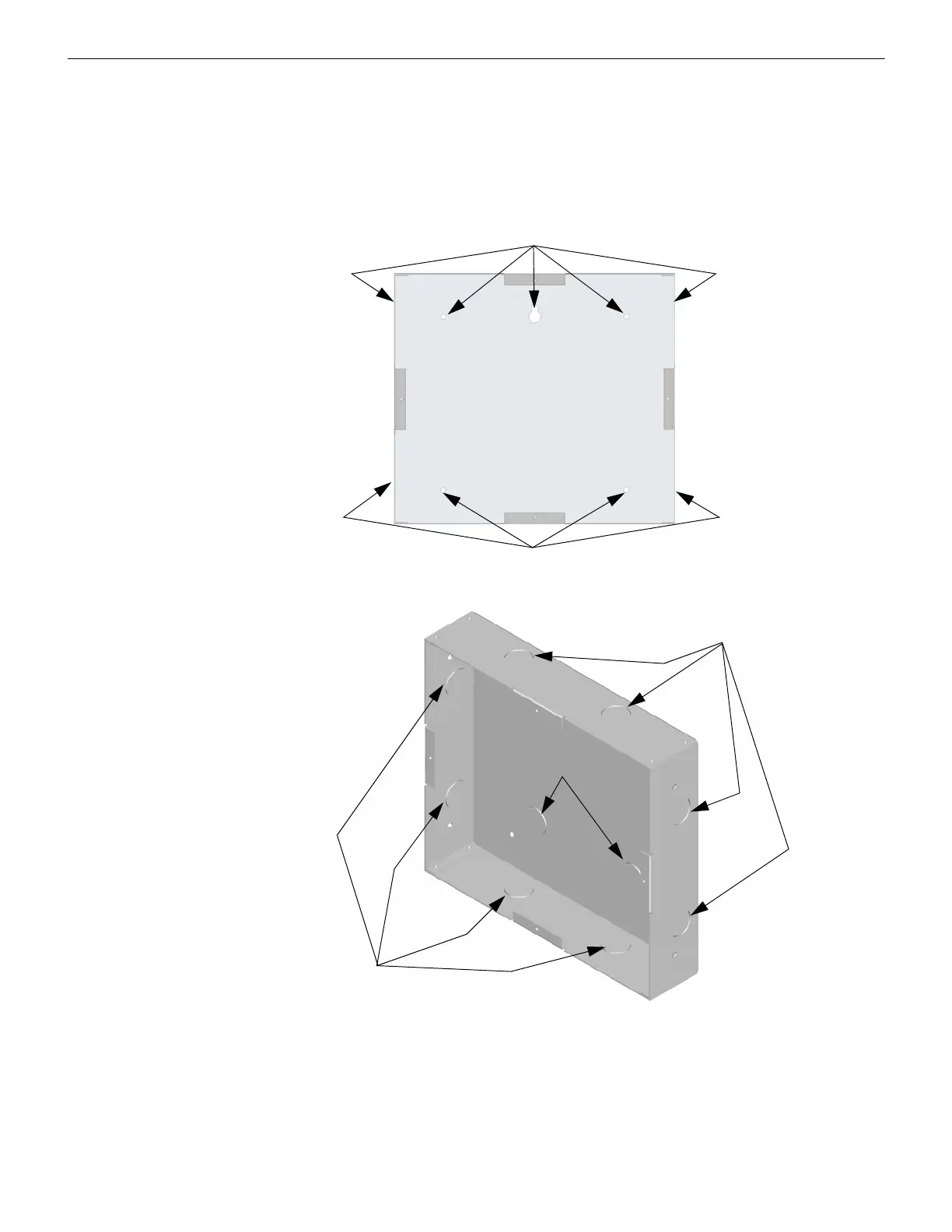
1. The back box dimensions are 9¼” W x 8 3/8” H. The minimum depth required is 2". The back box can be mounted prior
to the complete installation of the FIK-RA2000 using any of the mounting holes shown in Figure 4.10.
Figure 4.21 Back Box Mounting Holes
2. Remove knockout holes as needed for wires. See Figure 4.11 for backbox knockout locations.
Figure 4.22 Back Box Knockout Locations
3. Wire the annunciator board to the main control panel. As described in Section 4.7.2.
Mounting Holes
Mounting Holes
Wire Knockouts
Wire Knockouts
Wire Knockouts



 To Next Page