Operation Mode Behavior System Operation
FCP-300/FCP-300ECS Manual — P/N LS10145-002FK-E:A 3/12/2021 119
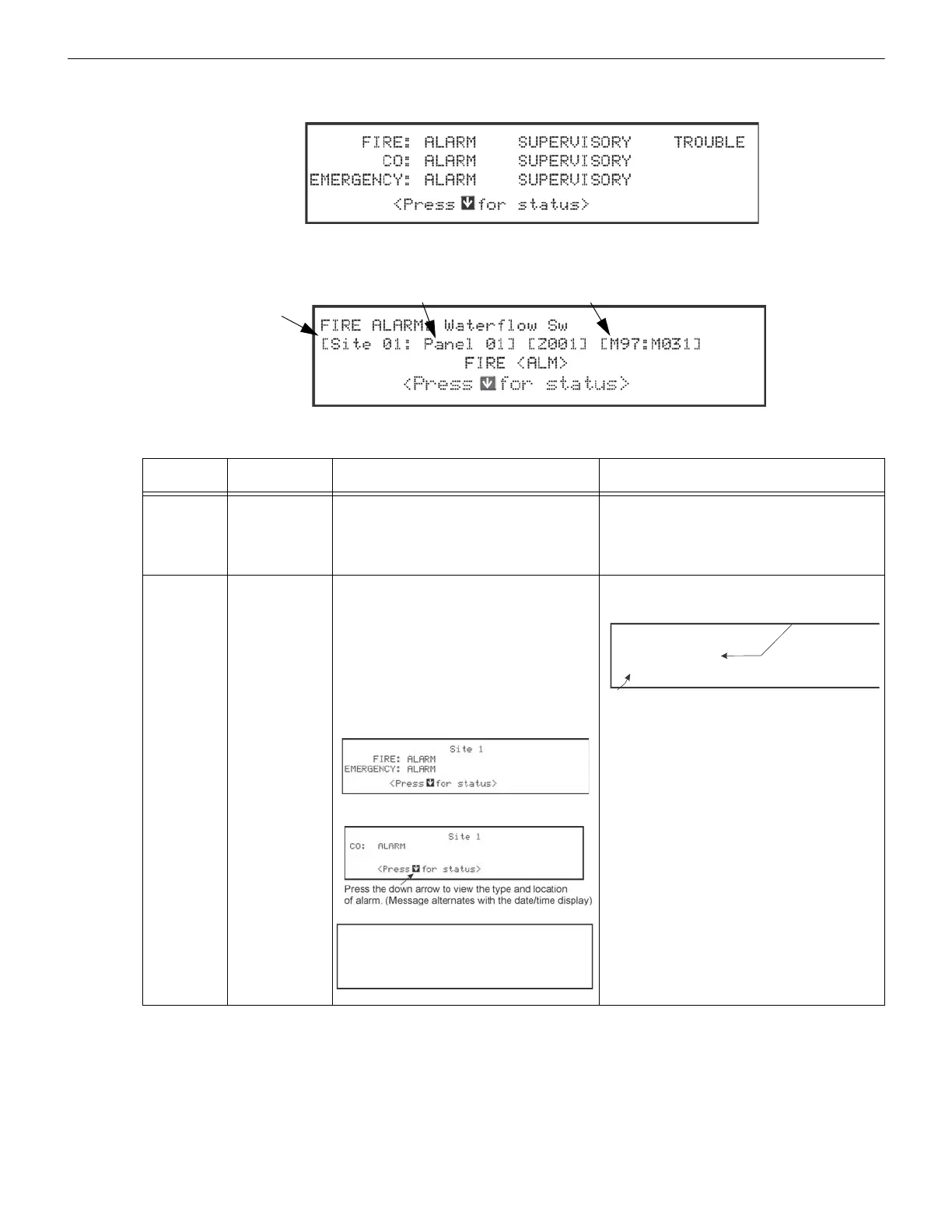
Press the down arrow to view the location and type of alarm supervisory or trouble. If the panel is programmed to Auto Dis-
play Event, the information describing the highest priority active event will display on the first two lines.
Figure 10.4 Highest Priority Event Display
Figure 10.5 Event Display after Two Minutes Sitting Idle
Operation
Mode
Occurs When System Behavior In This Mode You Can
Normal
No alarm or
trouble condition
exists and menus
are not in use.
System POWER LED is on.
The All Systems Normal display indicates that
the System is in the normal mode.
The current date and time display on the last
line of the LCD.
Enter the appropriate code to activate the User or
Installer Menu.
Alarm
A smoke detector
goes into alarm or
a pull station is
activated.
The System will report events to the Central
Station.
The on-board annunciator will sound loud,
steady beeps to distinguish Alarm signals. For
Fire Alarm, the sequence is a loud steady
beep.(Any notification devices attached to the
System will also sound). For ECS Alarm, the
sequence is four seconds on, one second off.
GENERAL ALARM LED is on.
The LCD displays a screen similar to this one.
Press the down arrow to view the alarm. A screen
similar to this one displays.
Press SILENCE to silence the annunciator (and
any notification devices attached to the System).
When the alarm condition clears, press RESET to
restore the panel to normal.
Table 10.4 Operations Mode Behavior
FIRE:
CO:
EMERGENCY:
SYSTEM:
ALARM SUPERVISORY TROUBLE
ALARM SUPERVISORY
ALARM SUPERVISORY
TROUBLE
Time/Date
Site 1 Panel 1
FIRE ALARM: Waterflow Sw
SBUS 97 MODULE 31
05/27/16 01:45:52PM 1 of 1



 To Next Page