Glossary
90 MMS
®
Inspection DPM High
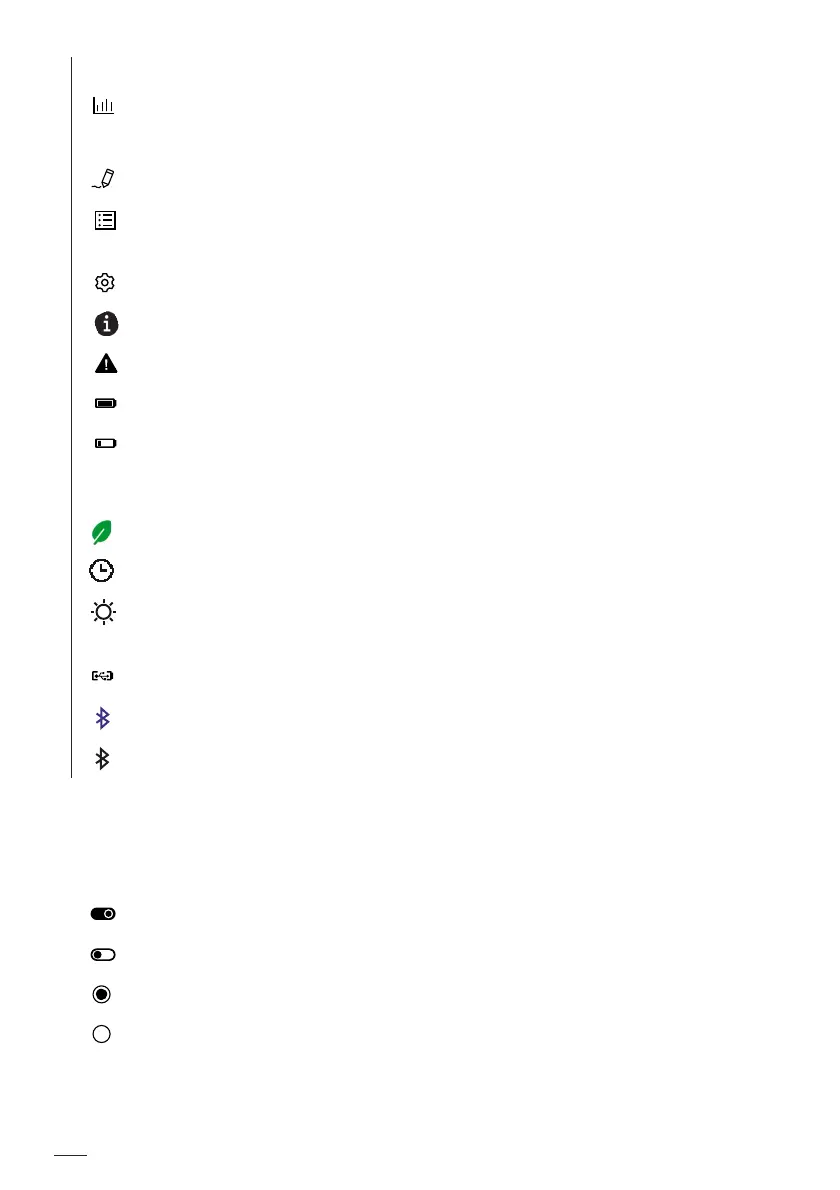
13.1 Glossary – Display symbols
Statistics menu, contains statistic values for the open batch
Comprehensive statistics covering all climatic values
Batch Modify menu, contains a list of alterable batch settings
Batches menu, contains a list of already created batches and the New
function for creating a new batch
Gage Settings menu, contains a list of alterable gage settings
Identifies information and requests for action
Identifies warnings
Battery status indicator: fully charged
Battery status indicator: replace battery soon
If the battery voltage is too low, the gage switches off automatically. Cli-
matic values and settings are retained.
Energy savings function Dim display active
A time period is set for at least one of the energy saving functions.
Brightness mode Sunlight active. This brightness mode dramatically re-
duces battery life!
USB connection active, gage is connected to a PC via USB (for example)
Bluetooth status indicator – paired Bluetooth connection is activated
Bluetooth status indicator – gage paired with PC via Bluetooth; a Blue-
tooth connection for data export is enabled in the gage;
activate connection:
PC Datex program, command button Online
Gage: Export Batch command in the Statistics menu
On/Off switch – parameter/function is enabled
On/Off switch – parameter/function is disabled
Parameter selection – parameter/function is activated
Parameter selection – parameter/function is deactivated
iA An Alarm for climatic variable is active













 To Next Page