PostBase Fusion
26
Warning! Danger from electrical voltage if
improperly connected.
• Use the supplied power and connection
cables or cables that have been approved
by FP. Make sure that the cables are not
damaged.
• Only connect the PostBase Fusion to a
grounded single-phase power outlet.
Make sure that the power connection con-
forms to the power requirements indicated
on the type plate.
• Make sure that the power outlet is nearby
and easily accessible at all times.
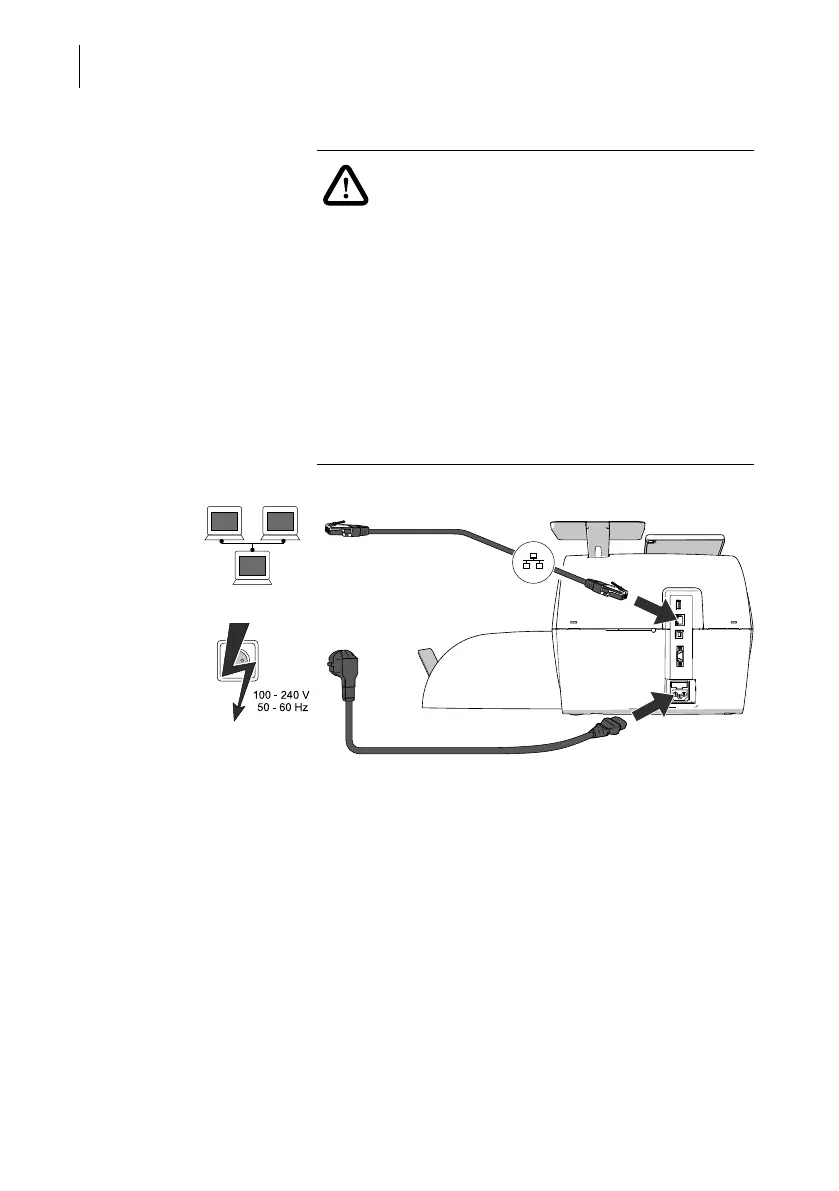
Connection
Computer Network / Router
For the wired connection to your local area
network (LAN):
• Connect the Ethernet cable to the postage
meter and the local network / router.
Power connection (electric) • Plug the power cable into the power
connection for the postage meter.
• Only then plug the power cable into the
power outlet.
Ethernet cable
Power cable



 To Next Page