The basics of operation
41
4.3 Screen elements and operation philosophy
This chapter introduces the user interface of the PostBase Fusion mailing system.
You will learn how to use the touch screen, the screen elements and the various
menus, window types and icons.
4.3.1 The touch screen
The touch screen of the PostBase Fusion mailing system reacts to pressure (resis-
tive display). With this type of touch screen, it does not matter whether you use your
finger, fingernail, pen or gloves.
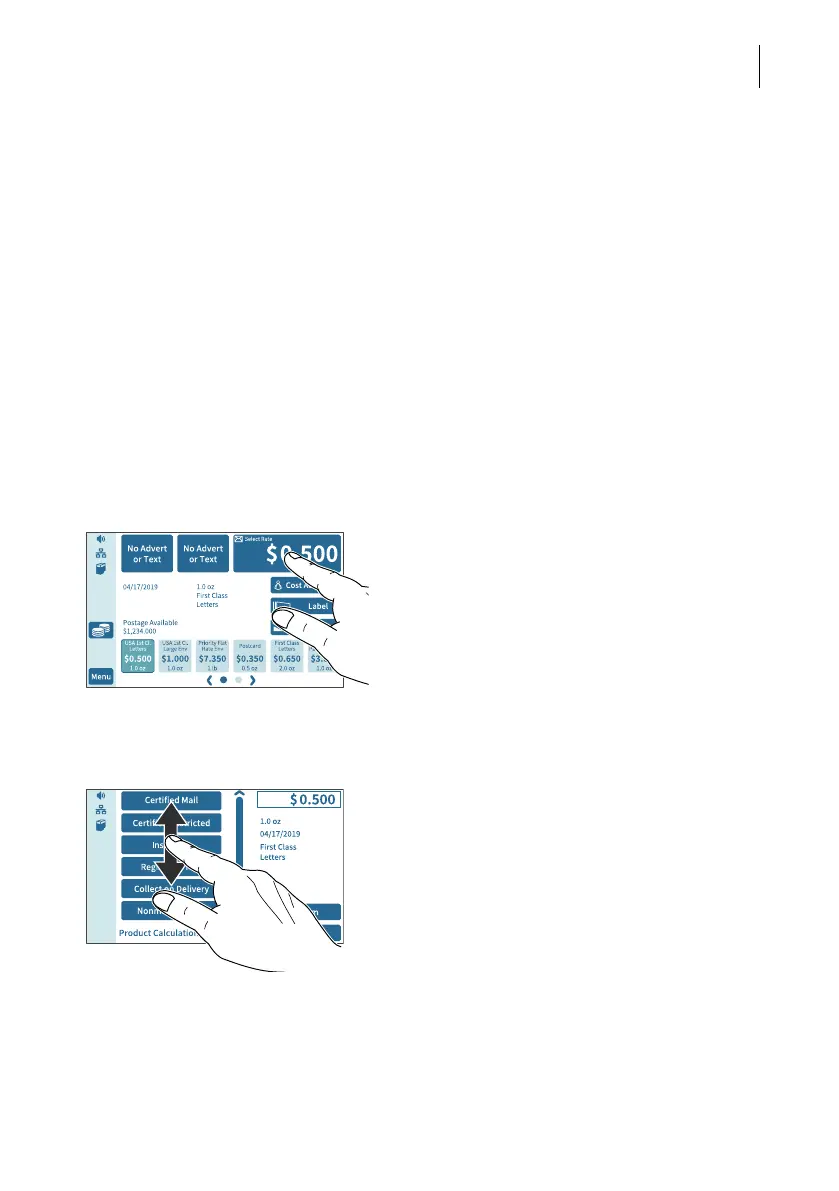
The touch screen supports different methods of operation: Tapping and Swiping.
Depending on the desired action, you can select your preferred method.
General operating instructions
Tapping • Briefly tap the desired element on the
screen (in the example, this is the button
with the postage).
PostBase Fusion carries out the correspond-
ing action (in the example, the rate selection /
product calculation opens).
Swiping • For example, press your finger in the area
where you want to navigate.
• Hold down the area and move your finger
in the desired direction.



 To Next Page