PostBase Fusion
76
6.3.3.3 Setting the letter thickness
If you want to meter letters with a thickness of 0.24" - 0.4" (6 - 10 mm), use the
“thick letters” function of the feeder for the best results.
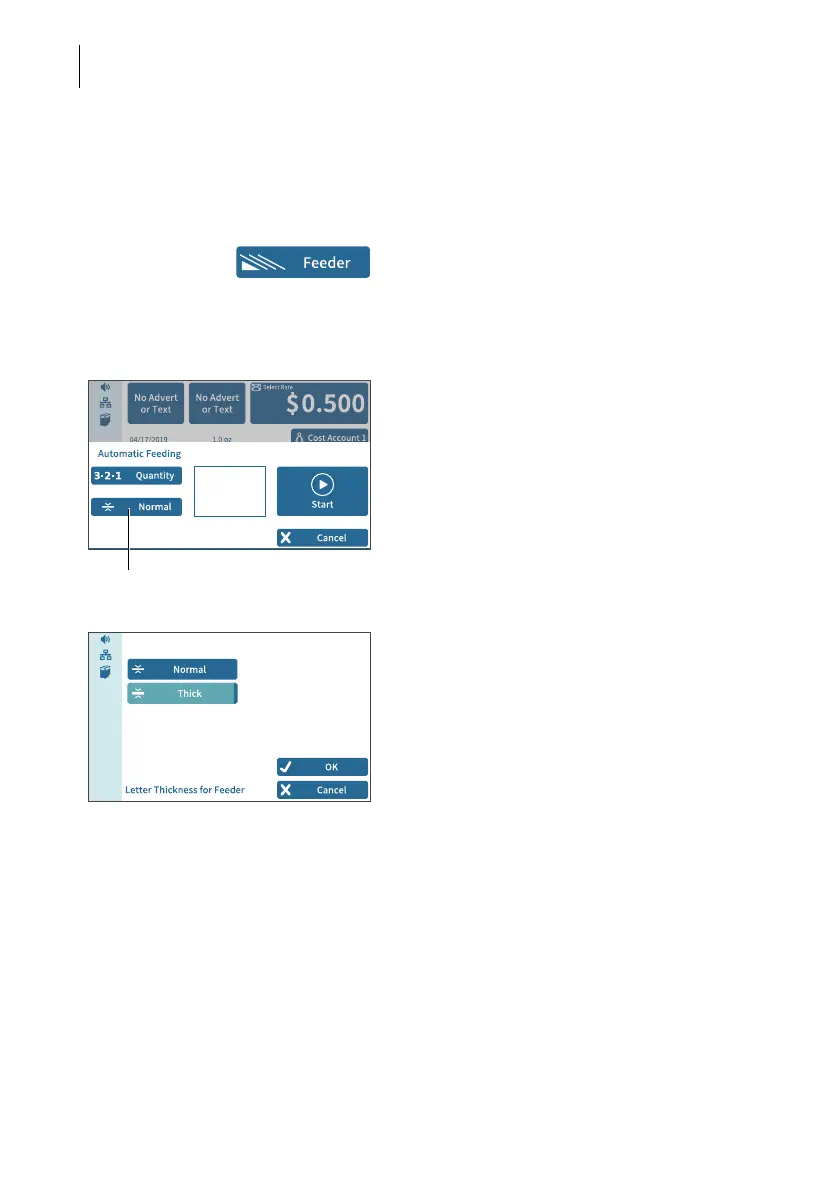
• In the Home screen, tap F
EEDER.
PostBase Fusion opens the pop-up
“Automatic Feeding”. On the button for letter
thickness, you see the current setting
(Normal or Thick).
• In the pop-up, tap on the button for the
letter thickness.
• Select N
ORMAL or THICK depending on the
letters you are metering.
The selected setting is highlighted in color
(light blue with a dark blue bar).
• Apply the displayed setting by tapping OK.
If “thick letters” is set, the PostBase Fusion
speed is reduced to process letters.
Remember to reset the setting back to
N
ORMAL for optimal processing speed.
“Letter thickness” button



 To Next Page