Metering
75
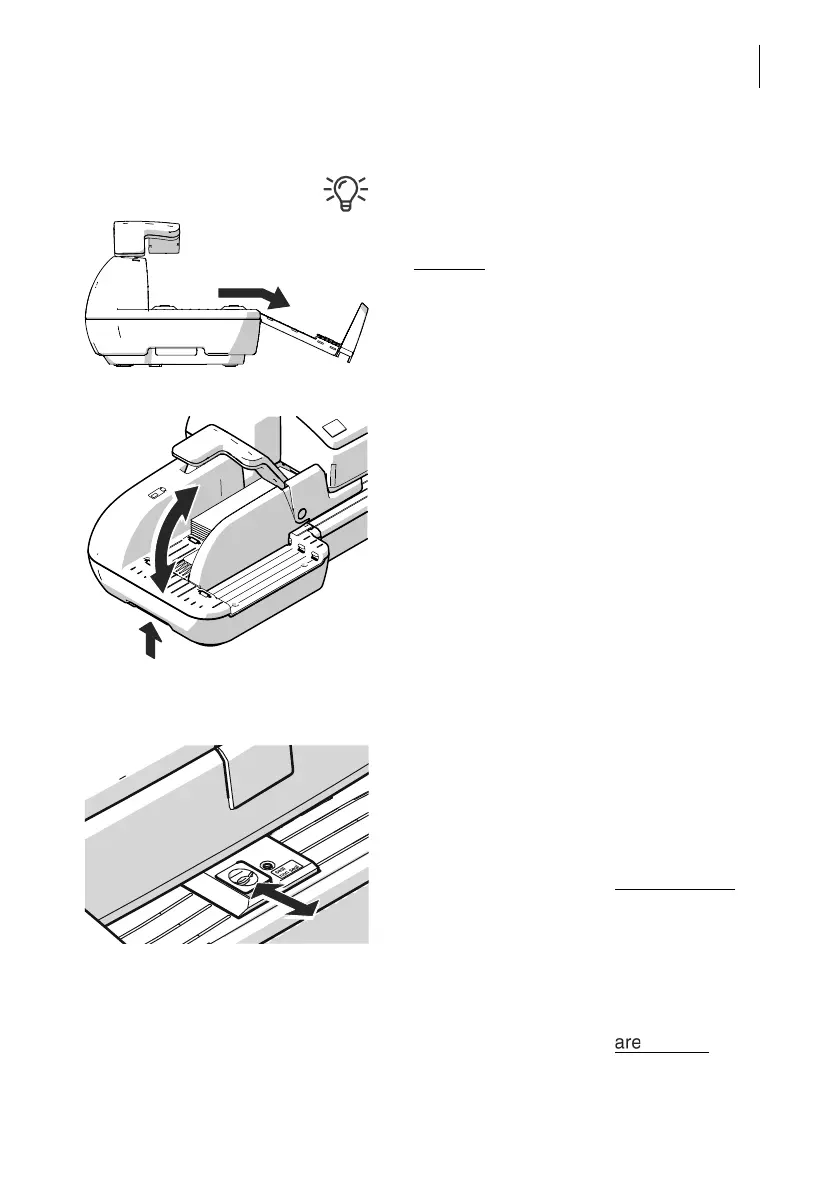
Fold the letter guide down
If the letter guide is in the way when feeding
large-sized mail pieces, you can fold the
letter guide down.
• Carefully
pull out the letter guide up to the
stop.
• Fold the letter guide down as shown in the
illustration and place it onto the tabletop.
Adjusting the incline of the ramp
• Unlock the ramp: Push the latch lever to
the left.
• Lift up or lower the ramp. Release the lever
to lock the ramp in the desired position.
6.3.3.2 Switch the sealing function on / off
If the letters (up to a max. thickness of 0.3" /
7 mm) are to be sealed:
• Set the seal / non seal switch to the rear, to
the seal position.
The sealing function is switched on. The LEDs
below the sealant tank flap light up brightly
.
If the letters are not to be sealed, or have
already been sealed:
• Set the seal / non seal switch to the front in
the non seal position.
The sealing function is switched off. The LEDs
below the sealant tank flap dimmed
.



 To Next Page