Special functions
91
9.3 Feed Only / Count mail pieces
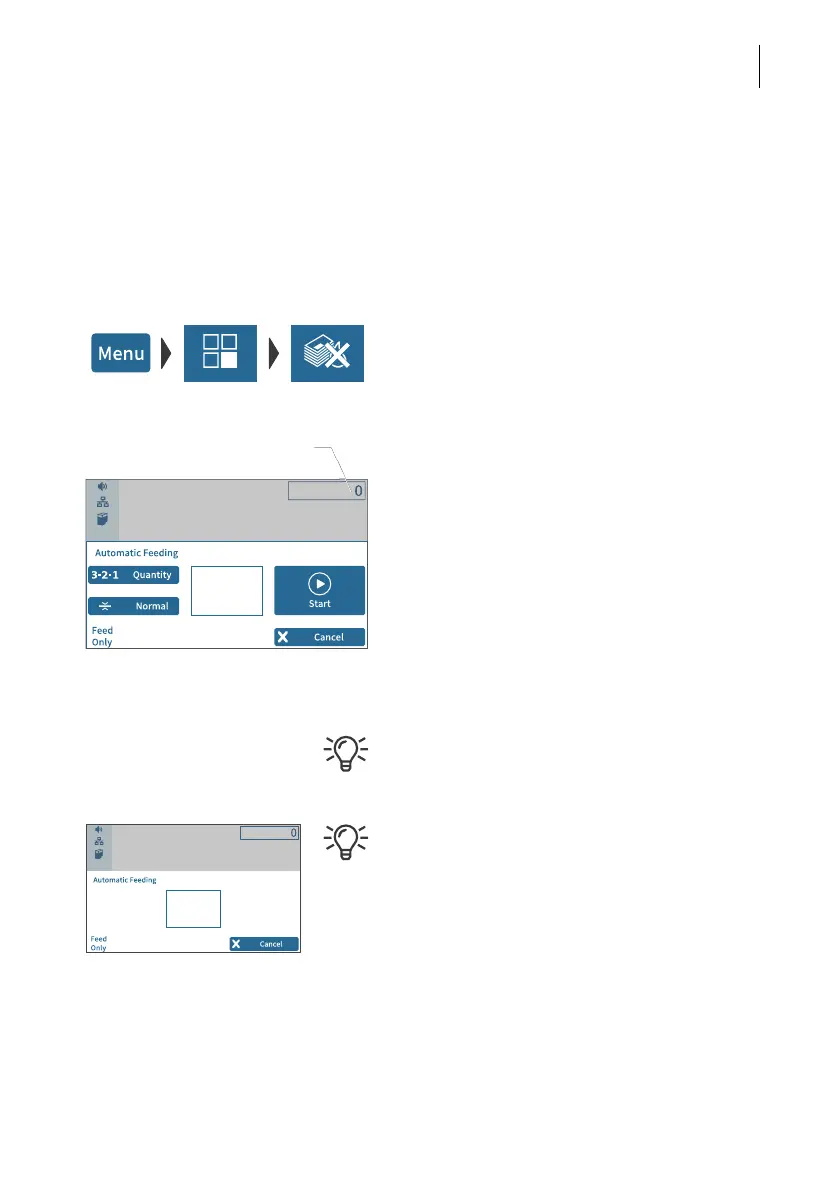
With the special function “Feed Only”, mail pieces may be run through the mailing
system without being printed. In this way, you can count mail pieces and prepare your
bulk mail for dispatch in counted stacks. You can also test letter transport with this
feature. This special function is only available on PostBase Fusion systems with
feeder.
• Open the M
ENU.
• Choose S
PECIAL FUNCTIONS.
• Choose F
EED ONLY.
PostBase Fusion opens the “Automatic
Feeding” pop-up for the “Feed Only” function.
All settings for automatic feeding, preparing
and positioning letter stacks are done exactly
as when metering mail. For detailed informa-
tion, please read chapter 6.3.3.
• Position letter stack on the feeder / start
letter transport.
PostBase Fusion shows the number of trans-
ported mail pieces on the upper right side of
the display.
When leaving the “Feed Only” function, the
counter is reset to “0”.
You can also use this feature when working
without feeder (e.g. for checking the letter
transport).
For detailed information on positioning letters
on the hand feed tray, and using the hand-
feed sealer, please read chapter 6.3.
Counter



 To Next Page