Installation and commissioning
25
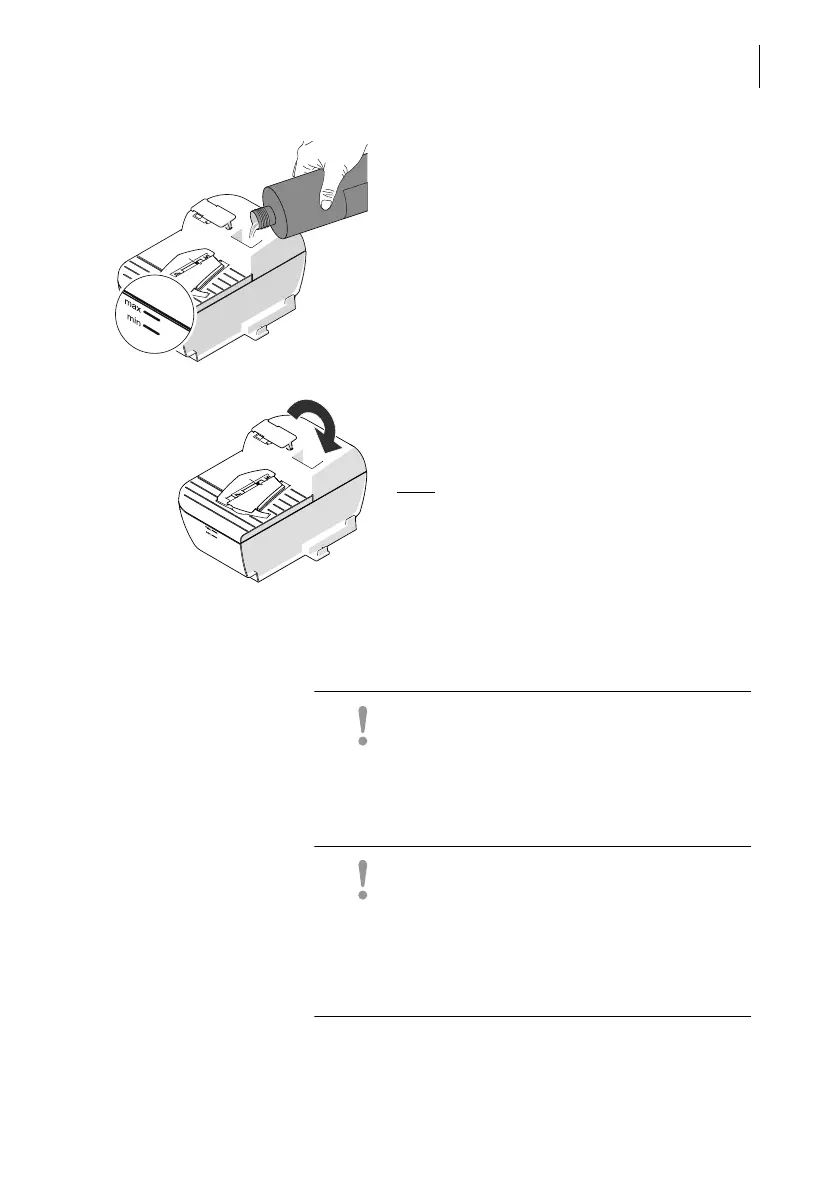
• Fill sealer with SEALIT sealing fluid.
• Check the filling level. The sealer should
be filled roughly up to the “max” mark.
• Close the filling opening with the cover.
• If necessary: Dry the sealer outside.
Note
: It may take a few minutes for the fluid
to fully prepare the moistening deck and
blade.
Step 4: Connecting the PostBase Fusion
Caution! If the PostBase Fusion was previ-
ously in a cold environment (i.e. below 50 °F /
10 °C): Wait at least two hours after unpack-
ing before connecting the postage meter.
The PostBase Fusion needs this time to
adapt to the environmental conditions.
Caution! Do not connect the
PostBase Fusion Feeder (the optional
automatic feeder) until Step 7. The
PostBase Fusion postage meter must be fully
installed to do this. Otherwise the Feeder will
not be recognized by the postage meter. The
mailing system will not work.



 To Next Page