PostBase Fusion
60
5.1.3.3 Entering the weight manually
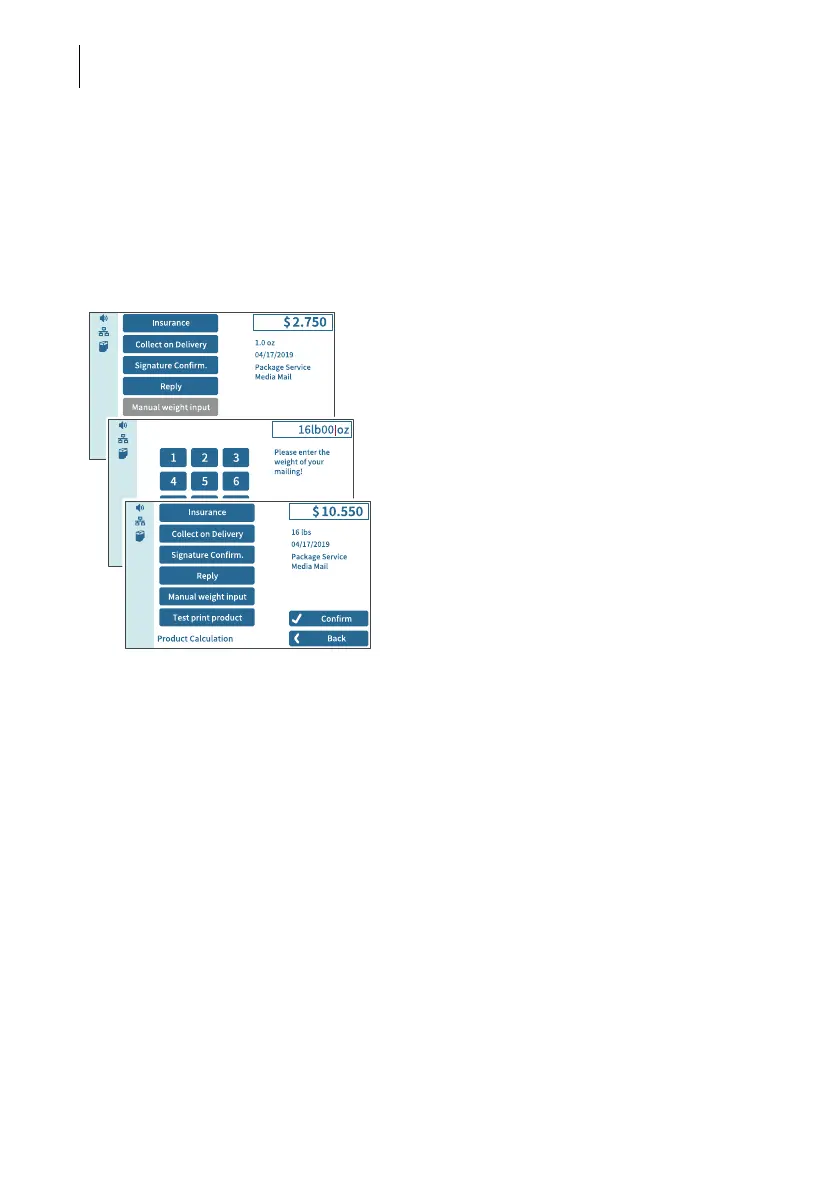
PostBase Fusion allows you to manually enter the weight for certain products. If the
weight can be entered manually, the “Manual weight input” function is available in the
product menu. You need this function, for example, for mail pieces with a weight that
exceeds the weight capacity of the built-in scale (5, 10 or 15 lb.). An external 70 lb.
scale is an available option.
In the Home screen:
• Tap the postage button.
PostBase Fusion opens the rate selection
menu (Product Calculation).
• Set the desired mailing data.
• Tap the M
ANUAL WEIGHT INPUT option.
PostBase Fusion opens the weight setting
menu.
• Enter the weight.
• Confirm with OK.
PostBase Fusion uses the set weight to
calculate the postage.



 To Next Page