Special functions
93
9.5 Stamping incoming mail
With the “Received Mail” feature, PostBase Fusion can print a stamp with date and
time onto you incoming mail. An advertising imprint is also possible.
• Open the M
ENU.
• Choose S
PECIAL FUNCTIONS.
• Choose R
ECEIVED MAIL.
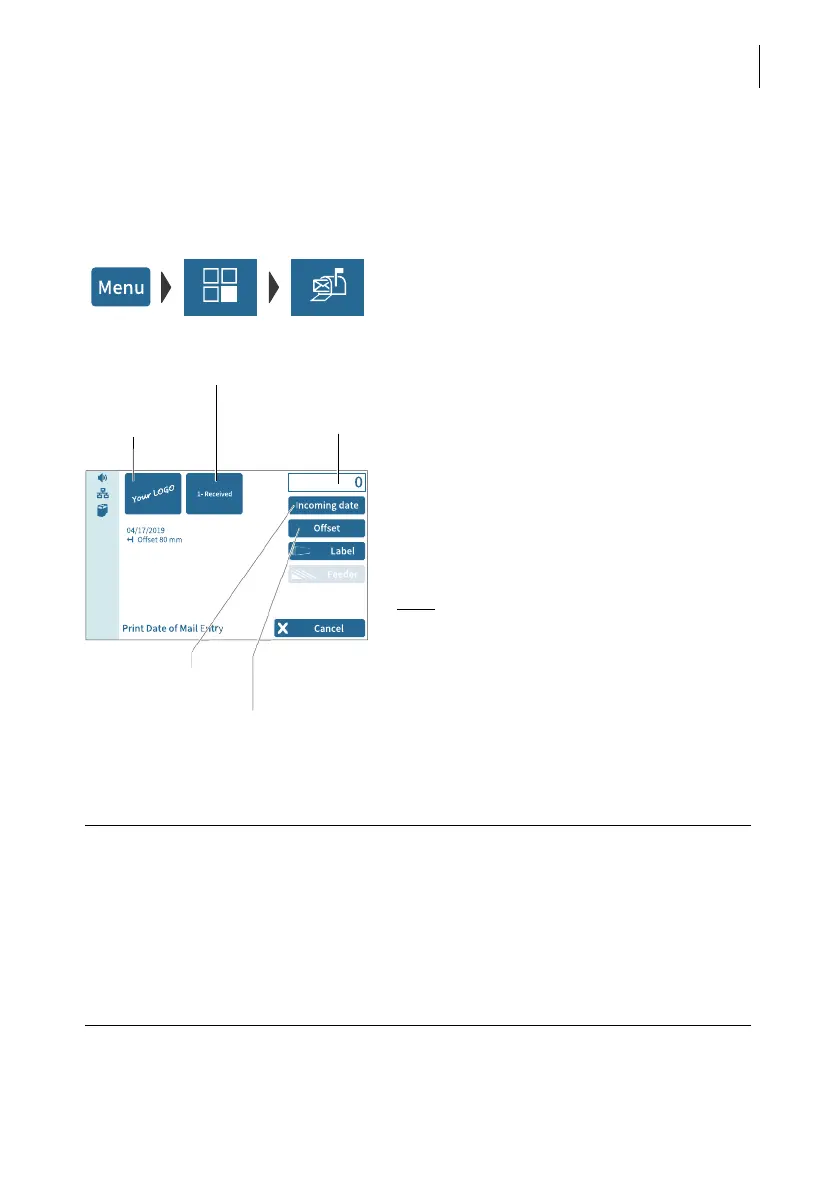
PostBase Fusion opens the “Print Date of
Mail Entry” menu.
The current settings for printing incoming
mail are displayed:
– received mail stamp
– advertising imprint
– date
– imprint offset.
Note
: The table below describes the possible
settings. Changing these settings is done in
the usual manner.
Set advertising
imprint
Set received mail stamp
Counter
Set imprint offset
Set date
PRINT DATE OF MAIL ENTRY – possible settings:
Received mail stamp Depending on your order, one or several
received mail stamps are available.
Incoming date You can backdate received mail stam ps up to
7 days.
Received mail stamps with the current date
may also contain the time of day (depending
on the selected received mail stamp).



 To Next Page