PostBase Fusion
58
5.1.3.2 Differential weighing (optional)
PostBase Fusion optionally supports differential weighing (stack weighing). This
allows you to weigh and meter larger quantities of similar mail pieces quickly and con-
veniently. You simply place a stack of letters on the scale and remove one letter at a
time. PostBase Fusion measures the change in weight and determines the appropri-
ate postage. You can meter each letter immediately or weigh all letters from the stack
and sort them by postage. Letters with the same postage can then be metered
together in a single operation.
Caution! Please observe the following instructions for handling the built-in
scale:
– Observe the maximum weight capacity (depending on the model or
feature upgrade).
– The scale does not determine a new weight while the letter transport unit
is running. Wait until the letter transport unit stops before removing a mail
piece from the weighing platform.
– When weighing large format mail pieces, make sure that the mail pieces
do not touch the display housing. This prevents incorrect weighing that
would result in incorrect rating.
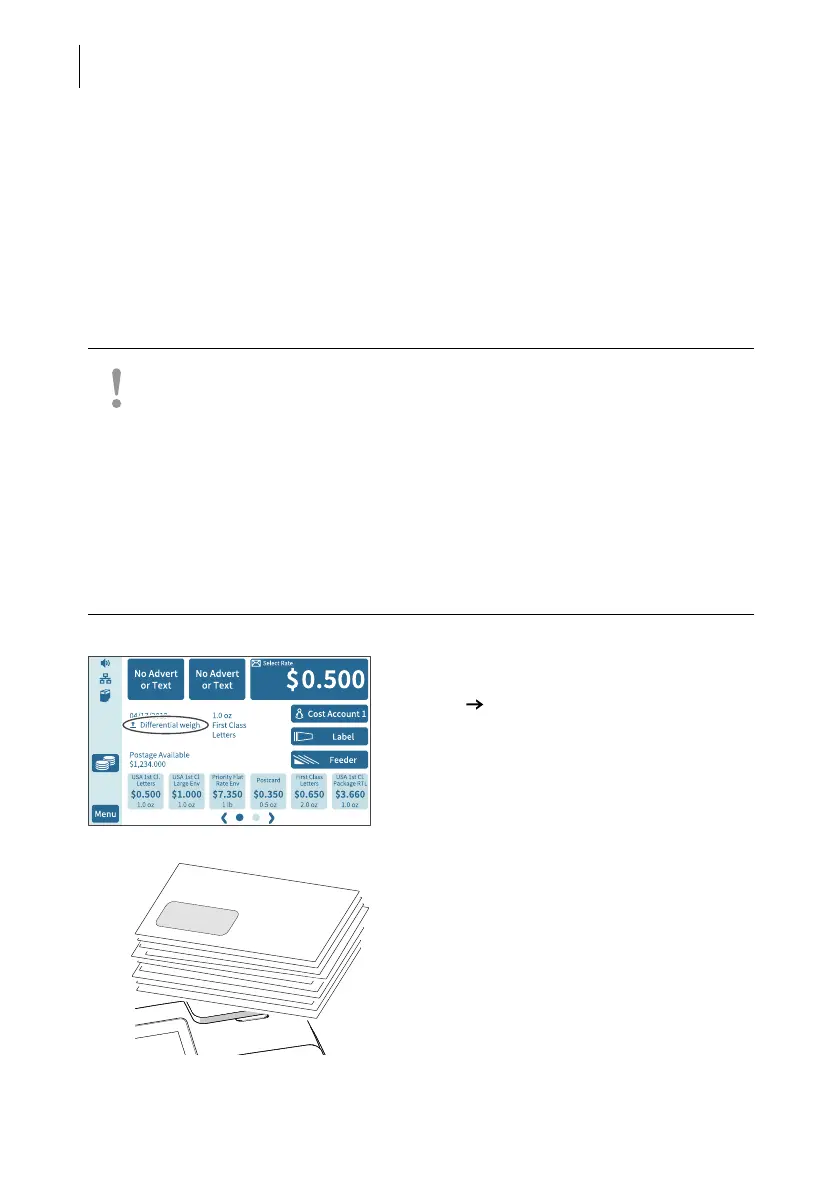
• Set the weighing mode to “Differential
weighing”:
M
ENU DIFFERENTIAL WEIGHING (see also
chapter 14.12, page 119).
PostBase Fusion displays the “Differential
weighing” mode in the Home screen.
• Place the letter stack or a box with letters
on the weighing platform.
A tone signal indicates that the scale has
registered the load.



 To Next Page