PostBase Fusion
42
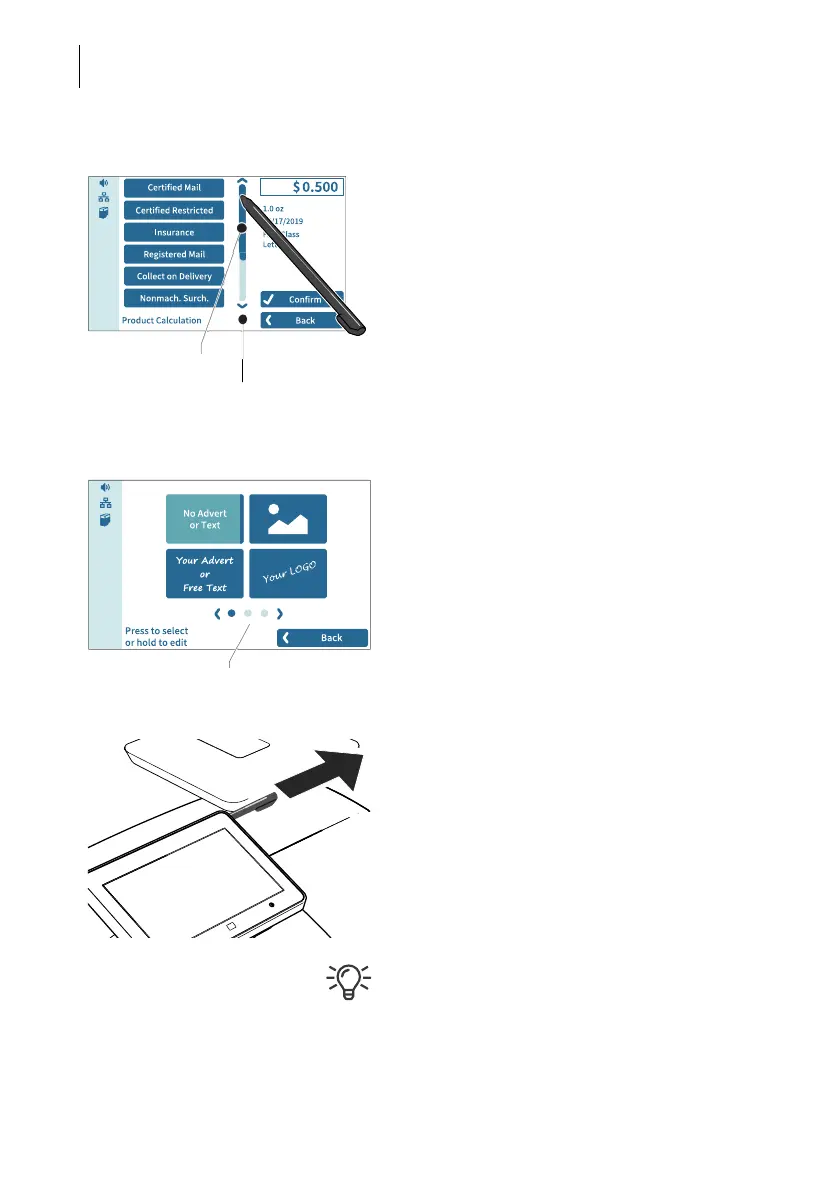
Operating scrollbars • Press the slider and move it in the desired
direction.
You can also tap the arrows to scroll up or
down the list.
Scrolling through lists In menus and selection lists, dots symbolize
the number of available screens (pages). The
dark blue dot indicates the current screen.
• Tap the arrows to scroll through the list.
• Tap on a dot to jump directly to this screen.
Stylus for touch screen operation
The supplied stylus for touch screen opera-
tion is located in the back of the display hous-
ing on the right. You can simply pull the stylus
out to the right.
It is best to put the stylus back in its place in
the display housing after use. It is well-pro-
tected from loss there.
Scrollbar
Slider
Screen navigation



 To Next Page