PostBase Fusion
78
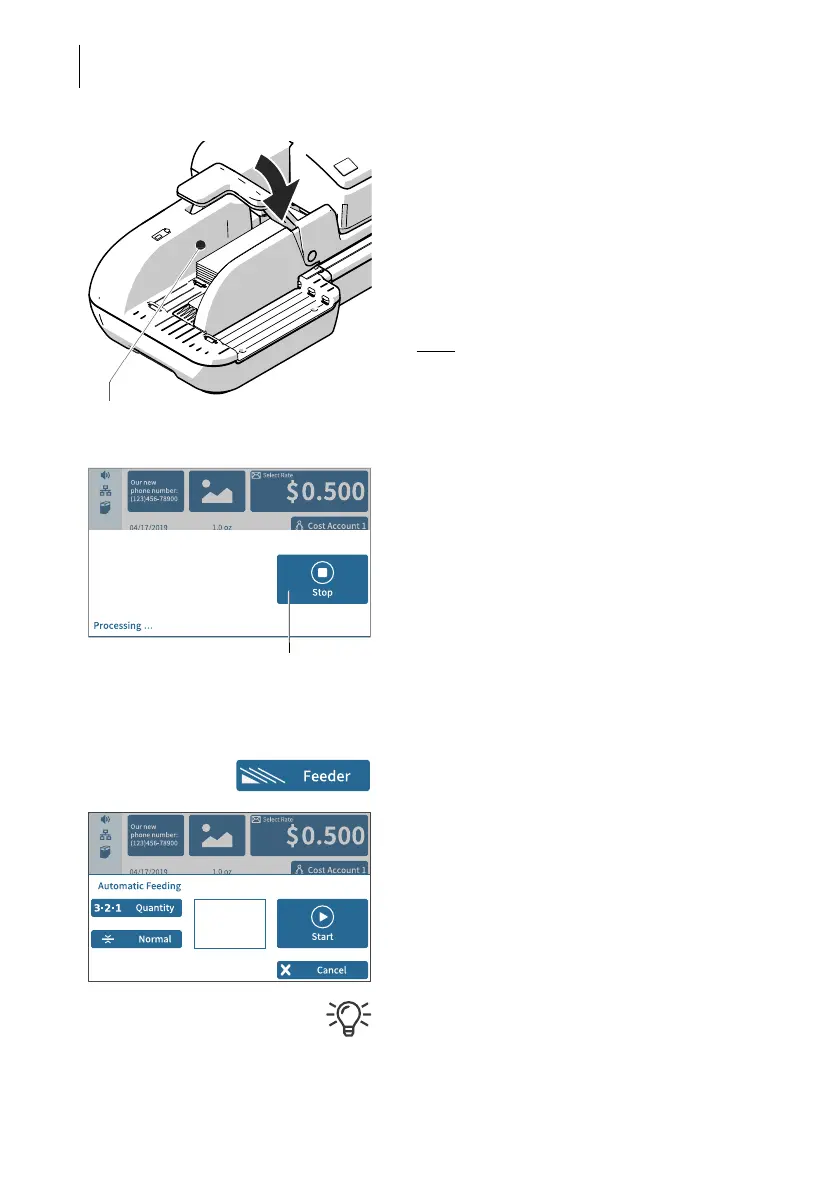
• Place the prepared stack of letters:
– Side to be printed (address side) facing
up.
– The letter top edges are on the contact
area.
– Do not exceed permissible stack height
(2.2" / 55 mm).
• Swivel the pendulum downward.
Note
: Especially when metering curved or
thin letters in the stack, we recommend the
use of the pendulum. The pendulum stabi-
lizes the letter stack and the sensors can
detect the letters.
Processing starts automatically. The letters
are taken from the stack one by one, moist-
ened and sealed if necessary, metered and
stacked in the catch tray ready for mailing.
You can interrupt the processing by tapping
on the S
TOP button.
Starting / continuing processing …
After an interruption or if letters are already in
the feeder:
• In the Home screen, tap F
EEDER.
PostBase Fusion opens the pop-up
“Automatic Feeding”.
• Start/continue processing with S
TART.
Process single letters with the feeder in the
same way. In place of the letter stack, simply
place a single letter / postcard on the feeder.
Contact area
Interrupt processing



 To Next Page