PostBase One Franking System
102
• Open the MENU.
•C
HOOSE PRINT SYSTEM.
•CHOOSE CHANGE CARTRIDGES.
The exchange procedure starts.
PostBase One moves the ink cartridges to
the exchange position and opens the flap.
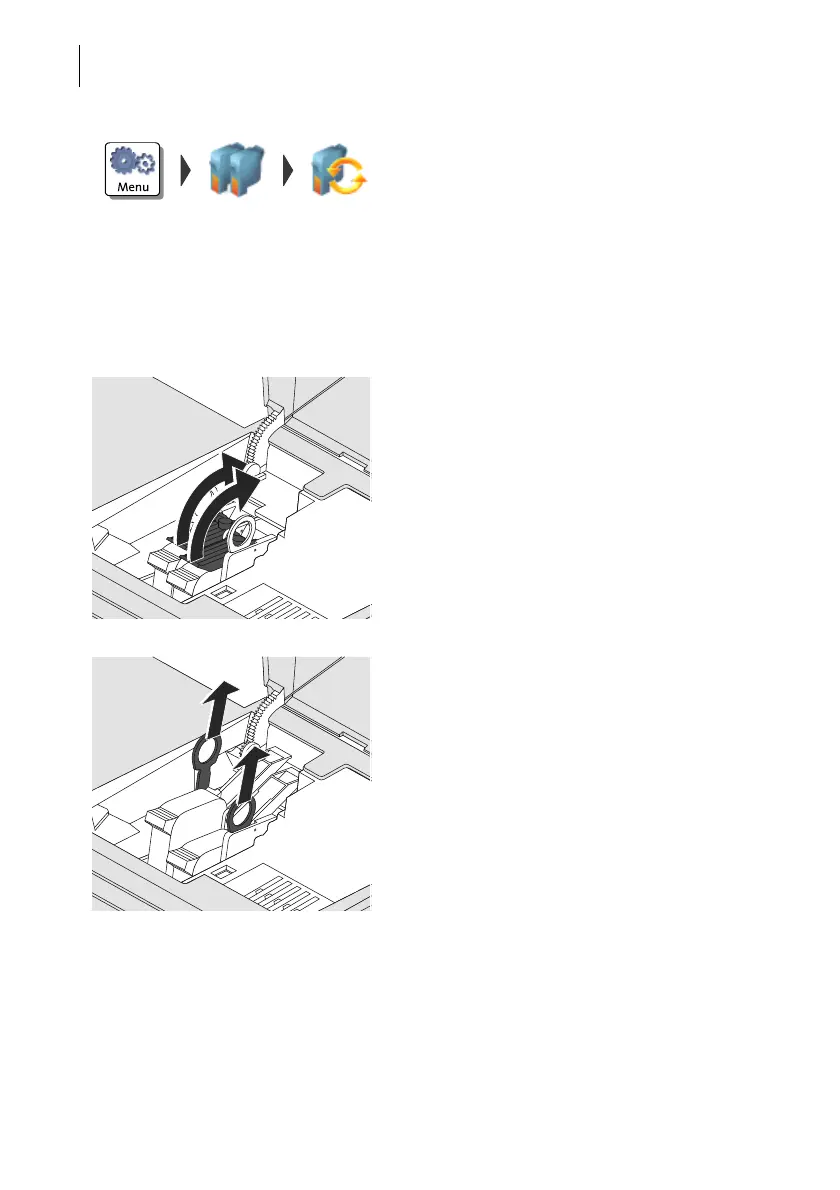
Removing the ink cartridges
• Release the ink cartridges:
Turn the two blue-green levers upwards.
• Pull both lifters (blue-green) upwards.
The ink cartridges are lifted from their brack-
ets.



 To Next Page