PostBase One Franking System
72
11.2 Features and settings in Alternative Carrier Mode
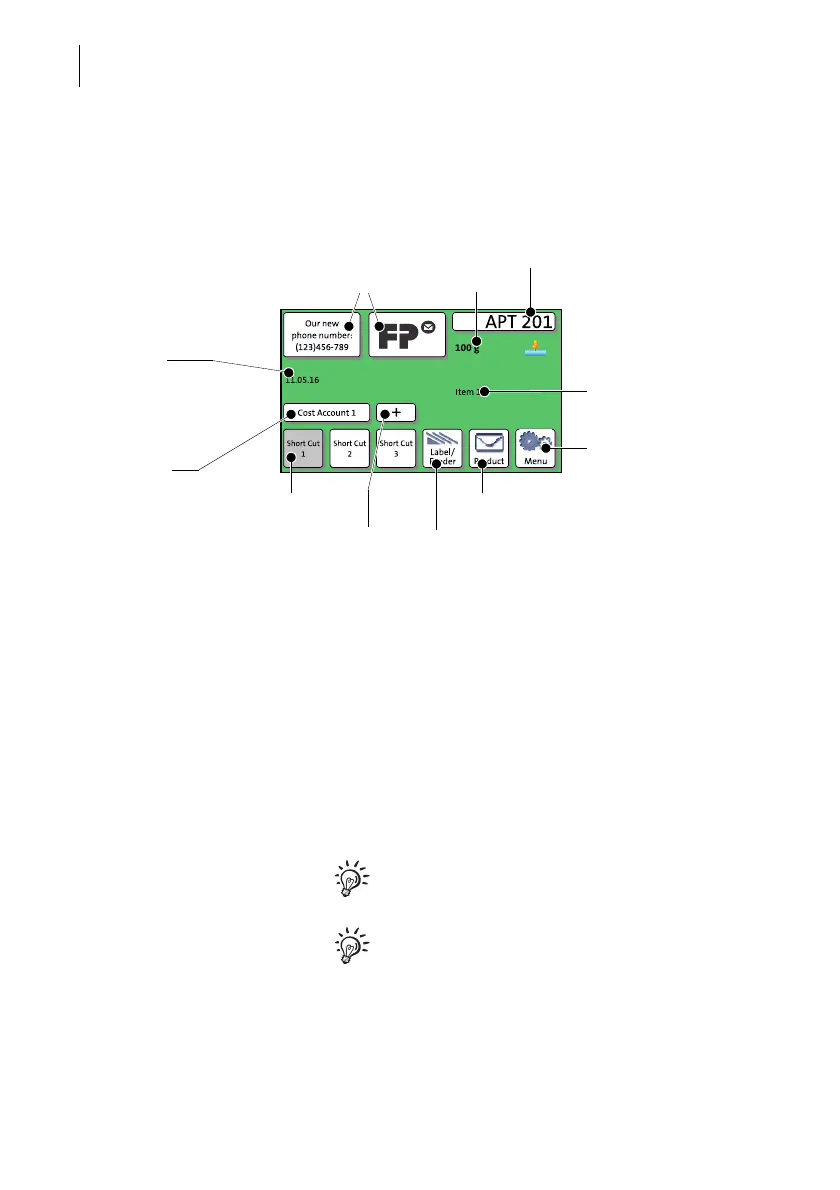
The illustration shows an example of the Home screen in Alternative Carrier Mode
and its possible settings.
You set the franking imprint as usual: shortcuts, the scale functions etc. are available
just as with the regular franking mode. You select a franking item from a list that ist
stored for the respective carrier.
If necessary, refer to:
– Selecting franking items of the carrier
and weighing (see chapter 4.1)
– Advertising imprints (see chapter 4.3)
– Account (see chapter 5.2)
– Date (see chapter 4.2).
The franking date setting applies globally to
all carriers.
The franking imprint position is preset to a
fixed value for each respective carrier.
Info panel:
– Date in the franking
imprint
– Other information
Advertising imprints
Selected item
Selected carrier
Weight
Current shortcut
Menu
Franking item list
Account
Further shortcuts Frank labels / use the Feeder



 To Next Page