PostBase One Franking System
116
15.6 Aligning ink cartridges / print heads
You must align the ink cartridges / print heads when there are shifts in the franking
imprints. Alignment will ensure your imprints are free of shifts. The adjustment proce-
dure is done in the same way, irrespective of the ink system.
The adjustment procedure starts automatically after changing the ink cartridges / print
heads.
Starting the alignment procedure
• Open the M
ENU.
• Choose P
RINT SYSTEM.
• Choose A
LIGNMENT in the submenu.
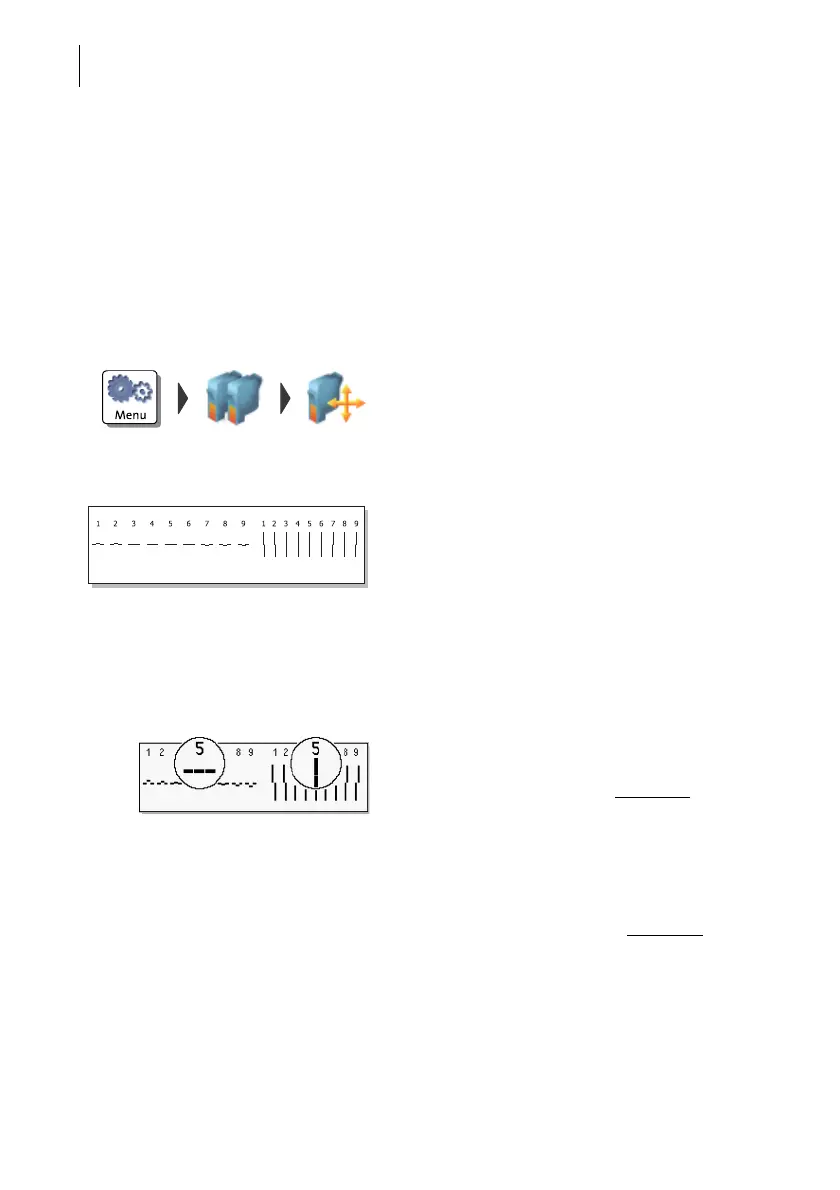
• Place an empty envelope for the test print.
PostBase One prints a test print.
• On the test print, determine the numbers
where
– the horizontal lines are as exactly next to
each other as possible and
– the vertical partial lines are as exactly
above each other as possible.
Correctly aligned
The ink cartridges / print heads are correctly
aligned when horizontal and vertical partial
lines form one line each at number 5
.
• Press FINISH to quit the procedure.
Not aligned correctly
When horizontal and / or vertical partial lines
do not form one line each at number 5
:
• Press CHANGE to continue the alignment
procedure.



 To Next Page