PostBase One Franking System
46
4.4 Special features of product setting
4.4.1 Business Mail (optional)
PostBase One offers the option to frank Business Mail. For activation of the ‘Business
Mail’ feature, please contact the FP aftersales service or your local sales agent.
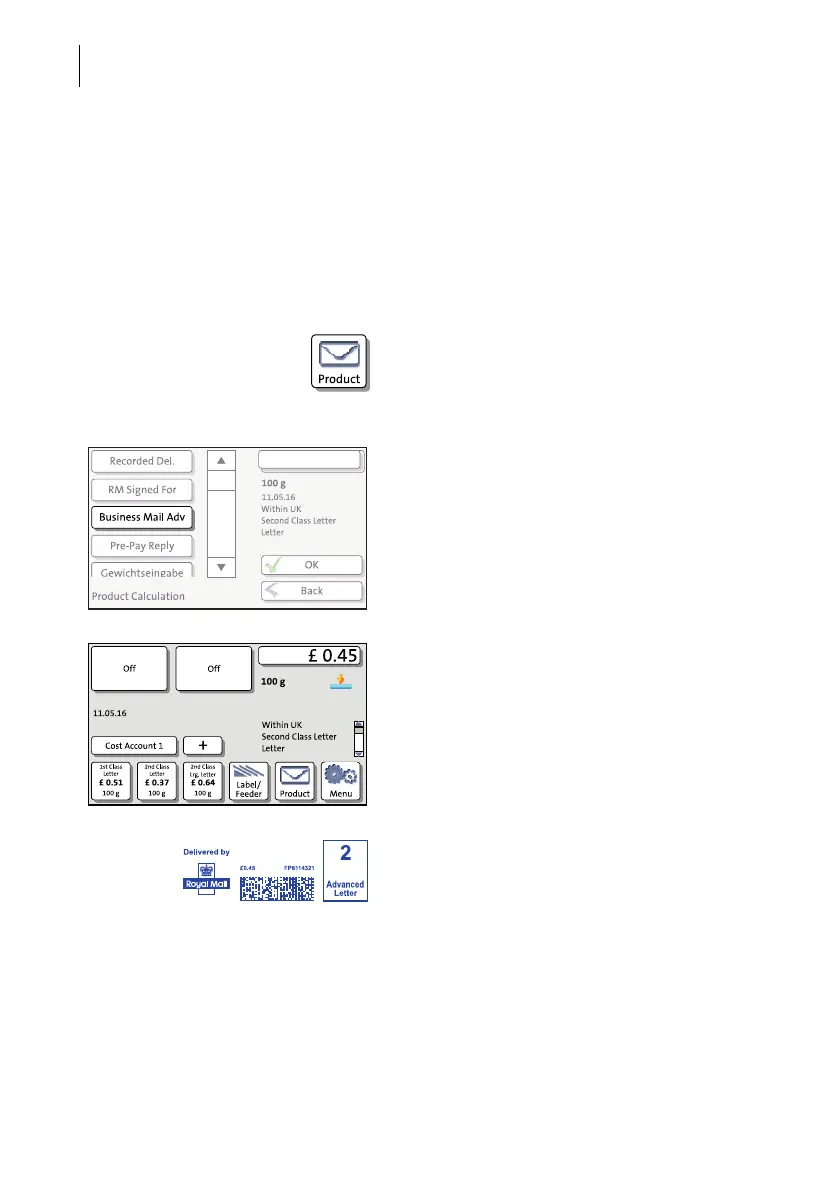
Franking Business Mail
• Press the P
RODUCT button in the Home
screen.
• Select the desired product, for example
W
ITHIN UK / SECOND CLASS / LETTER.
• Select the B
USINESS MAIL ADV(anced) spe-
cial service.
• Press OK to return to the Home screen.
• Frank the mail pieces as usual.
PostBase One prints the Mailmark™ frank-
ing imprint and the Business Mail imprint on
its left.
Please note: The product usage data must
be uploaded on the same day the mail was
franked. Please refer to chapter 14.13.



 To Next Page